Bulk Editing WordPress Content Over the REST API Without Breaking Anything
On this page, 12 sections
This is the request that quietly destroys an archive:
curl -s "https://example.com/wp-json/wp/v2/posts?per_page=100" | jq '.[0].content.rendered'It looks like it reads the post. It does not.
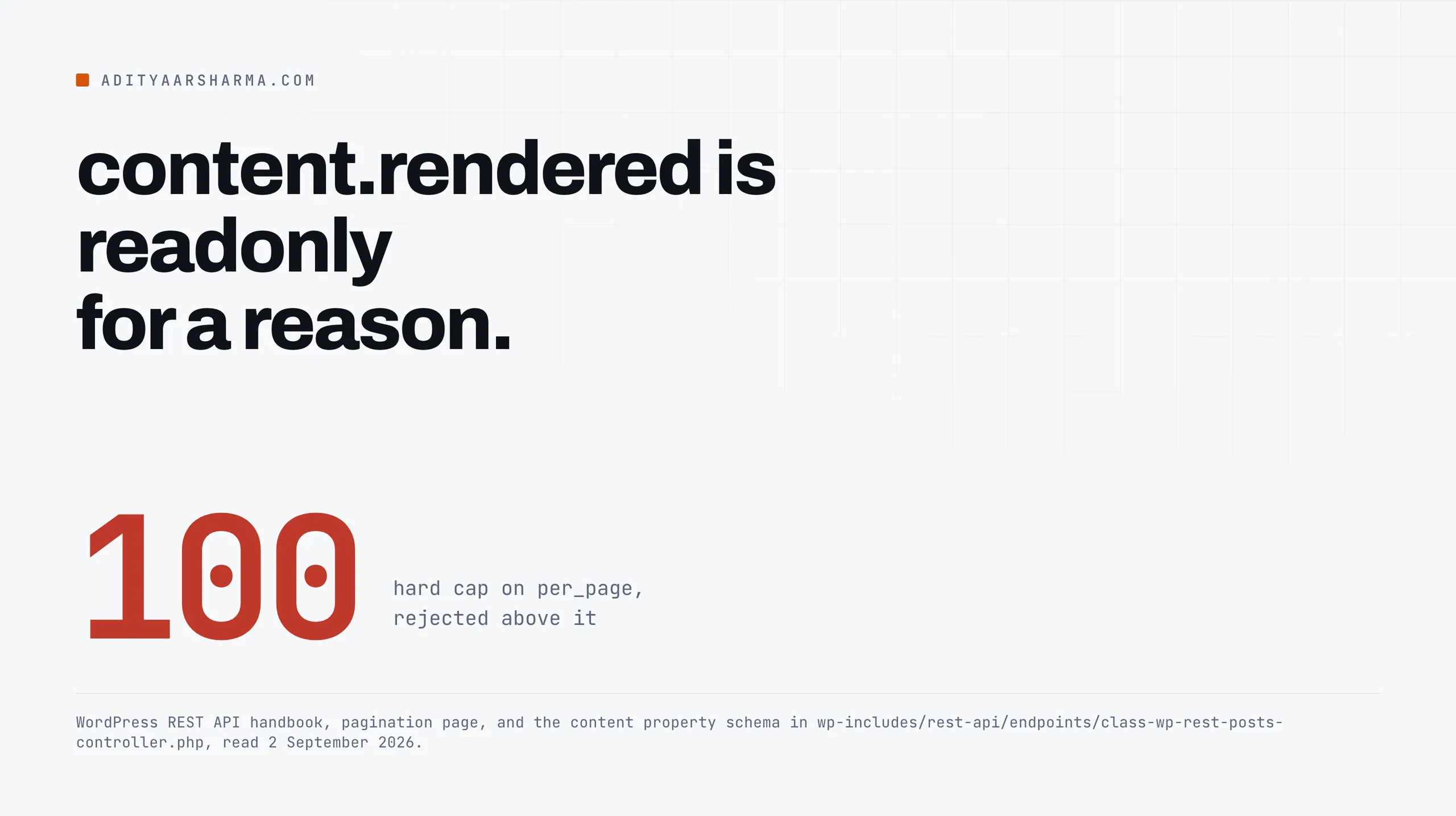
Without context=edit the REST API hands you content.rendered, which is the post run through the the_content filter: block markup already turned into HTML, shortcodes already expanded, embeds already resolved into iframes, and every filter every plugin has hooked already applied.
Write that string back with POST /wp/v2/posts/<id> and you have replaced the source of the post with a snapshot of its output. Do it in a loop over 400 posts and you have done it 400 times.
The schema says so plainly. In class-wp-rest-posts-controller.php, the content property declares raw with 'context' => array( 'edit' ) and rendered with 'readonly' => true.
You are only ever allowed to write what you read from raw, and raw only exists in the edit context.
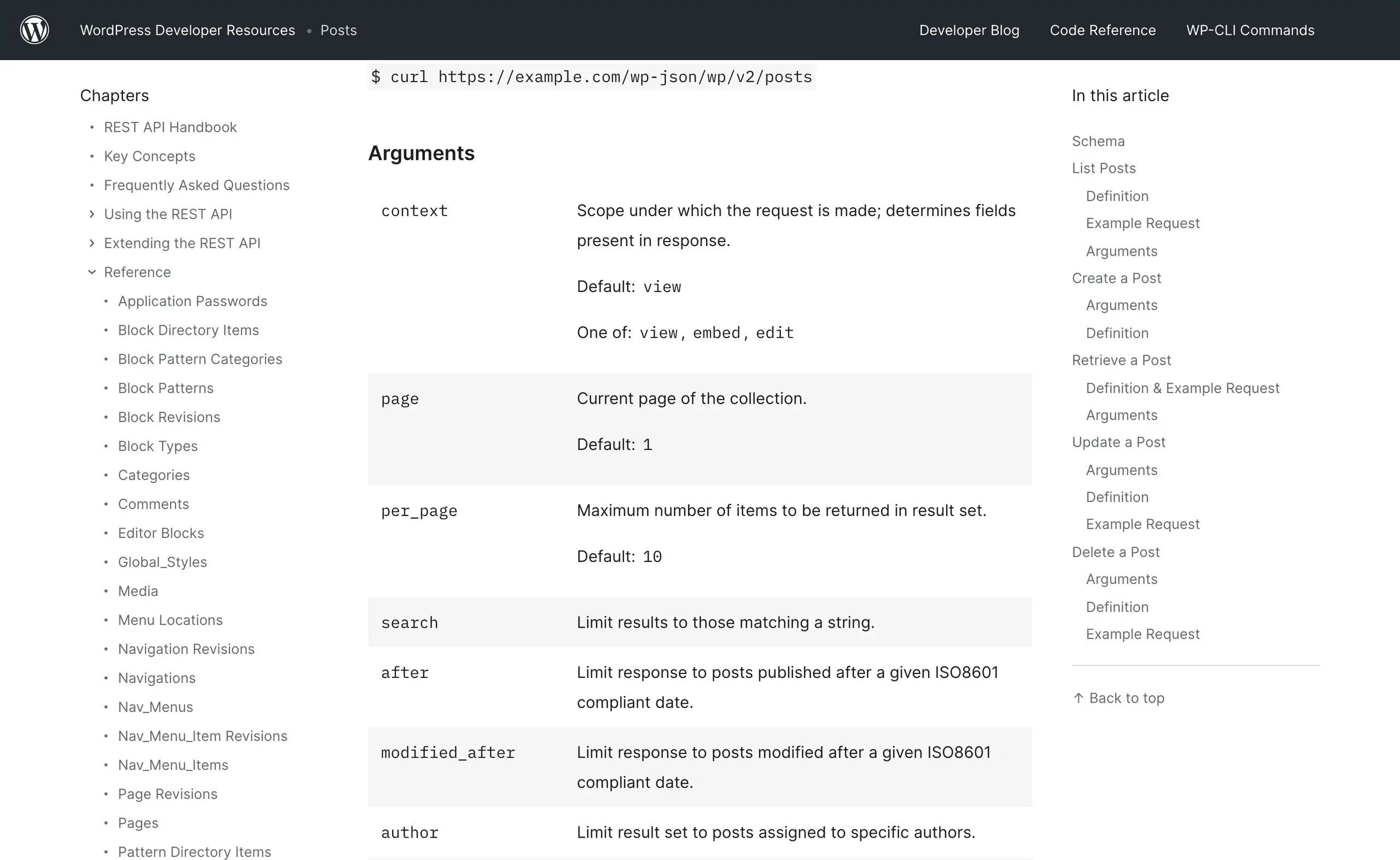
context defaults to view, and edit is opt-in.So rule one for any bulk edit: context=edit on every read, and never send back anything you took from rendered.
Auth, in one line
Application Passwords have shipped in core since WordPress 5.6. Users, then your profile, then the Application Passwords section at the bottom. You get a 24-character string with spaces in it. The spaces are part of it.
Set three environment variables and the rest is one header. WP_SITE is the site root, WP_USER your login, and WP_APP_PASS the generated password with its spaces kept. Then call /wp-json/wp/v2/users/me?context=edit with curl -u "$WP_USER:$WP_APP_PASS".
When the Authorization header never arrives
That is the whole handshake: HTTP Basic over TLS, which the REST API handbook documents as the supported remote method. If it returns your user object, you are authenticated.
If it returns the public view of a user with no capabilities key, your header is being stripped, which happens on some Apache and CGI setups because Authorization is dropped before PHP sees it.
Two checks worth running before you write a script that assumes it works.
Everything below assumes posts that already exist. If the script also has to create them, publishing to WordPress from a script covers the create path, the media endpoint and the status rules that come with it.
Read the whole site without lying to yourself
per_page is capped at 100. The handbook is explicit: 1 to 100, and over 100 the request is rejected rather than truncated.
Every paginated response carries X-WP-Total and X-WP-TotalPages, so page until you have seen every page rather than until you get an empty array.
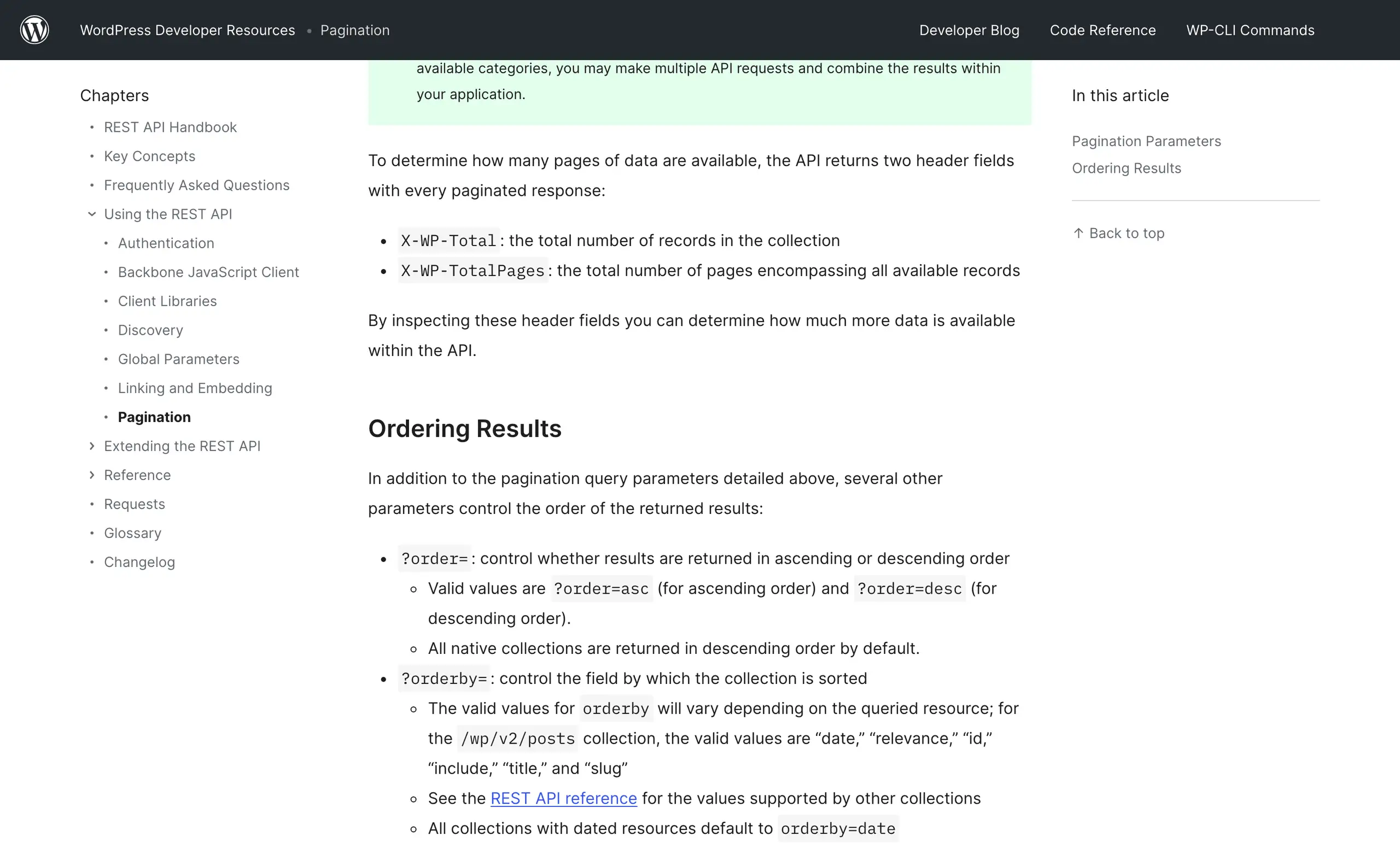
X-WP-Total and X-WP-TotalPages, and collections default to orderby=date descending.Two defaults that will quietly lose you posts
Two things people get wrong here. status defaults to publish, so a naive crawl silently misses drafts, pending, private and scheduled posts.
And orderby defaults to date descending, which means that if your edit changes anything the ordering depends on, the result set shifts under you between page 3 and page 4 and you skip posts without noticing.
Order by id ascending. It is the one field a content edit never changes.
The reader itself is short. What matters is the parameters it sends on every page.
- Authenticate with an
Authorization: Basicheader built from the user and the application password, and send an honestUser-Agent. context=edit, so the response carriescontent.rawrather thancontent.rendered.status=publish,draft,pending,private,future, because the default ispublishalone.orderby=idwithorder=asc, so the sequence cannot shift under you between pages.per_page=100, walkingpageupward until it reaches theX-WP-TotalPagesresponse header._fields=id,slug,link,status,title.raw,content.raw, with about 0.4 seconds of sleep between pages.- Raise on any HTTP error rather than swallowing it, and print the response body when you do.
_fields is doing real work there. It is handled by rest_filter_response_fields(), it understands dotted paths like content.raw, and on a large archive it is the difference between a 40 MB read and a 4 MB one. Ask for what you need.
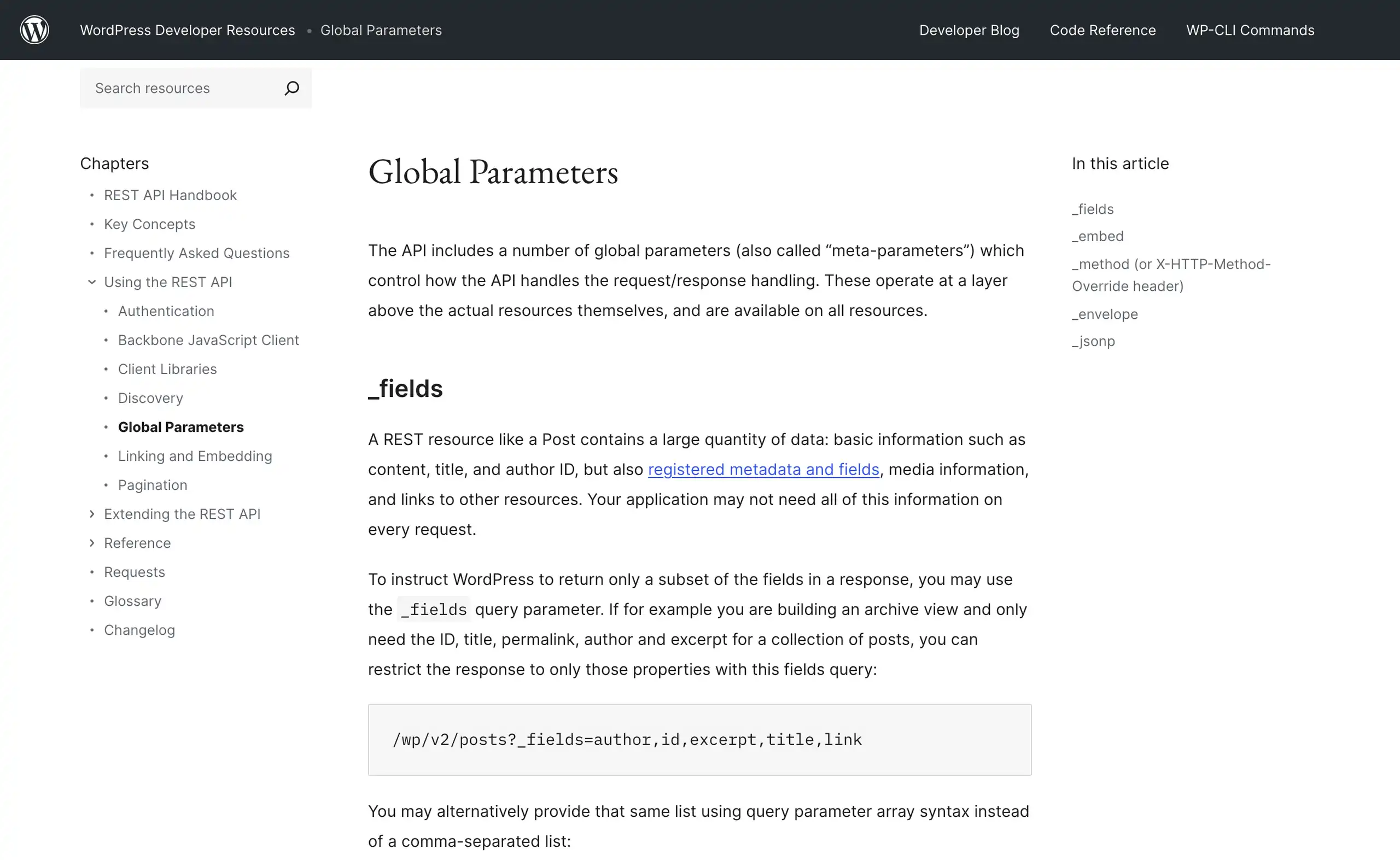
_fields is a documented parameter on every resource, not a trick.The dry run is the whole technique
A bulk edit has two phases and they belong in two separate program runs with a file in between. Phase one reads and produces a plan on disk.
You read the plan with your eyes. Phase two applies exactly what is in the plan and touches nothing else. If the same script does both, you will one day run it with the wrong argument.
Phase one walks every post, skips the ones where the find string is absent, and writes a row for each of the rest.
The row carries the ID, the link, the status, the title, the number of hits in that post, the character delta between old and new, and the new content in full.
It writes that list to plan.json, prints one line per post and a total, and says that nothing has been changed.
The three numbers to read in the plan
Three numbers make that output useful rather than decorative. The post count tells you whether your search string is broader than you thought. The replacement count tells you whether some single post has 60 of them.
The character delta tells you whether you are about to delete half a post: a large negative number on one row is the signal that your match ate something it should not have.
Sanity checks before you apply
Sanity check the plan before applying it. If a find and replace across an archive returns every post you have, your pattern is wrong.
If it returns one, ask why. I usually build the list of URLs I expect to be affected separately, using the sitemap into Google Sheets method, and compare counts before I trust anything.
Applying the plan
An update is POST /wp/v2/posts/<id>. WordPress accepts POST for updates as well as PUT and PATCH; the handbook’s own example uses POST. Send only the fields you are changing. Every field you include is a field you can break.
Phase two loads plan.json, optionally truncates it to a limit, and for each row sends POST /wp/v2/posts/<id> with a body of {"content": ...} and nothing else.
It pauses about 0.4 seconds between writes, collects failures rather than stopping at the first one, and prints the updated and failed counts at the end.
Run it with limit=1 first. Open that post in the editor, look at it, then run the rest.
That single manual look catches more than any assertion you can write, because the thing you are checking is whether the block markup still parses, and the editor is what parses it.
The batch endpoint, and what it does not do
WordPress 5.6 added a real batch route. It is registered on the server root, so it lives at /wp-json/batch/v1, and it takes a requests array.
Each entry in that array is a method, a path such as /wp/v2/posts/1234, and a body. Set validation to require-all-validate, send the rows in chunks of 25, and read the responses array that comes back.
Four facts about /batch/v1
Four facts about this route that are worth having before you rely on it, all from class-wp-rest-server.php:
- The array is capped at 25 requests, from
get_max_batch_size(), filterable throughrest_get_max_batch_size. Send 26 and the whole call is rejected on schema validation. - Only
POST,PUT,PATCHandDELETEare allowed. There is no batched read, so this speeds up writes only. - A route has to opt in. The posts controller does, with
protected $allow_batch = array( 'v1' => true ). Many custom endpoints and plenty of plugin routes do not, and you getrest_batch_not_allowedwith a 400. - It is not a transaction.
require-all-validateruns schema validation and sanitisation across every request first and, if any fail, returns{"failed": "validation"}without executing anything. Once execution starts there is no rollback. Request 12 can fatal after requests 1 to 11 have already been written.
207 does not mean success
The response is always HTTP 207 with a responses array, each entry an envelope of body, status and headers. A client that only checks the outer status code will report success on a batch where every single request failed. Check each envelope’s status.
The safety net you already have
add_action( 'post_updated', 'wp_save_post_revision', 10, 1 ) is in default-filters.php, and REST updates go through wp_update_post() like everything else. So every post you touch gets a revision of its previous content, and the revisions are readable over the API:
curl -s -u "$WP_USER:$WP_APP_PASS" \
  "$WP_SITE/wp-json/wp/v2/posts/1234/revisions?context=edit&per_page=5&_fields=id,date,content.raw" \
  | jq -r '.[] | [.id, .date] | @tsv'
Two conditions on the revision safety net
Two conditions on that. If WP_POST_REVISIONS is set to false in wp-config.php, and plenty of hosts and performance guides set it to false or a small integer, there is no safety net at all.
And wp_save_post_revision() only saves when the content actually changed, which is fine, but it also means a botched second pass over the same posts can push the good version off the end of a WP_POST_REVISIONS = 3 limit.
Check the constant before you start, and take a database dump anyway.
That is wp config get WP_POST_REVISIONS and then wp db export pre-bulk-edit.sql, in that order, before anything writes.
The failures that are specific to this
- KSES rewrites your HTML if the account is not an administrator.
kses_init()callskses_init_filters()for any user without theunfiltered_htmlcapability, which addswp_filter_post_ksestocontent_save_pre. On multisite no one has that capability by default, super admin included. The result is that identical requests produce different stored content depending on who the Application Password belongs to. Test with the exact account the script will use, never with your own admin login. - Taxonomy fields replace, they do not append.
categoriesandtagstake an array of term IDs and set the post’s terms to that array. Sending{"tags": [42]}removes every other tag. To add one, read the current array, append, send the union. metais invisible unless it was registered for it. Only keys registered throughregister_post_meta()withshow_in_restappear in themetaobject or can be written. A key you can see inwp_postmetaand cannot see in the API has not been registered, and no amount of retrying changes that. That is often the point where a bulk edit has to move to WP-CLI instead.- Changing
slugchanges the URL and leaves nothing behind. The REST API does not create a redirect. If a bulk edit touches slugs, plan the redirects in the same pass, and read up on fixing 301 errors in WordPress before rather than after. - Sending
datecan move a post’s schedule.wp_insert_post()flipspublishtofuturewhenever the supplied date is 60 seconds or more ahead, so an innocent-looking date normalisation pass can unpublish live posts. If that happens, the scheduling mechanism and how to find posts stuck in future status is the next thing to read.
Verify with a second read, not with the write response
The response to a successful update is the post as WordPress now holds it, which is genuinely useful, and it is still the same request telling you about itself.
Do a separate pass afterwards that reads the posts again and asserts what you expect.
Read the plan back, collect the IDs, and request them a hundred at a time with include, context=edit, the same full status list and _fields=id,content.raw.
Then assert the find string is gone from every one, and print the IDs where it is not.
include takes an array of IDs, and combined with per_page=100 that is one request per hundred posts. If anything comes back still holding the old string, you know before your readers do.
When to stop using the API
The REST API is the right tool when the change is content-shaped and the site is remote. It stops being the right tool in two situations.
When the field you need is not exposed, WP-CLI over SSH reaches everything the API cannot: wp post update <id> --meta_input='{"key":"value"}', or wp post list --format=ids piped into xargs, with --defer-term-counting when you are touching thousands of posts.
And when the work is not content at all: regenerating attachments or compressing an image library in bulk is a filesystem job, and pushing image bytes through a JSON API to do it is the slow way round.
I keep WP-CLI wired up over SSH for exactly that reason, and reach for whichever of the two fits the field I need to change.
Do this before your next bulk edit
Run the plan phase against production and the apply phase against nothing. Read the counts. Then run apply with a limit of one, open that post in the block editor, and confirm it still parses as blocks rather than as a single HTML lump.
If it does, the other 399 will too, and if it does not you have spent one post finding out instead of an archive.
More on wordpress automation
- Scheduling WordPress Content Properly: Why Posts Miss Their Schedule and How to Fix It for Good
- n8n and WordPress: What Is Actually Worth Wiring Together
- Publishing to WordPress From a Script: The Complete, Correct Way
Resources
- Posts endpoint reference, the full schema and which fields exist in which context
- Pagination in the REST API handbook, where the 100 cap and the
X-WP-Totalheaders are documented - Authentication in the REST API handbook, Application Passwords over Basic auth
- Application Passwords integration guide on make.wordpress.org
- wp post update in the WP-CLI handbook, for the fields the API will not give you