robots.txt for AI Crawlers: The Actual User-Agent Strings, and What Each One Honours
On this page, 10 sections
My own robots.txt permits GPTBot to crawl /wp-json/. Googlebot cannot. I did not intend either of those things, and the file looks completely reasonable until you read the group-matching rule.
Here is the relevant part of https://adityaarsharma.com/robots.txt, fetched 2 September 2026 and trimmed:
User-agent: *
Disallow: /wp-json/
Disallow: /feed
Disallow: /wp-admin/
Disallow: /?s=*
Disallow: /search/*

User-agent: GPTBot
User-agent: ChatGPT-User
User-agent: OAI-SearchBot
User-agent: ClaudeBot
User-agent: anthropic-ai
User-agent: Claude-Web
User-agent: Google-Extended
User-agent: PerplexityBot
User-agent: CCBot
... 25 more agents ...
Allow: /
What RFC 9309 says about group matching
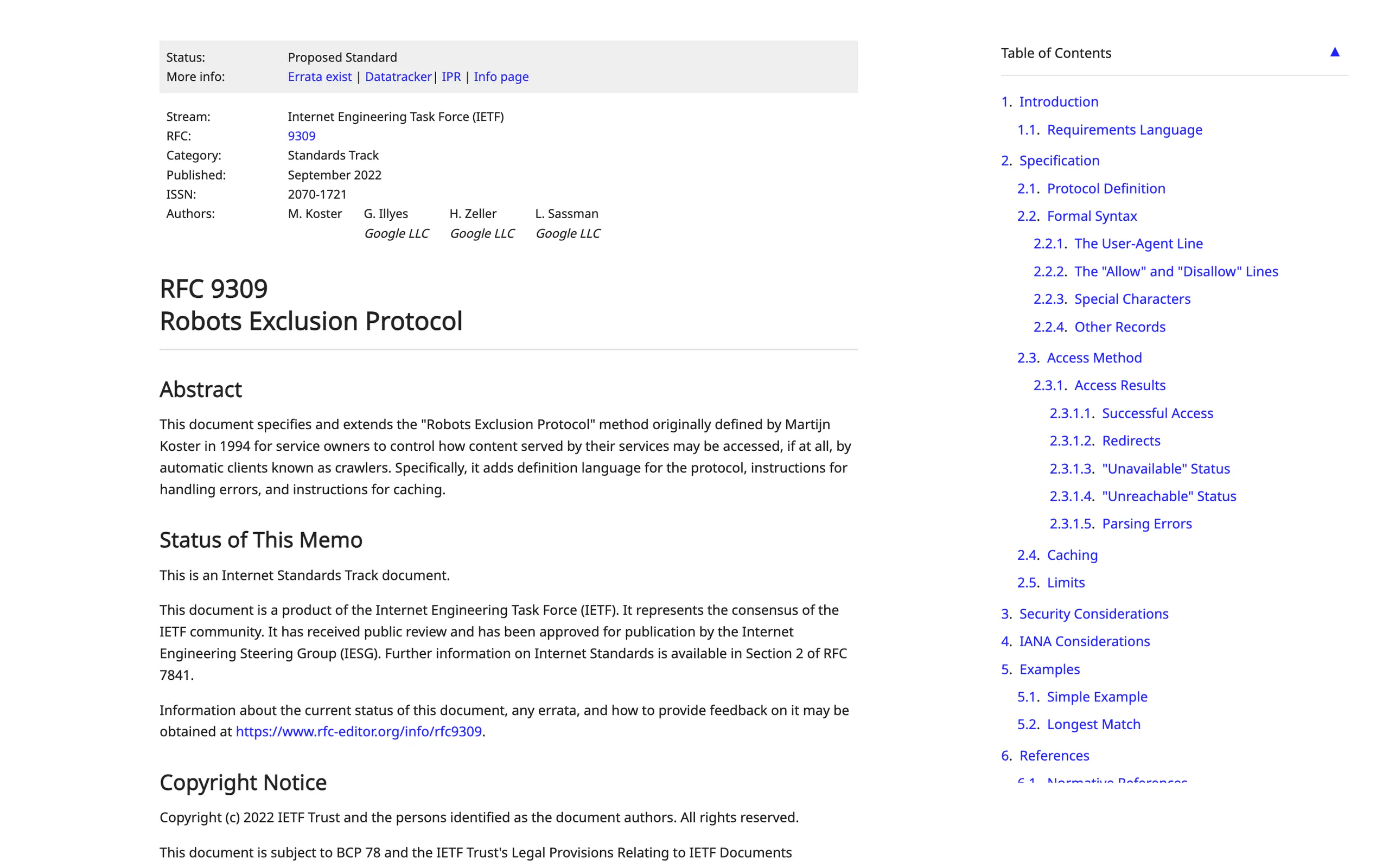
RFC 9309, the 2022 standardisation of the Robots Exclusion Protocol, is explicit about what happens next.
Crawlers match their product token case-insensitively, merge every group that matches, and obey those rules.
Then: if no matching group exists, crawlers must obey the group with a user-agent line of *. The corollary is the part people miss.
If a matching group does exist, the * group is never consulted at all.
So GPTBot reads its own group, finds one rule, Allow: /, and every Disallow above it is irrelevant.
Bing states the same thing in its own words in its robots.txt help: on finding instructions for itself, Bingbot ignores the generic section, so you have to repeat the general directives inside the specific one.
The most common failure in AI crawler blocks
That is the single most common failure in AI crawler blocks, and it is produced by exactly the plugins and generators that sell AI crawler control as a feature. Everything below is the vendor documentation, read on 2 September 2026, with the real strings.
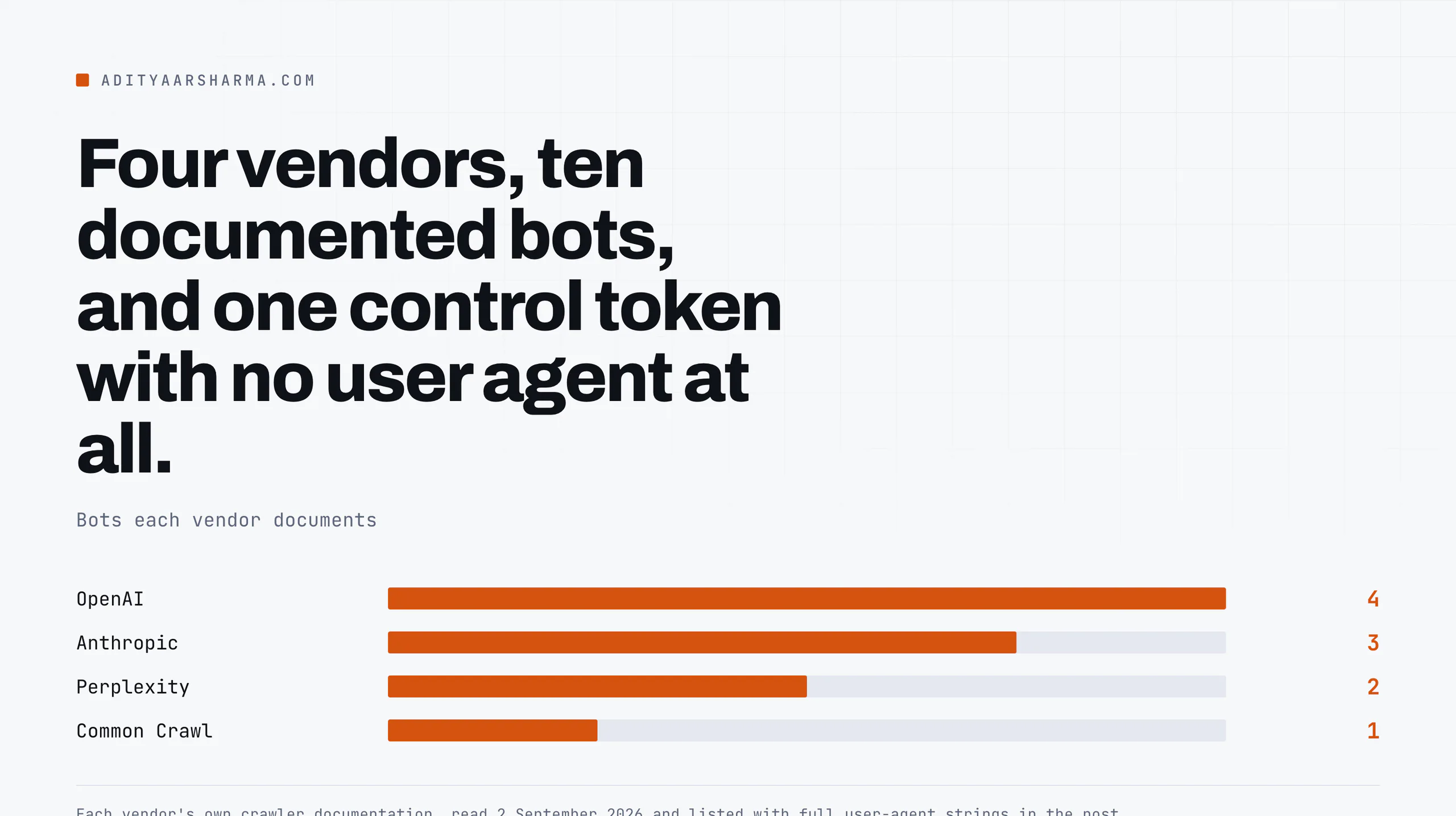
OpenAI: four bots, and only one of them is about search
Source: Overview of OpenAI crawlers. OpenAI notes the version number in these strings can change.
- GPTBot is training only.
Mozilla/5.0 AppleWebKit/537.36 (KHTML, like Gecko); compatible; GPTBot/1.4; +https://openai.com/gptbot. Blocking it says your content should not be used to train the foundation models. It does nothing to your visibility in ChatGPT search. - OAI-SearchBot is search.
...; compatible; OAI-SearchBot/1.4; +https://openai.com/searchbot. OpenAI says sites opted out of this one will not be shown in ChatGPT search answers, though they can still appear as navigational links. It also warns that a robots.txt change takes about 24 hours to take effect on the search side. - ChatGPT-User is user-initiated fetching.
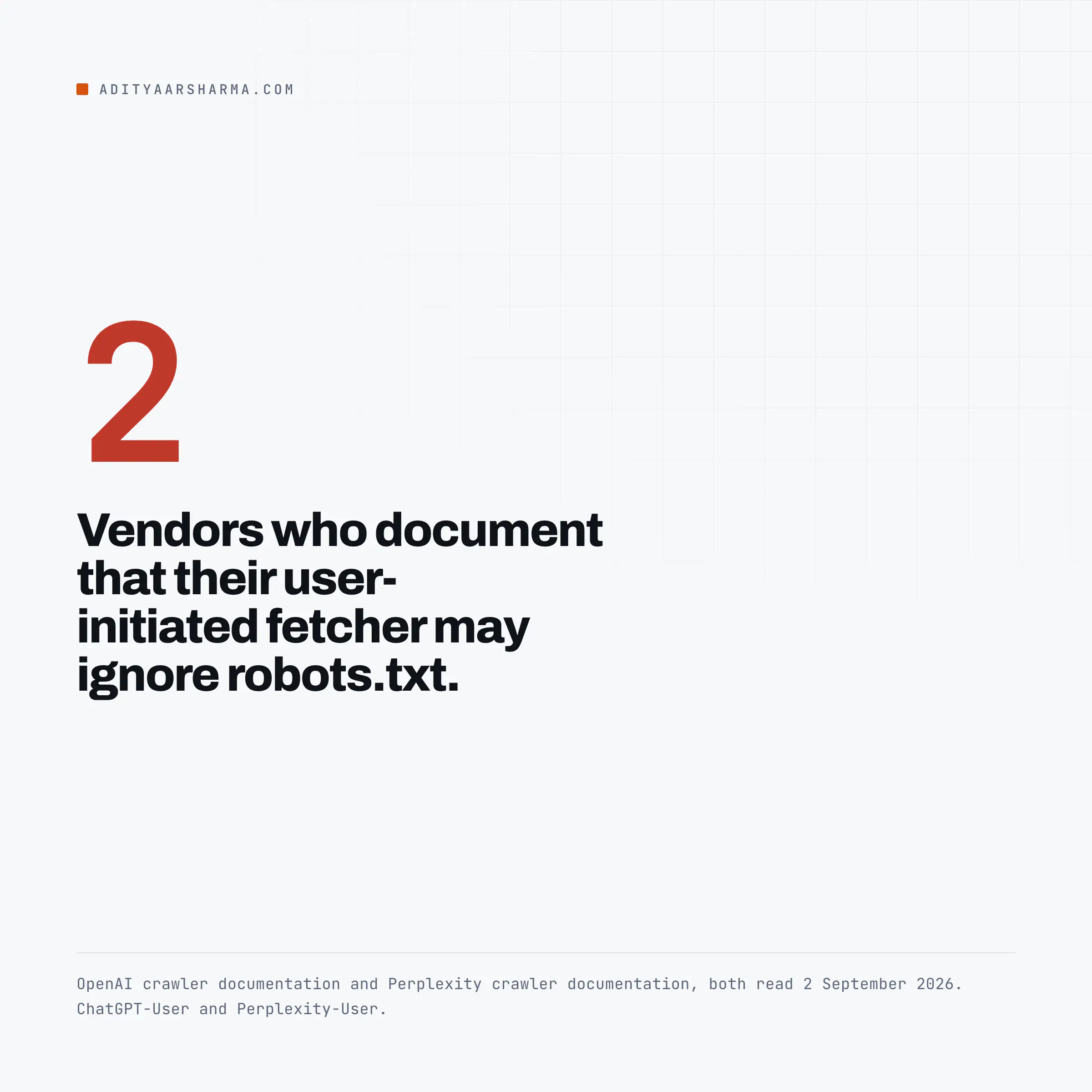
Mozilla/5.0 AppleWebKit/537.36 (KHTML, like Gecko); compatible; ChatGPT-User/1.0; +https://openai.com/bot. OpenAI’s own wording: because these actions are initiated by a user, “robots.txt rules may not apply.” - OAI-AdsBot visits pages submitted as ads on ChatGPT.
Mozilla/5.0 AppleWebKit/537.36 (KHTML, like Gecko); compatible; OAI-AdsBot/1.0; +https://openai.com/adsbot. OpenAI says what it collects is not used for training.
The robots.txt fetch suffix
A detail worth having in your log parser: when fetching robots.txt itself, OpenAI may add a robots.txt marker into the user agent string, so a real request looks like ...; compatible; OAI-SearchBot/1.4; robots.txt; +https://openai.com/searchbot.
That exists specifically so you can tell policy fetches from content fetches when your log format drops the path.
The published IP ranges
Each bot publishes IP ranges as JSON. I fetched them on 2 September 2026: curl -s https://openai.com/gptbot.json returns a creationTime of 2025-10-30T11:00:00.000000 and a prefixes array of IPv4 blocks, the first being 132.196.86.0/24. searchbot.json and chatgpt-user.json have the same shape.
Anthropic: three bots, and your robots.txt is probably naming two that do not exist
Source: Anthropic’s support article, does Anthropic crawl data from the web.
Three robots are documented: ClaudeBot for content that may contribute to model training, Claude-User for websites Claude visits at a user’s direction, and Claude-SearchBot for search quality.
Anthropic states plainly that disabling Claude-User stops content being retrieved in response to a user query, and disabling Claude-SearchBot stops indexing for search, and that both may reduce your visibility.
The block syntax Anthropic gives you
Anthropic supports the non-standard Crawl-delay extension, and gives the block syntax directly:
User-agent: ClaudeBot
Crawl-delay: 1

User-agent: ClaudeBot
Disallow: /
It also says IP blocking is not a supported opt-out, because it stops Anthropic reading your robots.txt in the first place, which is a sound point and one most blocklists get wrong.
Two of the three names on my file do not exist
Now compare that against my own file above. It lists ClaudeBot, anthropic-ai and Claude-Web.
Two of those three are not in Anthropic’s current documentation at all, and the two agents that actually decide whether Claude can see your page when a person asks about you, Claude-User and Claude-SearchBot, are missing.
That list came from a plugin. It is the state of most WordPress AI crawler blocklists: accurate for 2023, stale for the bots that matter now.
Common Crawl: the most transparent of the set
Source: the Common Crawl FAQ. The current string is CCBot/2.0 (https://commoncrawl.org/faq/); the older one was CCBot/1.0 (+https://commoncrawl.org/bot.html), and they say the version number may increment.
What CCBot honours
What it honours, in their words: it checks robots.txt first and only fetches if crawling is permitted, it obeys Crawl-delay, it follows RFC 9309 redirect limits, it backs off on HTTP 429 and 5xx, and it uses your sitemap if robots.txt announces one.
It does not execute JavaScript and does not use cookies. IP ranges are published at index.commoncrawl.org/ccbot.json with reverse DNS for verification, and there is a separate opt-out registry beyond robots.txt.
CCBot is the one bot on this list where you can verify every claim about its behaviour from your own logs, because it identifies itself with a plain string and does not render.
Perplexity: one bot honours robots.txt, the other says it generally does not
Source: Perplexity crawlers.
- PerplexityBot, for surfacing and linking sites in Perplexity search results, not for training.
Mozilla/5.0 AppleWebKit/537.36 (KHTML, like Gecko; compatible; PerplexityBot/1.0; +https://perplexity.ai/perplexitybot) - Perplexity-User, for pages fetched because a user asked a question.
Mozilla/5.0 AppleWebKit/537.36 (KHTML, like Gecko; compatible; Perplexity-User/1.0; +https://perplexity.ai/perplexity-user). Perplexity’s own line: since a user requested the fetch, this fetcher “generally ignores robots.txt rules.”
Two vendors say the same thing about user-initiated fetches
That is two vendors, OpenAI and Perplexity, stating in their own documentation that their user-initiated fetchers are outside robots.txt. If your requirement is that no AI system ever renders your content, robots.txt does not deliver it.
Only network-level rules do, and that is a different decision with different costs.
A live gotcha for WAF automation
One live gotcha if you automate WAF rules. The documentation gives https://www.perplexity.com/perplexitybot.json. On 2 September 2026 that URL returned a 302 to https://www.perplexity.ai/perplexitybot.json, which then returned the JSON with a creationTime of 2025-02-07.
A fetch job written without curl -L gets a 302 body and an empty IP set, and empty IP sets in an allow rule fail closed.
Google-Extended: a control token with no user agent
Source: Google’s common crawlers documentation. This is the one most people have backwards, and Google’s own table says why in one line: Google-Extended has no separate HTTP request user agent string.
Crawling is done with existing Google user agent strings, and the robots.txt token is used purely as a control.
Three consequences of a token with no user agent
Three consequences.
- You will never see Google-Extended in an access log. Any dashboard showing you Google-Extended hits is showing you something it invented.
- What the token controls is training of the Gemini models and grounding in Gemini Apps and Grounding with Google Search on Vertex AI.
- Google states that Google-Extended does not affect inclusion in Google Search and is not a ranking signal. It therefore does not remove you from AI Overviews or AI Mode. Those are part of Search, and Google’s AI features guidance says the control for them is Googlebot in robots.txt plus
nosnippet,data-nosnippet,max-snippetornoindex. Since 31 August 2026 there is also a Search generative AI control in Search Console settings, which defaults to including your site.
Bingbot: there is no separate AI crawler
Source: Overview of Bing crawlers. Bing lists Bingbot, AdIdxBot for ads, BingPreview, MicrosoftPreview and BingVideoPreview. No AI-specific token. Bingbot’s string, with the Edge version as a placeholder: The string is Mozilla/5.0 AppleWebKit/537.36 (KHTML, like Gecko; compatible; bingbot/2.0; +http://www.bing.com/bingbot.htm) Chrome/W.X.Y.Z Safari/537.36.
One crawl feeds both
Which means the crawl that feeds Copilot answers and Bing’s AI summaries is the same crawl that feeds blue links, and a Bingbot block removes you from both.
The per-section control Bing added in October 2025 is data-nosnippet: content inside a data-nosnippet element is still crawled, still indexed and still available for ranking, and is excluded from snippets and AI summaries.
That is the granular tool. Blocking Bingbot is not.
Bing is also the only vendor here that offers hourly crawl rate control in a dashboard rather than through robots.txt, and it tells you outright that user agent strings are easy to spoof and points at its Verify Bingbot tool.
Count what is actually hitting you first
Before writing a single rule, get the base rate from your own access log. This runs on a standard combined log format and is case-insensitive, which matters because Bing’s token is lowercase in the real string:
awk '
BEGIN{ n=split("gptbot oai-searchbot oai-adsbot chatgpt-user claudebot claude-user \
claude-searchbot ccbot perplexitybot perplexity-user bingbot applebot \
google-cloudvertexbot meta-externalagent bytespider", B, " ") }
{ l=tolower($0); for(i=1;i<=n;i++) if(index(l,B[i])) { c[B[i]]++; break } }
END{ for(k in c) printf "%-22s %d\n", k, c[k] }' /var/log/nginx/access.log | sort -k2 -nr
Verify before you trust the count
Then verify before you trust the count.
Every string above is trivially forgeable, and scrapers forge them precisely because site owners write allow rules against them.
OpenAI, Perplexity and Common Crawl publish IP ranges as JSON; Google and Bing offer reverse DNS verification and a lookup tool. A user agent match on its own is a claim, not evidence.
I have watched a compromised site serve different content based on the user agent header, which is the same trick pointed the other way.
The four ways these blocks go wrong
- The un-blocking group. An AI agent group containing only
Allow: /cancels every Disallow in your*group for those agents. Repeat the general rules inside the specific group, or useDisallow:with an empty value if what you meant was full permission. - Blocking the wrong OpenAI bot. GPTBot is training. OAI-SearchBot is search. Blocking GPTBot to stay out of ChatGPT answers does nothing; blocking OAI-SearchBot removes you from them.
- Expecting Google-Extended to remove you from AI Overviews. It does not, by Google’s own statement. Use Search Console’s generative AI control, or snippet controls.
- Believing robots.txt is a wall. Two vendors document that their user-initiated fetchers may ignore it. If you need enforcement, you need it at the edge, and then you have to maintain IP lists that change. My Cloudflare rules for blocking scrapers are the same shape of problem.
The related trap on WordPress is crawl waste rather than crawl blocking: parameterised URLs multiplying into thousands of near-identical pages that every one of these bots will happily fetch.
That is worth fixing first, and I wrote up the WooCommerce version of it in stopping add-to-cart URLs from being crawled.
Open your own robots.txt and check one thing: does your AI agent group repeat the Disallow lines from your * group? If it does not, your AI crawlers have more access than your search crawlers, and you have been telling people the opposite.
More on ai search and wordpress
- llms.txt for WordPress: What the Spec Actually Says and Whether Anything Reads It
- Structured Data and AI Answers: What Schema Is Actually Doing for You Now
- How to Measure Whether AI Search Sends You Anything
Resources
- RFC 9309, Robots Exclusion Protocol. Section 2.2.1 is the group matching rule.
- OpenAI crawler documentation, plus gptbot.json and searchbot.json.
- Anthropic crawler policy.
- Perplexity crawler documentation, including the WAF configuration notes.
- Common Crawl FAQ.
- Google common crawlers and fetchers and Bing crawler overview.