The WooCommerce REST API for Automation: What Is Safe to Script
On this page, 10 sections
This is the list of hooks that send a customer email in WooCommerce. It lives in includes/class-wc-emails.php on trunk, read 2 September 2026.
apply_filters( 'woocommerce_email_actions', array(
  'woocommerce_order_status_pending_to_processing',
  'woocommerce_order_status_pending_to_completed',
  'woocommerce_order_status_completed',    // no from-state
  'woocommerce_order_status_failed',
  'woocommerce_order_fully_refunded',
  ...
) );
Look at woocommerce_order_status_completed. It has no from-state. It fires on any transition into completed, from anywhere.
So a loop that does PUT /wp-json/wc/v3/orders/{id} with {"status":"completed"} across 500 back-dated orders sends 500 customer emails, and there is no flag on the request to stop it.
That is the shape of the whole problem. The WooCommerce REST API is a thin skin over the same object model the admin screens use, so every write runs the same hooks a human click would run.
Reads are almost entirely safe. Writes are safe or catastrophic depending on which field you touched, and the API gives you no signal about which is which.
Here is the split I use, with the source line for each rule.
Auth: two mechanisms, and one of them is worse than it looks
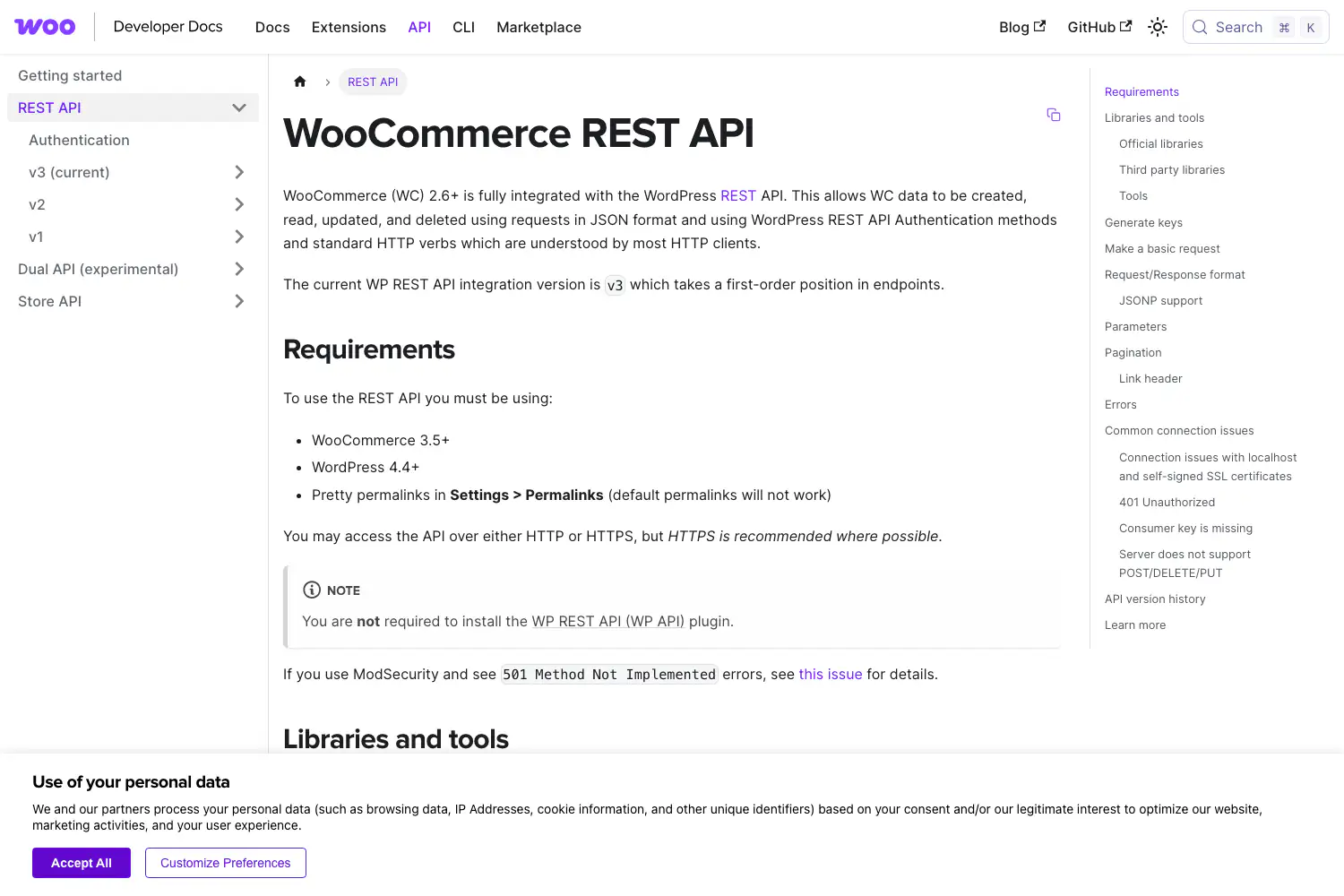
The consumer key inherits the user
WooCommerce generates its own credentials at WooCommerce > Settings > Advanced > REST API. You get a consumer key and consumer secret, with a scope of read, write or read/write. From the authentication documentation, two facts people miss:
- The key inherits the WordPress roles and capabilities of the user you attached it to. A key on an administrator is an administrator.
- If that WordPress user is deleted, the key stops working. Keys are not transferred to another user.
Over HTTPS you send the pair as HTTP Basic Auth, key as username, secret as password.
Over plain HTTP the documentation directs you to OAuth 1.0a one-legged with an HMAC-SHA1 signature, and the docs say HTTPS is recommended where possible rather than required. Read that carefully.
The client libraries expose a query_string_auth option that puts the key and secret in the URL, which lands them in your access log, your proxy’s log, and any Referer header the response triggers.
If you are choosing here, choose HTTPS with Basic and never set that option.
Application passwords, and why I default to them
The second mechanism is WordPress core application passwords, available since 5.6, which authenticate against the whole REST API including wc/v3.
Difference that matters: an application password is revocable per application without deleting the user, and it is visible in the user’s own profile screen.
A WooCommerce consumer key is a separate list in a separate settings screen that nobody audits.
For agent work I default to application passwords for exactly that reason, and I wrote the full credential setup in running Claude Code against WordPress.
Neither mechanism gives you a per-endpoint scope. Read/write means write to everything the user can write to.
Reads: what is safe, and where the ceilings are
Two hard numbers, both from the source
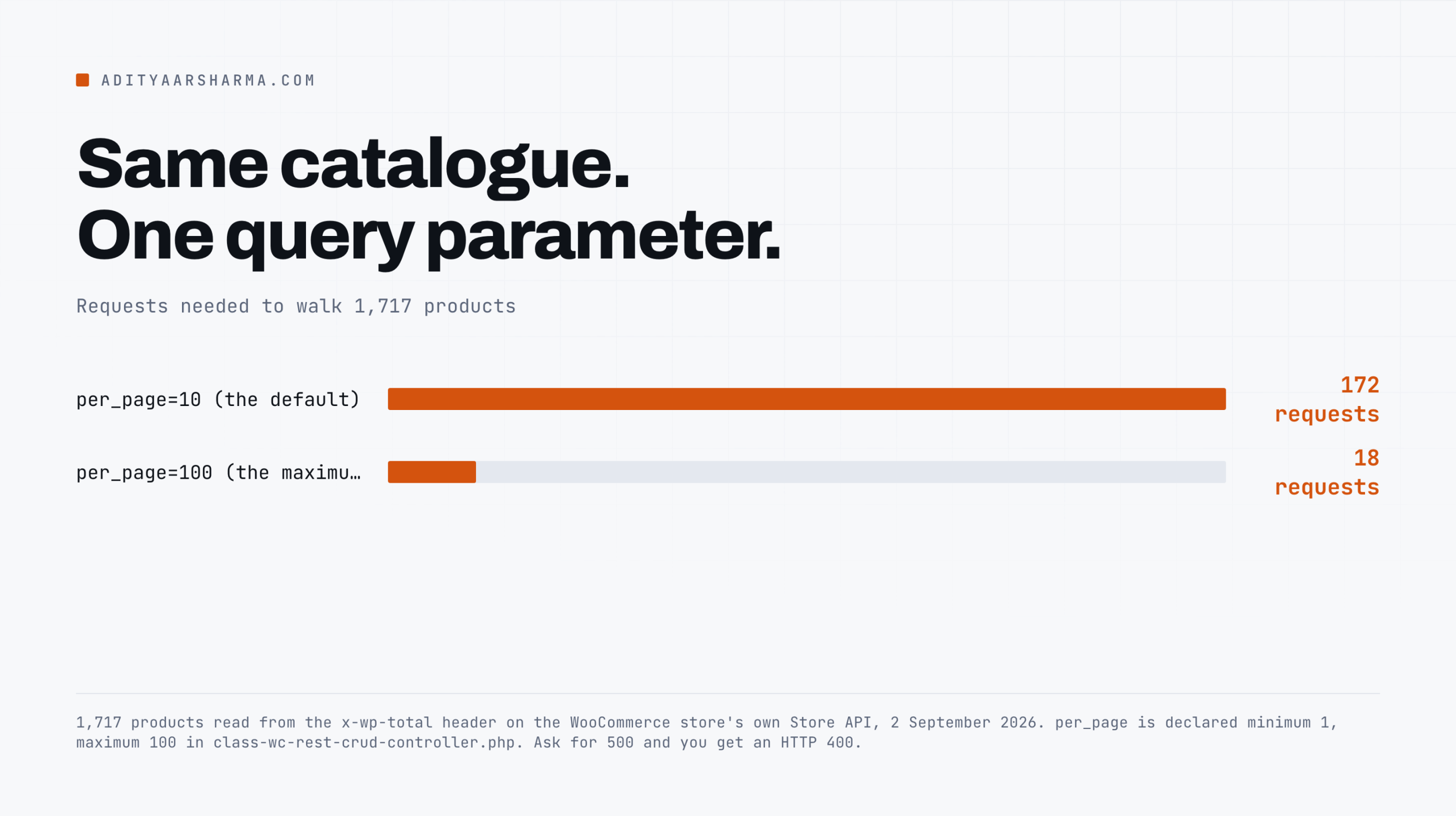
Pagination caps at 100. In class-wc-rest-crud-controller.php, per_page is declared with 'minimum' => 1, 'maximum' => 100. The default is 10. Ask for 500 and you get a 400, not 500 items.
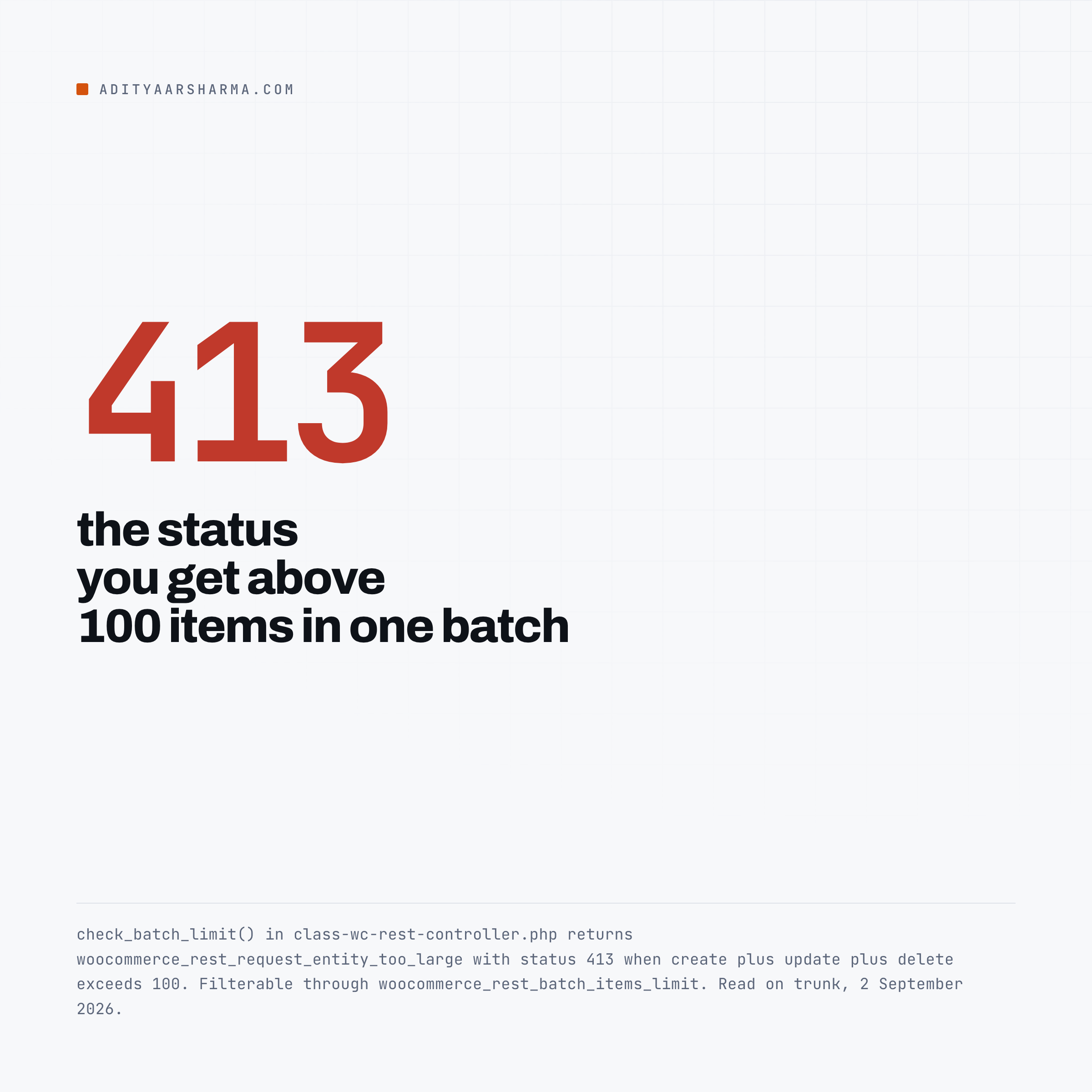
Batch writes cap at 100 items. check_batch_limit() in class-wc-rest-controller.php reads the limit from the woocommerce_rest_batch_items_limit filter, defaulting to 100, and returns a WP_Error above it.
The count is create plus update plus delete combined, not 100 of each.
Exceed it and you get HTTP 413 with the code woocommerce_rest_request_entity_too_large. It is filterable, and raising it on shared hosting is how you find your PHP memory limit.
What that ceiling costs is easy to work out. WooCommerce’s own store publishes 1,717 products, a figure I read from the x-wp-total header on its Store API on 2 September 2026.
At the default per_page=10 that is 172 requests. At the maximum of 100 it is 18. Ask for 500 and you get an HTTP 400 back, so 18 is the floor.
Every list response carries X-WP-Total and X-WP-TotalPages. Those are not free.
They come from the query’s found-rows count, which on a large catalogue is a second pass over the result set on every single page request.
If you are walking 200 pages you are paying for 200 counts you already know the answer to.
The pagination bug that eats records
Offset pagination over a set you are also mutating drops rows. It is not a WooCommerce bug, it is arithmetic, and it is the single most common way a bulk script silently misses records.
How the rows go missing
You request page 1 with orderby=date&order=desc, get 100 orders, and set them to completed. Your status=processing filter now matches 100 fewer rows.
You request page 2, and the database gives you rows 101 to 200 of the new set, which are rows 201 to 300 of the old one. Rows 101 to 200 are never seen.
On a 5,000 order run with a filter on the field you are writing to, you will process roughly half and have no error to show for it.
Two fixes, both boring:
- Keyset pagination. Sort by
idascending and page with the last id you saw, not with a page number. WooCommerce supports?orderby=id&order=asc&offset=but the cleaner form is to filter onafterwith a date column, or to collect all ids first with_fields=idand then iterate that fixed list. - Collect, then write. Run the whole read phase into a local file. Write from the file. Now the set you are writing to cannot move under you, and a crashed run is resumable.
# read phase: ids only, cheap, stable
for page in $(seq 1 18); do
  curl -s -u "$CK:$CS" \
    "https://example.com/wp-json/wc/v3/products?per_page=100&page=$page&_fields=id,sku,stock_quantity" \
    >> /tmp/products.ndjson
  sleep 1
done
_fields is WordPress core, not WooCommerce, and it works on every wc/v3 endpoint.
On a catalogue with long descriptions it is the difference between an 18 megabyte read and a 200 kilobyte one. Use it on every read you do not need the full object for.
Rate limits: there are none where you expect them
WooCommerce documents rate limiting for the Store API, and the documented behaviour is narrow:
- It is disabled by default and switched on with the
woocommerce_store_api_rate_limit_optionsfilter. - The default is 25 requests per 10 seconds.
- Only
POSTrequests are rate limited.GETis not.
No documented limit on wc/v3
There is no equivalent documented limit on the authenticated wc/v3 API. Your effective limit is your host’s: PHP workers, max_execution_time, and whatever your WAF decides is abuse.
This is worse than a documented limit, because you find it as a 502 halfway through a write batch with no idea which items committed.
So build the limit yourself.
One request at a time with a one second gap, exponential backoff on 429 and 5xx, and an idempotency key of your own in a meta field so a retry can detect that it already ran.
The writes that are one-way
These are the ones I will not put in an unattended script without a dry run and a confirmation step.
1. Order status, because of the emails
The hook list at the top of this post is the whole argument. Setting status on an order fires the transition hooks, and the transition hooks send mail.
If you must do it in bulk, the safe pattern is to unhook the mailer for the duration of your run rather than to hope.
If you want per-template control instead of an all-or-nothing switch, the approach in applying a WordPress email template to only specific emails is the same hook surface used the other way round.
2. Order status, because of the stock
Separately from mail, status transitions move inventory. From includes/wc-stock-functions.php on trunk:
add_action( 'woocommerce_payment_complete',            'wc_maybe_reduce_stock_levels' );
add_action( 'woocommerce_order_status_completed',     'wc_maybe_reduce_stock_levels' );
add_action( 'woocommerce_order_status_processing',    'wc_maybe_reduce_stock_levels' );
add_action( 'woocommerce_order_status_on-hold',       'wc_maybe_reduce_stock_levels' );
add_action( 'woocommerce_order_status_cancelled',     'wc_maybe_increase_stock_levels' );
add_action( 'woocommerce_order_status_pending',       'wc_maybe_increase_stock_levels' );
add_action( 'woocommerce_order_status_failed',        'wc_maybe_increase_stock_levels' );
The guard is a single flag. wc_maybe_reduce_stock_levels() reads get_stock_reduced() and returns early if it is already true, so setting completed twice does not double-decrement. But the reverse is not guarded the same way.
Move an order processing to pending and back to processing and you have run an increase and a decrease. If a customer bought the last unit in between, your stock is now negative or your oversell is now real.
A script that resets orders to pending to reprocess them is doing inventory arithmetic it does not know about.
3. Refunds through the API hit the gateway
POST /wp-json/wc/v3/orders/{id}/refunds with "api_refund": true asks the payment gateway to move money. That is not a WordPress record change, it is a Stripe or PayPal API call, and there is no undo endpoint.
Build refund automation as a human-triggered single action with the amount on screen, which is what I did in the one-click EDD refund button inside Fluent Support, not as a loop.
4. Force delete is a real delete
DELETE /wp-json/wc/v3/products/{id} moves the product to trash. DELETE /wp-json/wc/v3/products/{id}?force=true deletes the row. Orders and coupons behave the same way.
One query parameter separates recoverable from gone, and a script with force hardcoded because the trash was cluttering a test run is a live grenade.
Safe to script, in a table
| Operation | Verdict | Why |
|---|---|---|
GET anything | Safe | No side effects. Cap at per_page=100, use _fields. |
PUT /products/{id} price, description, images | Safe | Fires woocommerce_update_product and clears transients. No customer contact. |
PUT /products/{id} stock_quantity | Mostly safe | Triggers low stock and no stock notification emails to the shop manager at your thresholds. |
POST /products/batch | Safe under 100 | 413 above the limit. Whole batch is not atomic, so partial success is normal. |
PUT /orders/{id} notes, metadata, addresses | Safe | No transition hook. |
PUT /orders/{id} status | One way | Sends customer email, moves stock, grants downloads. |
POST /orders/{id}/refunds | One way | Calls the gateway when api_refund is true. |
DELETE ...?force=true | One way | Row is gone. No trash. |
PUT /settings/{group}/{id} | Dangerous | Store-wide. Changing a tax or currency setting affects every open cart. |
Use webhooks instead of polling, with the failure mode in mind
Most scripts that poll wc/v3/orders every five minutes should be a webhook. WooCommerce delivers them from includes/class-wc-webhook.php, and the mechanics are worth knowing before you rely on one:
- Delivery is
POSTviawp_safe_remote_request()with'timeout' => MINUTE_IN_SECONDSand'redirection' => 0. Your endpoint has sixty seconds and must not redirect. - Success is a response code from 200 to 302 inclusive. Anything else counts as a failure.
- After more than five consecutive failures the webhook sets its own status to
disabledand fireswoocommerce_webhook_disabled_due_delivery_failures. The threshold is filterable withwoocommerce_max_webhook_delivery_failures. - The user agent is
WooCommerce/{version} Hookshot (WordPress/{version}), which is what to grep your receiver’s log for.
The auto-disable that catches people
Six bad deploys in a row on your listener and the webhook is off, silently, and nothing on the WooCommerce side tells you. Hook that action to an alert on day one.
The shape of a script I would actually run
- Read phase, ids only, into a file. Page with
per_page=100and_fields=id,sku, appending toids.ndjson, stopping when a page returns fewer than 100. Resumable, and the set cannot move under you. - Dry run. Turn the ids into a
plan.jsonthat prints the diff and writes nothing. Count the rows before you commit to anything. - Write phase. Apply the plan in batches of 100, one batch at a time, one second apart, logging a response code per item.
Three properties do the work. The read is separate from the write.
The plan is a file a human can open before anything commits. And the write logs a response code per item, so a partial failure is a list of ids to retry rather than a shrug.
If you are running this across a lot of client sites rather than one, the operational side is a different problem and how I manage WordPress sites for clients and the WordPress site management tools comparison cover the parts that scripts do not.
One thing to do in the next ten minutes
Go to WooCommerce > Settings > Advanced > REST API and read the list. For every key, ask which user it belongs to and whether that user is an administrator.
Then check whether the description tells you what still uses it. Every store I have looked at has at least one key from an integration that was removed years ago, at full read/write, on an admin account.
Revoke the ones you cannot name. A key you cannot explain is a key you cannot rotate.
If you want the conference-talk version of the integration side, this one is on the official WordPress channel.

Andrew Duncan: WooCommerce REST API integration, on the WordPress channel. A walkthrough of building against the API from the integrator’s side. Verified via the YouTube oEmbed endpoint on 2 September 2026.
What the store publishes without a key at all is a separate surface with separate rules, and I went through it in what a WooCommerce store actually exposes to AI shopping agents.
The crawler side of the same question, for the URLs bots should never be walking, is in preventing add-to-cart URLs from being crawled.
Resources
- WooCommerce REST API documentation, the v3 reference
- developer.woocommerce.com REST API overview, requirements and authentication
- class-wc-rest-controller.php, the batch limit and the 413
- wc-stock-functions.php, every status hook that moves stock
- class-wc-emails.php, the transitions that send mail
- class-wc-webhook.php, delivery timeout and auto-disable
- Store API rate limiting
- WordPress REST API global parameters, where
_fieldscomes from