The wp-config Constants That Silently Change What WordPress Does
On this page, 12 sections
Set EMPTY_TRASH_DAYS to 0 and this line in wp-includes/rest-api/endpoints/class-wp-rest-posts-controller.php, line 1099, changes what a DELETE request does:
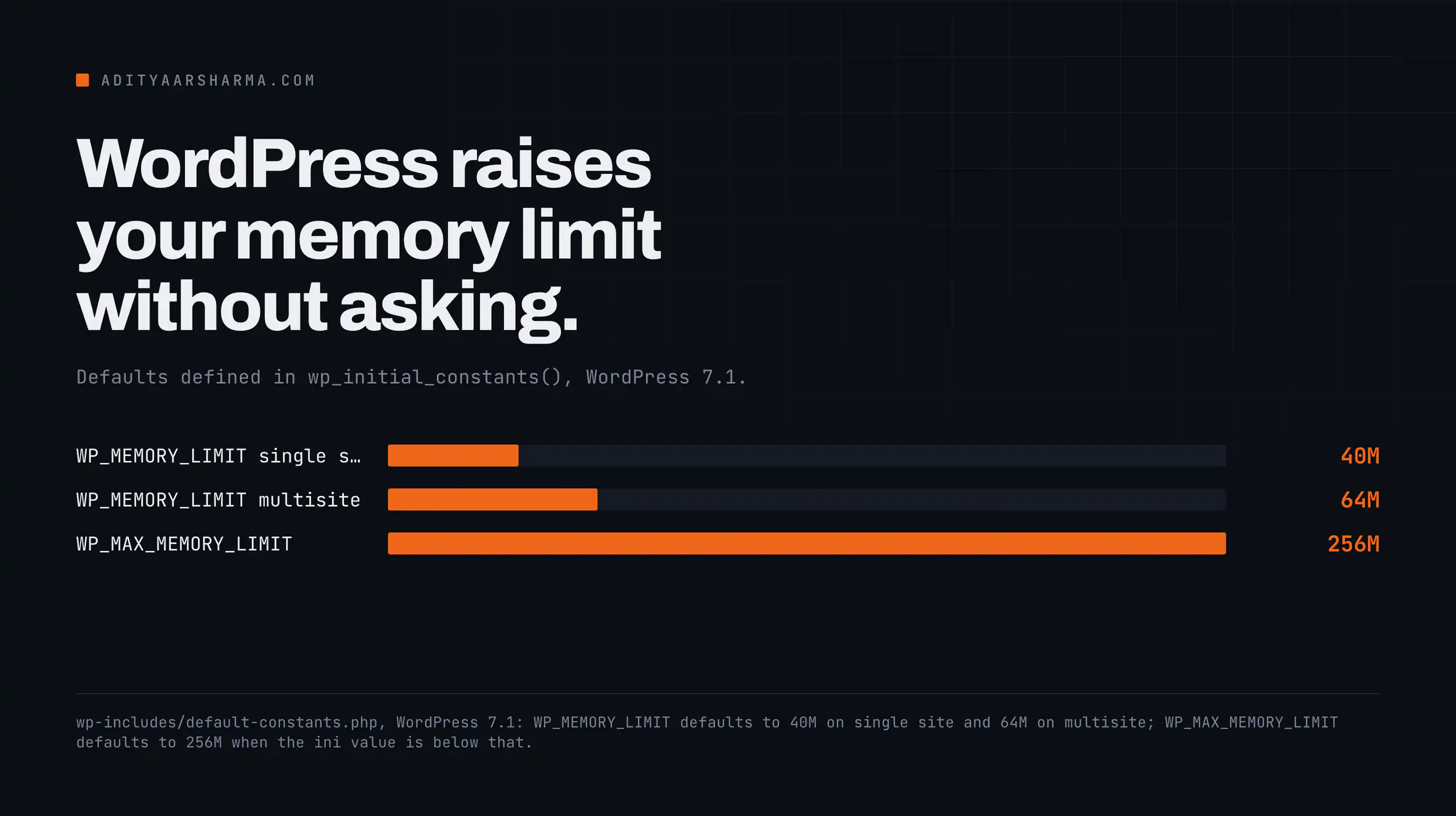
The line is $supports_trash = ( EMPTY_TRASH_DAYS > 0 );.
With trash enabled, DELETE /wp/v2/posts/123 without ?force=true moves the post to trash and returns it. With EMPTY_TRASH_DAYS at zero, the same request permanently deletes the post. Nothing about the request changed. A constant in wp-config.php changed what the verb means.
That is the pattern for the nine constants below.
Each of them is read somewhere specific in core, changes something you can name, and has a failure mode that is not in the handbook.
All line numbers are from WordPress 7.1, downloaded from wordpress.org on 3 September 2026 and confirmed current against api.wordpress.org/core/version-check/1.7/.
EMPTY_TRASH_DAYS
Default 30, defined in wp-includes/default-constants.php line 388. Read in eighteen places across core.
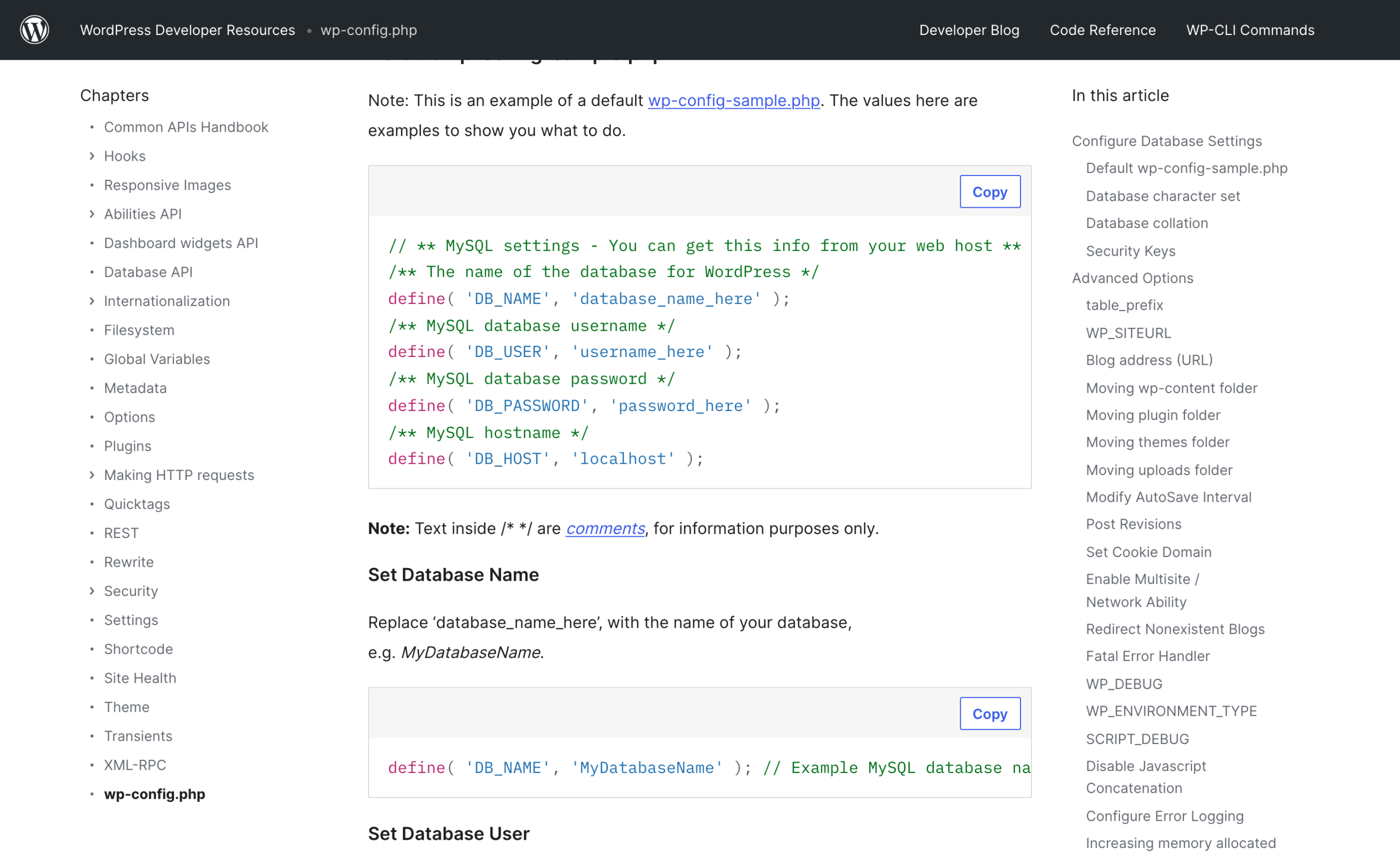
Zero does not mean empty it now
The one that matters is wp_trash_post(), wp-includes/post.php line 4084:
wp_trash_post( $post_id = 0 ) opens with if ( ! EMPTY_TRASH_DAYS ) { return wp_delete_post( $post_id, true ); }. The second argument is the force-delete flag.
Zero does not mean “empty the trash immediately”. It means there is no trash. Every path that would have trashed something deletes it instead, including the admin row action, which wp-includes/link-template.php line 1577 relabels for you.
The non-obvious part is in wp_delete_post(), line 3851:
- It routes to
wp_trash_post()only when! $force_delete. - And only when the post type is
postorpage. - And only when
get_post_status( $post_id )is not alreadytrash. - And only when
EMPTY_TRASH_DAYSis truthy.
Custom post types are never routed to trash
Only post and page get routed to trash. wp_delete_post() on a custom post type is permanent regardless of what EMPTY_TRASH_DAYS says.
If your cleanup script calls wp_delete_post() in a loop over a CPT because it assumes the trash will catch mistakes, it will not.
What breaks
What breaks: automation that relies on trash as an undo. If an agent or a script has delete rights, decide this constant deliberately rather than inheriting it.
It is one of the settings I would pin before pointing anything automated at a live site, alongside the rest of the guardrails for running an agent against production.
WP_POST_REVISIONS
Default true, line 392 of default-constants.php. wp_revisions_to_keep() in wp-includes/revision.php line 812 turns true into -1, meaning unlimited.
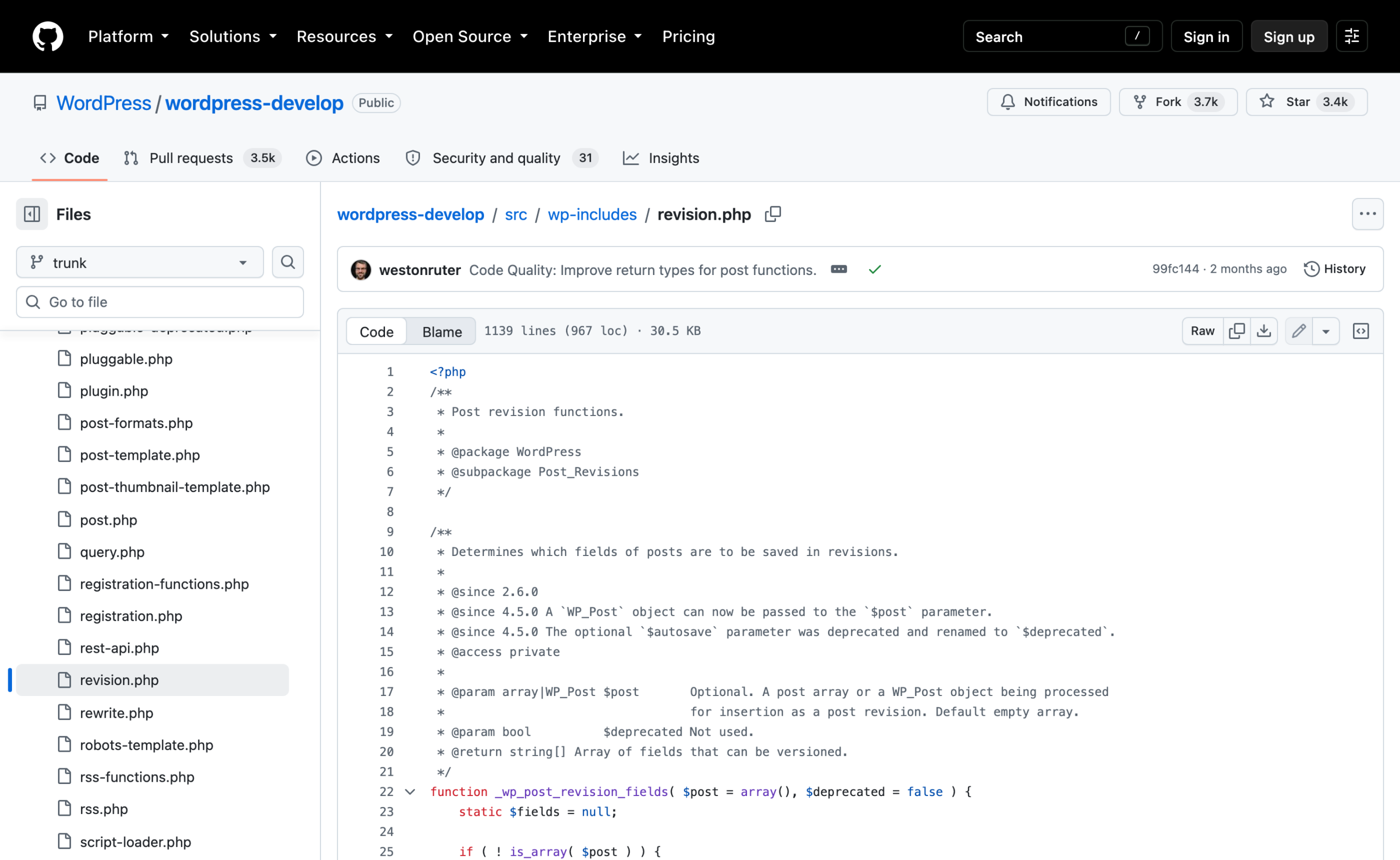
Pruning happens on save, not on setting
Setting it to a number prunes on save, in wp_save_post_revision():
- It computes
$delete = count( $revisions ) - $revisions_to_keepand returns early if that is below 1. - It takes
array_slice( $revisions, 0, $delete ), the oldest ones. - It walks that slice and calls
continueon anything whosepost_namecontainsautosave. - Everything else goes to
wp_delete_post_revision().
Two things fall out of that loop
Two things fall out of that loop. Autosaves are counted in count( $revisions ) but skipped by the delete, so an autosave permanently occupies one of your slots.
And the pruning only happens when a revision is saved.
Setting WP_POST_REVISIONS to 5 on a site with 40,000 existing revisions deletes nothing until somebody edits a post, and then it only prunes that one post.
What breaks
What breaks: nothing, but the cleanup you expected does not happen. Existing revisions need wp post delete $(wp post list --post_type=revision --format=ids) --force, which is not reversible, so take a database dump first.
DISALLOW_FILE_MODS
Read through one function, wp_is_file_mod_allowed() in wp-includes/load.php:
It is one line: return apply_filters( 'file_mod_allowed', ! defined( 'DISALLOW_FILE_MODS' ) || ! DISALLOW_FILE_MODS, $context );
Eight call sites, three of them capabilities
It is called from eight places.
Three of them are in map_meta_cap(), and they deny the file editors, the whole install and update group for plugins, themes and core, and language pack installation.
The other calls disable the automatic updater and gate translation installs.
What is not gated
What is not gated: activate_plugins and deactivate_plugins. They have their own case in capabilities.php with no file-mod check.
So an administrator on a locked-down site can still activate any plugin that already exists on disk.
That is deliberate, because deployments put plugins there, but it means the constant is a deployment control rather than a containment boundary.
I go through the rest of the capability mapping in the capabilities and roles walkthrough.
What breaks
What breaks: the update screens go quiet. Site Health will still report available updates, users will see counts they cannot act on, and someone will file a ticket about it.
If you set this, put the deploy path in the same commit message.
DISABLE_WP_CRON
Checked once, in _wp_cron(), wp-includes/cron.php line 1049:
It returns 0 when str_contains( $_SERVER['REQUEST_URI'], '/wp-cron.php' ) is true, or when DISABLE_WP_CRON is defined and true.
It stops the spawn, not the scheduler
It stops the spawn, not the scheduler. wp_schedule_event() keeps writing to the cron option, the queue keeps growing, and nothing runs until something calls wp-cron.php or wp cron event run.
If you set this and forget the system cron entry, the symptom is not an error, it is scheduled posts silently missing their time weeks later.
What changed in 6.9
WordPress 6.9 moved _wp_cron() from the wp_loaded action to shutdown, which is documented in the @since 6.9.0 tag on wp_cron().
That means cron spawning now happens after the response is sent, unless ALTERNATE_WP_CRON is defined, in which case it stays on wp_loaded.
Worth knowing if you have an old workaround that hooked around the timing.
What breaks: covered in full in the post on missed schedules and WP-Cron, and the scheduler comparison is in WP-Cron against Action Scheduler.
The short version: set DISABLE_WP_CRON and a real cron entry in the same change, never one without the other.
WP_DEBUG_LOG
The whole of the logging logic, from wp_debug_mode() in wp-includes/load.php:
- Everything sits inside
if ( WP_DEBUG ), which starts by callingerror_reporting( E_ALL ). WP_DEBUG_DISPLAYthen setsdisplay_errorsto 1 when truthy, and to 0 when it is anything other thannull.- If
strtolower( (string) WP_DEBUG_LOG )istrueor1, the path becomesWP_CONTENT_DIR . '/debug.log'. - If
WP_DEBUG_LOGis a string, that string is the path. Otherwise the path isfalse. - Where there is a path, it sets
log_errorsto 1 anderror_logto that path.
Why the log stays empty
Everything is inside if ( WP_DEBUG ). WP_DEBUG_LOG set to true with WP_DEBUG false does nothing at all. That is the single most common reason a debug log stays empty.
The string branch is the useful one
The string branch is the useful one. Pass a path and the log goes there, which lets you put it outside the web root:
define( 'WP_DEBUG', true );define( 'WP_DEBUG_DISPLAY', false );define( 'WP_DEBUG_LOG', '/var/log/wp/site-debug.log' );
The default path is publicly readable
The default of WP_CONTENT_DIR . '/debug.log' is publicly readable on most hosts unless something blocks it. That has been a real disclosure route for years and it is worth checking on any site you inherit.
What breaks: the last block of wp_debug_mode() forces display_errors off for XML-RPC, REST, AJAX and JSON requests regardless of your settings, because a PHP notice in a JSON body breaks the client.
So errors visible in a browser page can be invisible over REST. Look in the log, not the response.
WP_ENVIRONMENT_TYPE
wp_get_environment_type() in load.php accepts exactly four values, and the fallback is the part to know:
The allowed set is array( 'local', 'development', 'staging', 'production' ). The environment variable is read first and the constant overrides it.
Then, under core's own comment about not being accidentally set to an invalid value, if ( ! in_array( $current_env, $wp_environments, true ) ) { $current_env = 'production'; }.
A typo silently resolves to production
A typo does not raise anything. 'Staging' with a capital S, or 'dev', silently resolves to production. Check it with wp eval 'echo wp_get_environment_type();' rather than trusting the config file.
What development actually switches on
Setting it to development turns WP_DEBUG on by default, from default-constants.php line 93. And WordPress 7.1 added a behaviour that is genuinely new. wp_should_disable_pings_for_environment() in wp-includes/comment.php, tagged @since 7.1.0:
wp_should_disable_pings_for_environment() reads wp_get_environment_type() and sets $should_disable to 'production' !== $environment_type.
Outgoing pings are removed on any non-production environment, hooked to do_all_pings at priority 1. That is a real improvement, and it only works if the constant is spelled correctly, which brings us back to the silent fallback.
What breaks: if you clone production to staging and forget this constant, the staging copy is a production environment as far as WordPress is concerned, and in 7.1 that includes sending pings.
AUTOSAVE_INTERVAL
Default MINUTE_IN_SECONDS, so 60. Read in exactly three places, all of which hand it to JavaScript: wp-includes/script-loader.php line 1962, wp-admin/edit-form-blocks.php line 283, and class-wp-customize-manager.php line 4924 where it is multiplied by 1000 for the changeset autosave.
It is a browser-side timer
That is the whole footprint. It is a browser-side timer, not a server-side one. There is no server enforcement, so a client that ignores the value is not prevented from saving more often.
What breaks: setting it very high on a busy editorial site trades database writes for lost work, and people notice the second one. Setting it very low on a site with slow admin-ajax makes the editor feel worse, not safer.
WP_MEMORY_LIMIT
This one surprises people because WordPress raises your PHP memory limit without being asked. From wp_initial_constants():
- If
WP_MEMORY_LIMITis undefined andwp_is_ini_value_changeable( 'memory_limit' )is false, it is defined as whatever PHP already has. - Otherwise it is
64Mon multisite and40Meverywhere else. WP_MAX_MEMORY_LIMITdefaults to256M.- The
ini_set( 'memory_limit', WP_MEMORY_LIMIT )call only fires when$wp_limit_intis-1or is larger than the current limit, and never when the current limit is already-1.
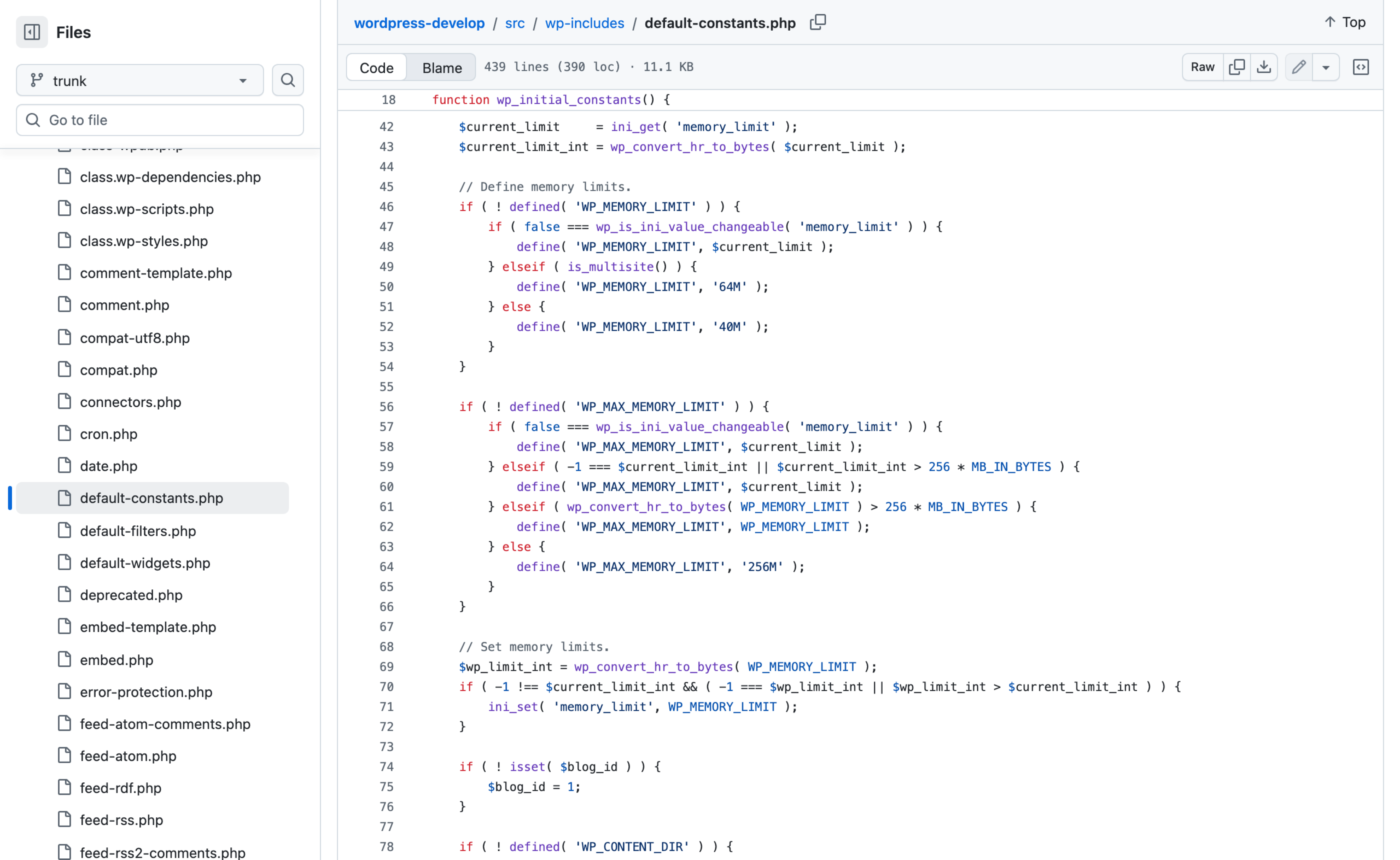
Three numbers, and one direction
Three numbers: 40M single site, 64M multisite, 256M for the admin-side maximum. The ini_set() only fires when the requested value is higher than what PHP already has.
WordPress will raise your limit and will never lower it, so setting WP_MEMORY_LIMIT to '64M' on a server with a 512M PHP limit does nothing whatsoever.
That is the most common misunderstanding about this constant.
WP_MAX_MEMORY_LIMIT is the one that applies in wp-admin and to image processing, raised by wp_raise_memory_limit().
What breaks: nothing directly, but a fatal error at 40M on a site that never defined the constant is WordPress’s own default rather than the host’s. Check what you have with wp eval 'echo ini_get("memory_limit");' before raising anything.
CONCATENATE_SCRIPTS
Widely recommended for front-end speed. It does not do that. script-loader.php line 2478:
if ( ! isset( $concatenate_scripts ) ) {
	$concatenate_scripts = defined( 'CONCATENATE_SCRIPTS' ) ? CONCATENATE_SCRIPTS : true;
	if ( ( ! is_admin() && ! did_action( 'login_init' ) ) || ( defined( 'SCRIPT_DEBUG' ) && SCRIPT_DEBUG ) ) {
		$concatenate_scripts = false;
	}
}
Read the second condition
Read the second condition.
If the request is not in wp-admin and is not the login screen, concatenation is forced off,
whatever the constant says.
Setting CONCATENATE_SCRIPTS to true has no effect on a single front-end page view. It only ever applies to wp-admin and wp-login.
The useful direction is false
Setting it to false is the useful direction, and it applies only in the admin: individual files instead of one load-scripts.php request, which makes a broken admin script findable in the network tab.
What breaks: the belief that this is a front-end optimisation, which sends people looking for gains that are not there.
If the front end is slow the causes are elsewhere, and I measured them on a real site in what actually makes a WordPress site slow.
The one thing that ties several of these together
EMPTY_TRASH_DAYS is enforced by wp_scheduled_delete(), a daily cron event. Here is where that event is registered, in wp-admin/admin.php lines 107 and 112:
if ( ! wp_next_scheduled( 'wp_scheduled_delete' ) && ! wp_installing() ) {
	wp_schedule_event( time(), 'daily', 'wp_scheduled_delete' );
}

if ( ! wp_next_scheduled( 'delete_expired_transients' ) && ! wp_installing() ) {
	wp_schedule_event( time(), 'daily', 'delete_expired_transients' );
}wp-admin/admin.php. Both of WordPress’s housekeeping jobs are scheduled from a file that only loads when somebody opens the admin.
On a headless site, or one where the only logins are over WP-CLI, neither event is ever scheduled and neither ever runs.
Trash accumulates and expired transients accumulate, and the constants controlling them are irrelevant because the code that reads them is never called.
That second one has its own consequences, which I unpicked in what transients actually cost.
The one thing to do
Run this on every site you look after and read the output against what you believe is set:
wp eval '
foreach ( array( "EMPTY_TRASH_DAYS","WP_POST_REVISIONS","DISALLOW_FILE_MODS","DISABLE_WP_CRON",
                 "WP_DEBUG","WP_DEBUG_LOG","AUTOSAVE_INTERVAL","WP_MEMORY_LIMIT",
                 "WP_MAX_MEMORY_LIMIT","CONCATENATE_SCRIPTS" ) as $c ) {
    printf( "%-22s %s\n", $c, defined($c) ? var_export(constant($c), true) : "(not defined)" );
}
printf( "%-22s %s\n", "environment", wp_get_environment_type() );
printf( "%-22s %s\n", "php memory_limit", ini_get("memory_limit") );
printf( "%-22s %s\n", "wp_scheduled_delete", wp_next_scheduled("wp_scheduled_delete") ?: "NOT SCHEDULED" );'
The last line is the one worth staring at.
If it says NOT SCHEDULED, the trash on that site has never been emptied.
Resources
- Editing wp-config.php in the Advanced Administration Handbook
- wp_get_environment_type() in the code reference
- wp-includes/default-constants.php, where the defaults are set
- wp-includes/load.php, for wp_debug_mode() and wp_is_file_mod_allowed()
- wp config in the WP-CLI command reference