The Abilities API in WordPress core: what it is and what ships with it
On this page, 11 sections
Here is WordPress 6.9.7 answering a request for one of the three abilities that core itself registers:
$ curl -s -u "admin:APP_PASSWORD" \
    http://localhost:8892/wp-json/wp-abilities/v1/abilities/core/get-user-info/run

{"code":"rest_ability_not_found","message":"Ability not found.","data":{"status":404}}
The ability exists. wp_get_ability( 'core/get-user-info' ) returns a WP_Ability object. It is simply not reachable over HTTP on that version, and no error tells you why. On WordPress 7.1 the same request returns the user object.
I went through the Abilities API against the source and a running site, because the writing about it does not match what shipped.
Everything below was checked against the 6.9.7 and 7.1 release zips from wordpress.org, and against one wp-env install whose core I swapped between those two versions, on 2 September 2026.
WordPress 7.1 is the current release as of that date, confirmed from the api.wordpress.org version-check endpoint.
What core actually registers: three abilities, all read-only
Every registration lives in one file, wp-includes/abilities.php, in a single function hooked by wp-includes/default-filters.php with add_action( 'wp_abilities_api_init', 'wp_register_core_abilities' );.
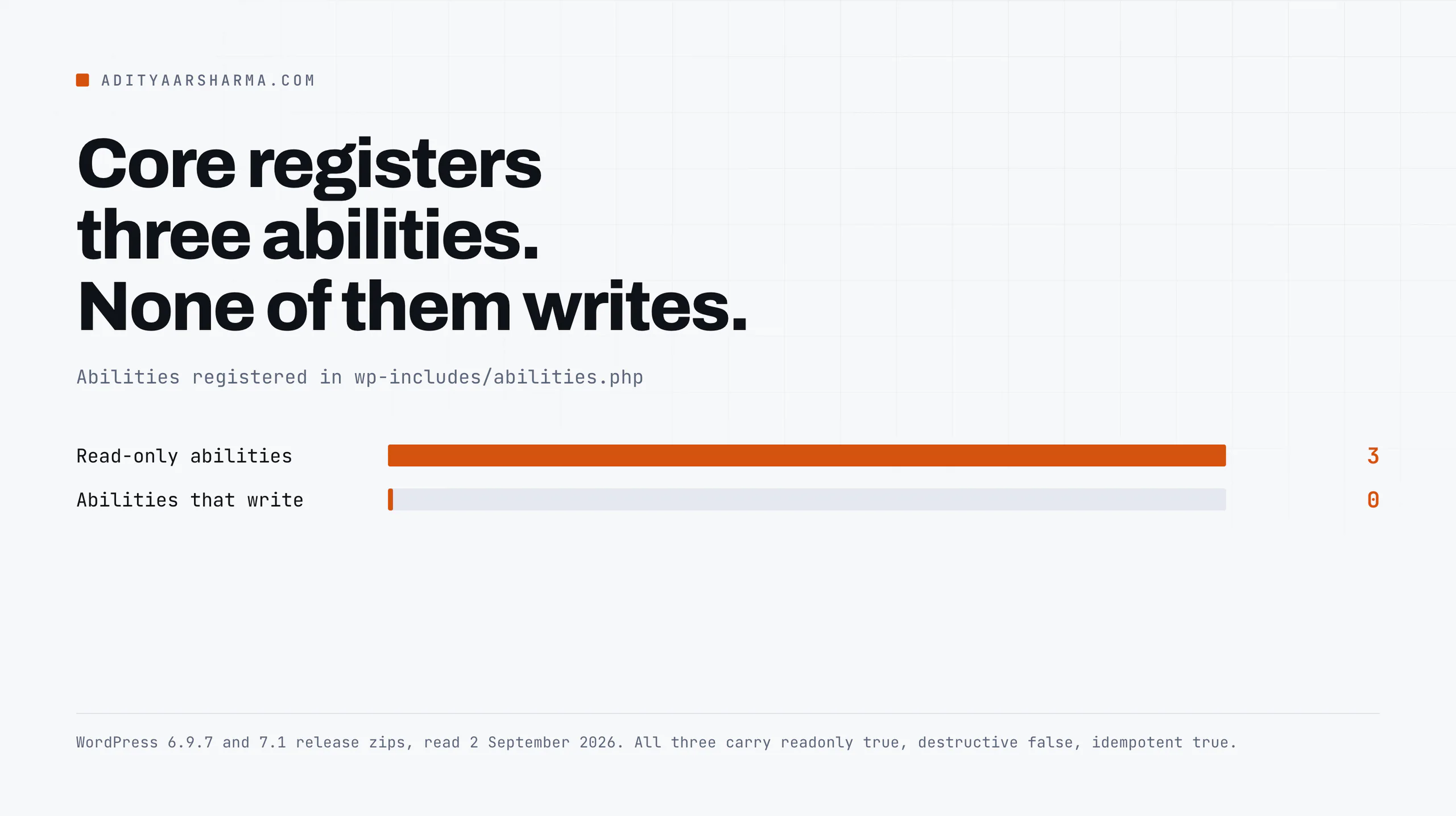
That function registers two categories and three abilities. Nothing else in core registers an ability. Here is the whole surface:
| Ability | Category | Permission callback | Annotations |
|---|---|---|---|
core/get-site-info | site | current_user_can( 'manage_options' ) | readonly, not destructive, idempotent |
core/get-user-info | user | is_user_logged_in() | readonly, not destructive, idempotent |
core/get-environment-info | site | current_user_can( 'manage_options' ) | readonly, not destructive, idempotent |
Three abilities, two categories, zero writes
All three read. None of them write. If you were expecting core to ship an ability that creates a post or installs a plugin, it does not, on any version through 7.1.
The write surface is whatever plugins register, and the transport to an AI client is a separate plugin, the WordPress MCP Adapter, announced on the developer blog in February 2026.
Which version shipped the functions
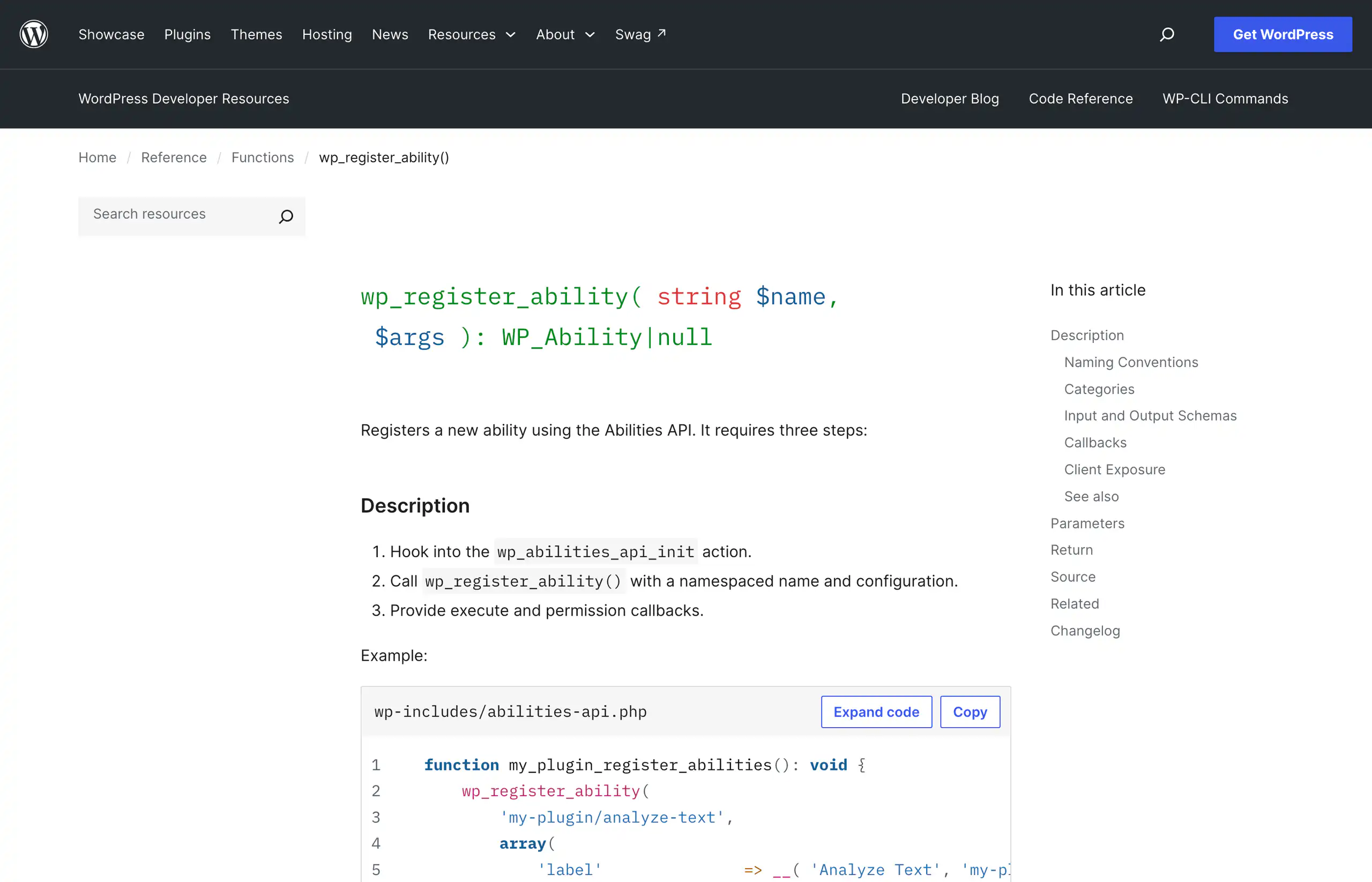
wp_register_ability() is core as of 6.9.0. The docblock in wp-includes/abilities-api.php carries @since 6.9.0 on it and on wp_unregister_ability(), wp_has_ability(), wp_get_ability(), wp_get_abilities() and the four category functions.
The finding: 6.9 exposes two of the three over REST, 7.1 exposes all three
In the 6.9.7 source, each ability carries a meta array, and core/get-user-info has one line the other two do not:
// wp-includes/abilities.php, WordPress 6.9.7, line 196
'meta'                => array(
    'annotations'  => array(
        'readonly'    => true,
        'destructive' => false,
        'idempotent'  => true,
    ),
    'show_in_rest' => false,
),
show_in_rest is false. The other two abilities do not set it at all.
One meta key decides whether HTTP can see it
Both REST controllers gate on that value. WP_REST_Abilities_V1_List_Controller and WP_REST_Abilities_V1_Run_Controller each contain the same line: if ( ! $ability || ! $ability->get_meta_item( 'show_in_rest' ) ) { return new WP_Error( 'rest_ability_not_found', ... 404 ); }.
A hidden ability is indistinguishable from a missing one.
So on a real 6.9.7 install the list endpoint returns two entries, core/get-site-info and core/get-environment-info. The third name is absent.
The categories endpoint still returns both site and user, so a client that walks categories first will find a user category with nothing in it.
What 7.1 changed
In 7.1 the meta changed. All three abilities now carry 'public' => true instead of an explicit show_in_rest, and WP_Ability resolves one from the other. Line 370 of wp-includes/abilities-api/class-wp-ability.php reads $args['meta']['show_in_rest'] = $args['meta']['show_in_rest'] ?? $args['meta']['public'] ?? self::DEFAULT_SHOW_IN_REST;.
An explicit show_in_rest still wins, then public seeds it, then the default. The practical result: on 7.1 the list returns all three and core/get-user-info runs.
I checked the same install on both versions by swapping core underneath it with wp core download --version=6.9.7 --force and back, and the behaviour flips with the version.
What to set if you support both
If you are registering abilities in a plugin today and you want them reachable on 6.9 as well as 7.1, set show_in_rest explicitly. public alone does nothing on 6.9, because 6.9 never reads that key.
The route in the announcement post does not exist
The WordPress Developer Blog article that introduced this API, by Jonathan Bossenger on 14 November 2025, gives the run endpoint as /wp-json/wp-abilities/v1/{namespace/ability}/run.
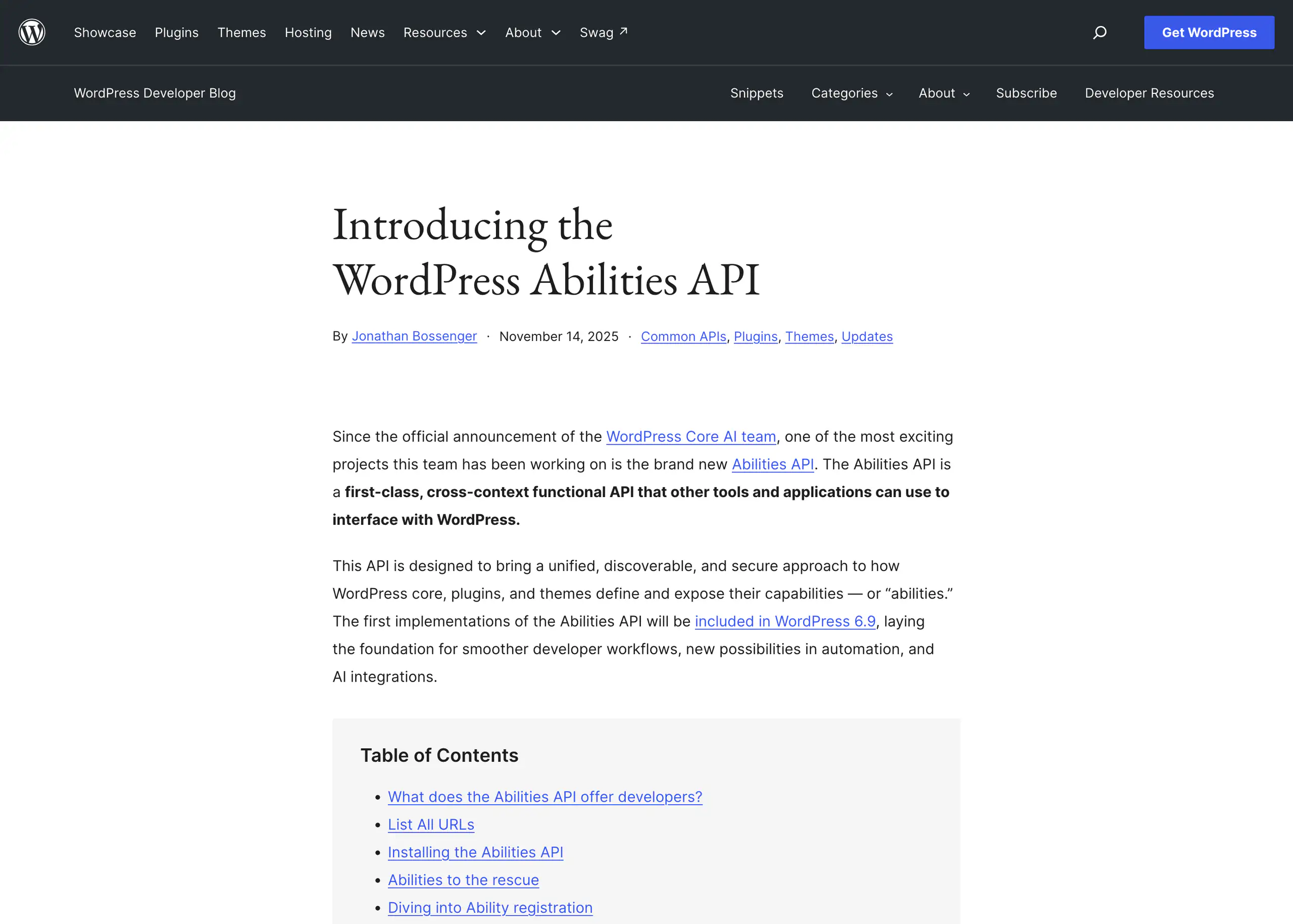
That was written when the Abilities API was a Composer package you installed yourself, which is what the article’s Installing section describes.
After the core merge the controllers gained a rest_base, and it is not empty.
The run controller sets $namespace = 'wp-abilities/v1' and $rest_base = 'abilities', then registers the route as /abilities/(?P<name>[a-zA-Z0-9\-\/]+?)/run.
So the real path has an extra segment. I ran both against a live WordPress 7.1 install. The path from the announcement post, /wp-json/wp-abilities/v1/core/get-site-info/run, returns 404. The path core actually registers, /wp-json/wp-abilities/v1/abilities/core/get-site-info/run, returns 200.
The two 404s mean different things
The 404 body is rest_no_route, not rest_ability_not_found, which is the tell. rest_no_route means WordPress never matched a route at all.
rest_ability_not_found means the route matched and the ability was hidden or missing. Two different problems, two different fixes, and an agent retry loop that treats them the same will burn tokens re-sending a request that can never work.
The same distinction applies across the rest of the surface, which I went through route by route in the writeup on the WordPress REST API as an agent surface.
Read-only abilities require GET, and POST returns 405
The run controller registers WP_REST_Server::ALLMETHODS, then decides the correct verb from the ability’s annotations. That is validate_request_method(), and the mapping is three lines long.
readonlytrue, the expected method is GET.destructiveandidempotentboth true, the expected method is DELETE.- anything else, the expected method is POST.
Because all three core abilities are readonly, the only verb they accept is GET. POST gets rejected before the permission callback runs, with rest_ability_invalid_method, the message “Read-only abilities require GET method.” and HTTP 405.
Why the verb check is a 405 and not a 404
There is a comment above the route registration explaining why it is done this way rather than with per-method routes: at rest_api_init time WordPress does not yet know which abilities exist, because plugins have not registered theirs.
The comment names the Feature API as having hit the same problem. That is a load-order constraint, and it is why the verb check is a runtime 405 rather than a routing 404.
Where the input goes
Input goes in an input parameter: a query parameter for GET and DELETE, a JSON body key for POST.
Filtering the site info to two fields means a GET with input[fields][]=name and input[fields][]=version as repeated query keys, which comes back as {"name":"code-copy","version":"7.1"}.
The 6.9 input bug that 7.1 fixed
Plenty of HTTP clients serialise an array query parameter as a comma-joined string rather than repeated bracket keys.
On WordPress 6.9.7 that is not handled. Sending input[fields]=name,version throws Warning: foreach() argument must be of type array|object, string given at wp-includes/abilities.php line 115, followed by a headers-already-sent warning from class-wp-rest-server.php line 1909, and an empty array as the body.
Be precise about what that is. The install was wp-env, which sets WP_DEBUG and WP_DEBUG_DISPLAY to true by default, so the warnings render.
On a production site with display errors off you get an empty array and no explanation, which is arguably worse to debug.
Either way the ability does not run and the response is not the shape the schema promises.
The 7.1 fix
WordPress 7.1 added coerce_input_to_schema() and sanitize_input_for_ability() to the run controller, both marked @since 7.1.0, with a comment that says exactly why: GET and DELETE deliver every scalar as a string and a list as a single comma-separated string.
The same comma-joined request on 7.1 returns {"name":"code-copy","version":"7.1"}.
The registry is lazy, so this costs nothing when nobody asks
The performance question people ask first is whether every page load now pays for an ability registry. It does not. wp_abilities_api_init is fired from inside WP_Abilities_Registry::get_instance(), so it only runs when something actually reaches for the registry.
What I measured
I put a probe in an mu-plugin to log did_action( 'wp_abilities_api_init' ) at shutdown, then hit three URLs.
/?p=5, a normal front-end page load:fired=no./wp-json/wp-abilities/v1/abilities:fired=yes./wp-json/wp/v2/posts, a generic REST request:fired=no.
A front-end page load does not fire it. A generic REST request does not fire it.
Only touching the abilities surface does. That is the right design and it is worth knowing before someone tells you to disable the API for performance.
Registering your own, and the mistake that silently fails
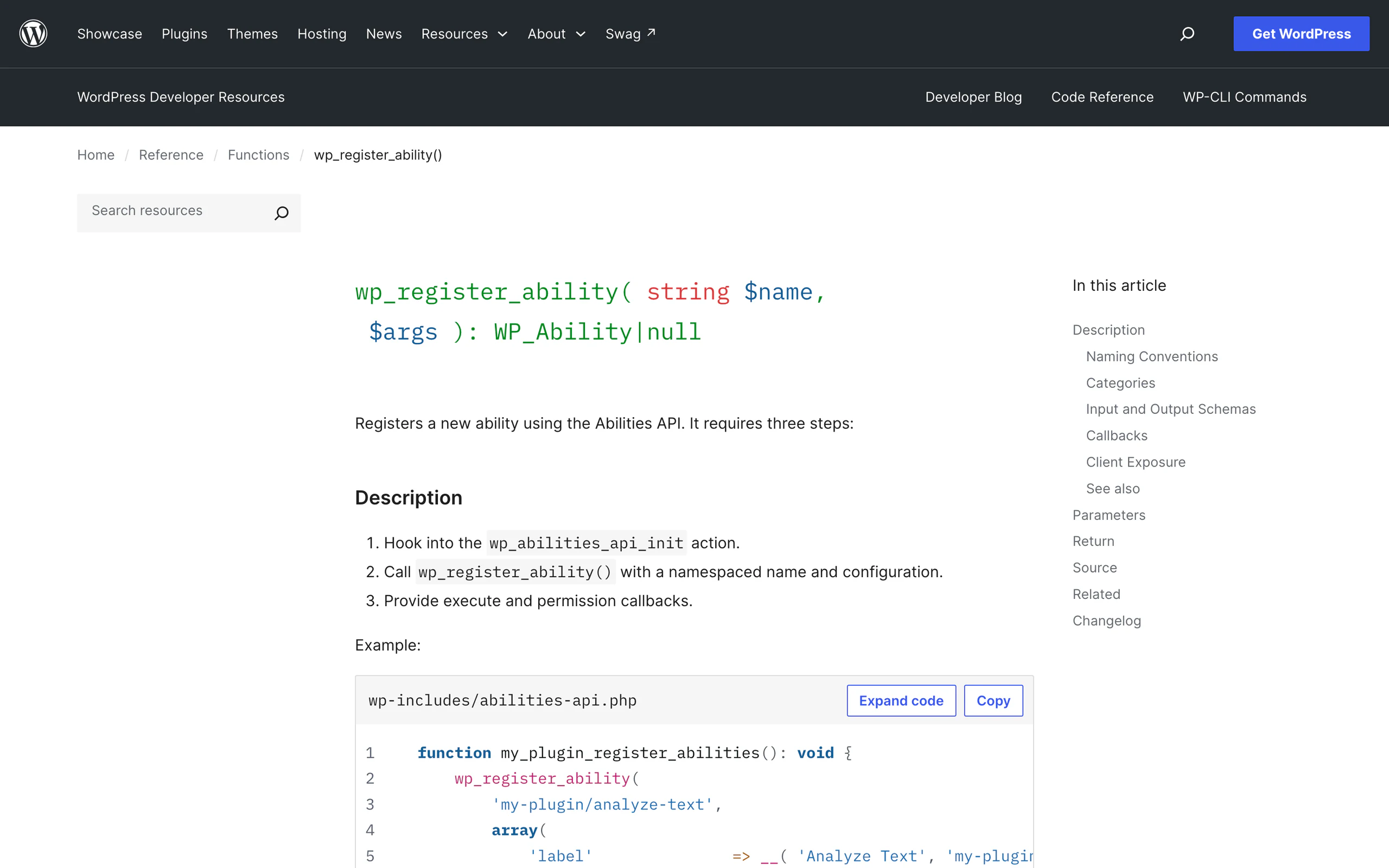
The one rule that will cost you an afternoon: wp_register_ability() checks doing_action( 'wp_abilities_api_init' ) and bails if you are not inside it.
It returns null and fires _doing_it_wrong() with the message “Abilities must be registered on the wp_abilities_api_init action”, versioned 6.9.0.
Register on init and you get null and a notice you will never see with debugging off. A working registration hangs off that hook and passes these keys.
labelanddescription, both translated.category, a slug that must already be registered.input_schemaandoutput_schema, plain JSON Schema. SetadditionalPropertiesto false unless you mean it.execute_callback, which receives the validated input array.permission_callback, mandatory, and enforced on the REST path as well as in PHP.meta, holdingannotationsplusshow_in_restandpublic.
The two keys to set, and the category trap
Both show_in_rest and public are set on purpose: the first is what 6.9 reads, the second is what 7.1 prefers.
The category slug has to already exist or registration fails, so register it with wp_register_ability_category() on the same hook if you are not reusing site or user.
WordPress 7.1 also gave wp_get_abilities() an $args parameter for filtering by category, namespace prefix or nested meta, plus two new filters, wp_get_abilities_item_include and wp_get_abilities_result.
If you are building a directory or a picker UI over abilities, that is what to use rather than filtering the full array yourself.
Reproduce this in about four minutes
Everything above came out of @wordpress/env, which ships real containers rather than a bundled runtime.
The stack is mariadb:lts for the database, an image built FROM wordpress for the web server, one built FROM wordpress:cli for WP-CLI, and phpmyadmin if you turn it on. Four steps get you there.
- Write a
.wp-env.jsonwith"core": "WordPress/WordPress"and a port of your own, then runnpx @wordpress/[email protected] start. - Mint a password with
npx @wordpress/[email protected] run cli wp user application-password create admin probe --porcelain. - List what is exposed:
curl -s -u "$AUTH" http://localhost:8892/wp-json/wp-abilities/v1/abilities | jq -r '.[].name'. - Run one:
curl -s -u "$AUTH" http://localhost:8892/wp-json/wp-abilities/v1/abilities/core/get-environment-info/run.
Two things that cost me time
Two things that cost me time. First, wp-env start fails outright if 8888 or 8889 are taken by another wp-env project, with Bind for 0.0.0.0:8889 failed: port is already allocated.
Pass --auto-port or pin ports in the config. Second, wp-env run cli wp core download --version=6.9.7 silently drops the --version flag, because wp-env consumes it as its own.
Go around it with docker exec -u www-data <cli container> wp core download --version=6.9.7 --force --skip-content --path=/var/www/html, then wp core update-db.
What I would not conclude from this yet
Three abilities, all read-only, is a foundation rather than a feature. The interesting question is what plugins register, and I have not seen enough registrations in the wild to say anything about that.
Nobody has published numbers on how many plugins ship abilities, and I am not going to invent any.
What I will say is that the shape is right. Permission callbacks are mandatory and are enforced on the REST path.
Annotations drive the HTTP verb rather than being documentation. The registry is lazy. Those are the parts that decide whether this is safe to expose to an agent, and they were designed rather than bolted on.
It sits alongside the rest of what landed in this cycle, which I covered in the piece on WordPress 7.0 being the biggest change since Gutenberg.
One thing to do in the next ten minutes
Run this against whatever install you already have, with an application password:
curl -s -u "user:app password" \n "https://YOURSITE/wp-json/wp-abilities/v1/abilities" | jq -r '.[].name'Two names back means you are on 6.9 and core/get-user-info is registered but hidden.
Three means 7.1 or later. An empty array or a rest_no_route means the namespace is not there at all and you are below 6.9.
That one command tells you which of the three behaviours in this post applies to your site, and it is the first thing to check before you debug anything else.
If you have not wired an agent to a WordPress install yet, the complete Claude Code against WordPress setup is the prerequisite.
Resources
- wp_register_ability() in the WordPress code reference, the canonical signature and registration steps.
- Introducing the WordPress Abilities API, Jonathan Bossenger, WordPress Developer Blog, 14 November 2025. Read it for the design intent, and check the REST paths against your own install before copying them.
- From Abilities to AI Agents: Introducing the WordPress MCP Adapter, WordPress Developer Blog, February 2026.
- wp-includes/abilities.php in wordpress-develop, the file that contains every core registration.
- WordPress/abilities-api on GitHub, the feature repository the core merge came from.
- @wordpress/env on npm, version 11.14.0 at the time of writing.