Building a Gutenberg block in 2026: the current, correct way
On this page, 10 sections
This is the file tree that @wordpress/create-block produced for me this morning, on version 4.97.0: The scaffold wrote code-copy.php, readme.txt, package.json and .wp-env.json at the root, with the block itself under src/code-copy/: block.json, edit.js, index.js, render.php, style.scss, editor.scss and view.js.
Two things in there will not match the tutorial you are reading. The block source is at src/code-copy/block.json, not src/block.json, because the scaffold assumes a plugin can hold more than one block.
And there is a build/blocks-manifest.php, which is not something you write and not something older guides mention at all.
The bigger difference is in the plugin bootstrap. Here is the whole registration file the scaffold generated:
function aditya_code_copy_block_init() {
    wp_register_block_types_from_metadata_collection( __DIR__ . '/build', __DIR__ . '/build/blocks-manifest.php' );
}
add_action( 'init', 'aditya_code_copy_block_init' );
No register_block_type(). That single function replaces it, and it is the current, correct way to register blocks. Everything below is what I actually ran, on 2 September 2026, against WordPress trunk and 7.1 in Docker.
WordPress 7.1 is the current release, confirmed from the version-check endpoint on api.wordpress.org.
The command, and the arguments worth knowing
npx @wordpress/[email protected] code-copy \
  --namespace aditya \
  --title "Code Copy" \
  --variant dynamic \
  --wp-env
What the flags do
That runs non-interactively, installs dependencies, and runs a production build before it finishes, which is why build/ already exists in the tree above. The flags that matter:
--variant dynamicgives you arender.phpand server rendering. The default static variant gives you asave.jsinstead. Pick dynamic unless the block output never depends on anything outside the post content.--namespacebecomes the part before the slash in the block name. Get it right at scaffold time, because changing it later invalidates every existing instance of the block in post content.--wp-envwrites a.wp-env.jsonand adds@wordpress/envas a dev dependency.--no-pluginscaffolds only the block files, for adding a block to a plugin that already exists.--template es5exists and produces a build-step-free block. It is a legacy escape hatch, not a starting point.
The dist-tag per WordPress version
There is a second thing on npm worth knowing.
@wordpress/create-block publishes a dist-tag per WordPress version, so you can scaffold against the packages that shipped with a specific release: npm view @wordpress/create-block dist-tags lists a tag per WordPress version: wp-6.7 at 4.51.1, wp-6.8 at 4.62.1, wp-6.9 and then latest.
Checked on 2 September 2026. There is no wp-7.1 tag yet even though 7.1 has shipped, so latest is what you get for current work.
If you are maintaining a plugin that has to run on 6.7, scaffold with @wordpress/[email protected] and you get a package set that matches that release rather than one that quietly depends on newer core JavaScript.
block.json, as generated
{
  "$schema": "https://schemas.wp.org/trunk/block.json",
  "apiVersion": 3,
  "name": "aditya/code-copy",
  "editorScript": "file:./index.js",
  "editorStyle": "file:./index.css",
  "style": "file:./style-index.css",
  "render": "file:./render.php",
  "viewScript": "file:./view.js"
}
The keys I cut from that listing are the ones nobody argues about: version 0.1.0, title, category widgets, icon smiley, a placeholder description, an empty example, supports.html false and textdomain.
The five asset fields are not interchangeable
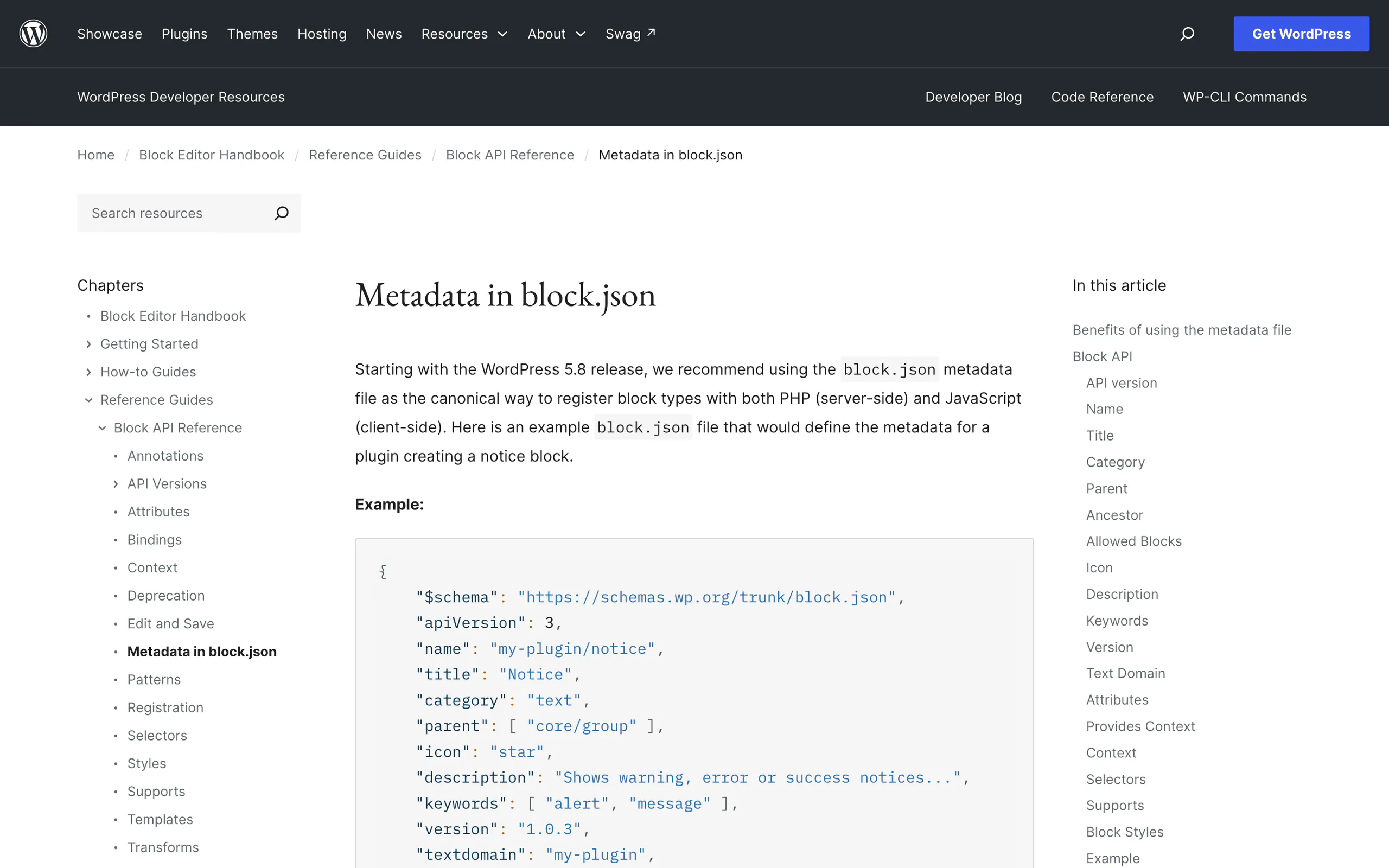
Five asset fields, and they are not interchangeable. editorScript and editorStyle load in the editor only. style loads in both the editor and the front end.
viewScript loads on the front end only, and only on pages where the block renders. render points at the PHP file that produces the front-end markup.
The one field that is not there and that you should think twice about is script, which loads in both contexts and, as of the last few releases, is the field most likely to put a file on pages that do not contain your block.
I measured what each one does in the piece on block.json asset loading.
Keep the $schema line
$schema is worth keeping. It is not decoration: it gives you completion and validation in any editor that reads JSON schema, and it will tell you when you have invented a field that does not exist.
apiVersion 3, and the thing that changed in 2026
Every tutorial tells you to set apiVersion to 3 so the block works in the iframed editor. That advice is still right, but the reason changed, and it changed twice.
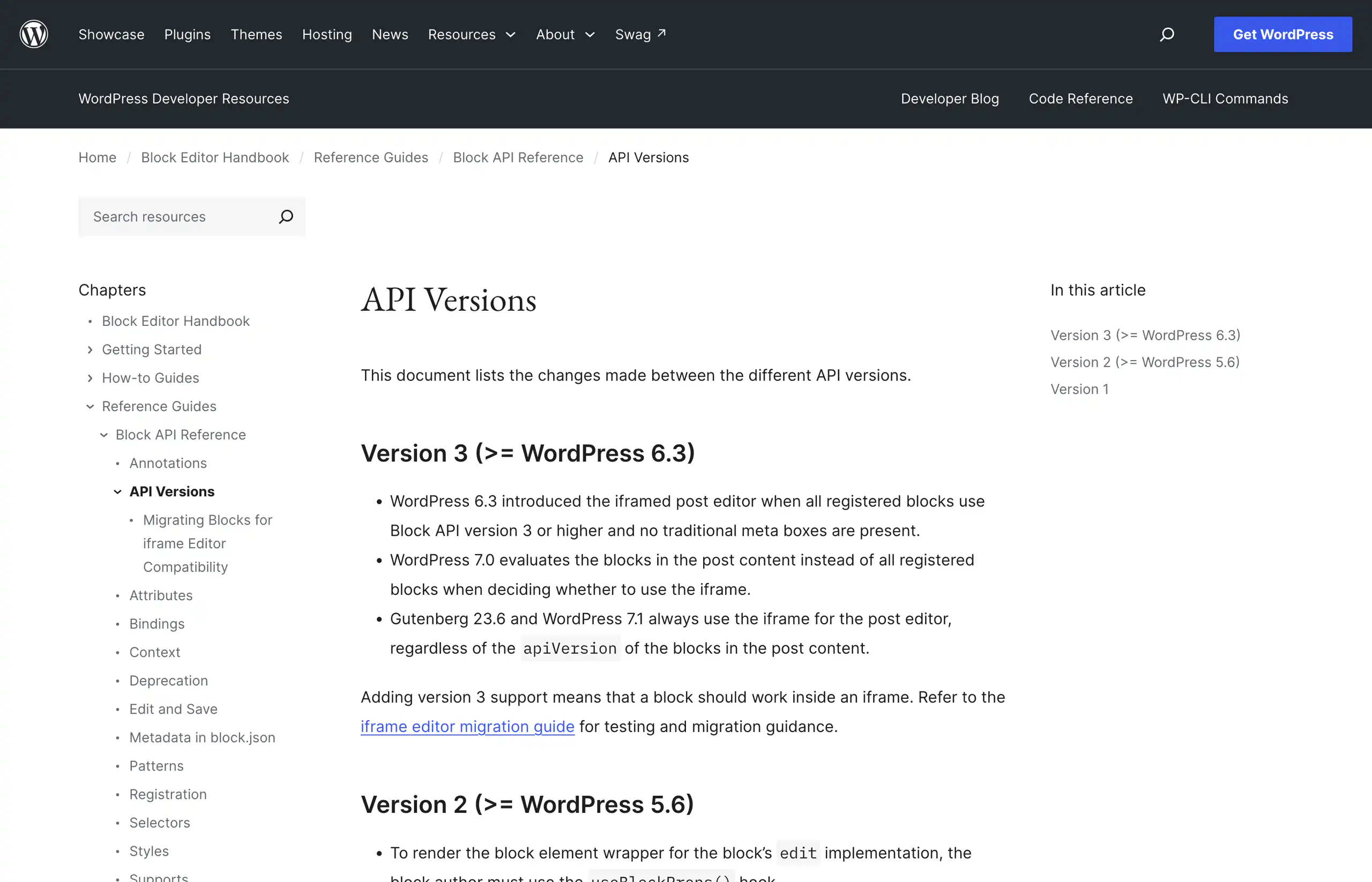
What 6.3 actually required
Read the third bullet. WordPress 6.3 iframed the post editor only when every registered block declared version 3. WordPress 7.0 narrowed that check to the blocks actually present in the post content.
Gutenberg 23.6 and WordPress 7.1 always iframe the post editor, whatever the blocks declare.
What apiVersion 3 buys you now
The practical consequence is the opposite of what people assume. Setting apiVersion to 3 no longer buys you the iframe, because you get the iframe regardless.
What it buys you now is honesty: it is a declaration that your block has been tested inside one.
A block still on version 1 or 2 that reached into document, measured window width, or assumed its styles came from the parent page will break on 7.1, and no version number will save it.
If you maintain an older block, that is the migration to do this quarter.
The registration function, and the manifest
wp_register_block_types_from_metadata_collection() is core as of 6.8.0. It sits on top of wp_register_block_metadata_collection(), which is core as of 6.7.0.
The generated manifest is a plain PHP array of every block.json in the build directory. blocks-manifest.php opens with a comment saying it is generated and must not be edited by hand, then returns an array keyed by block directory name, each value the parsed contents of that block’s block.json.
Why the collection call is cheaper
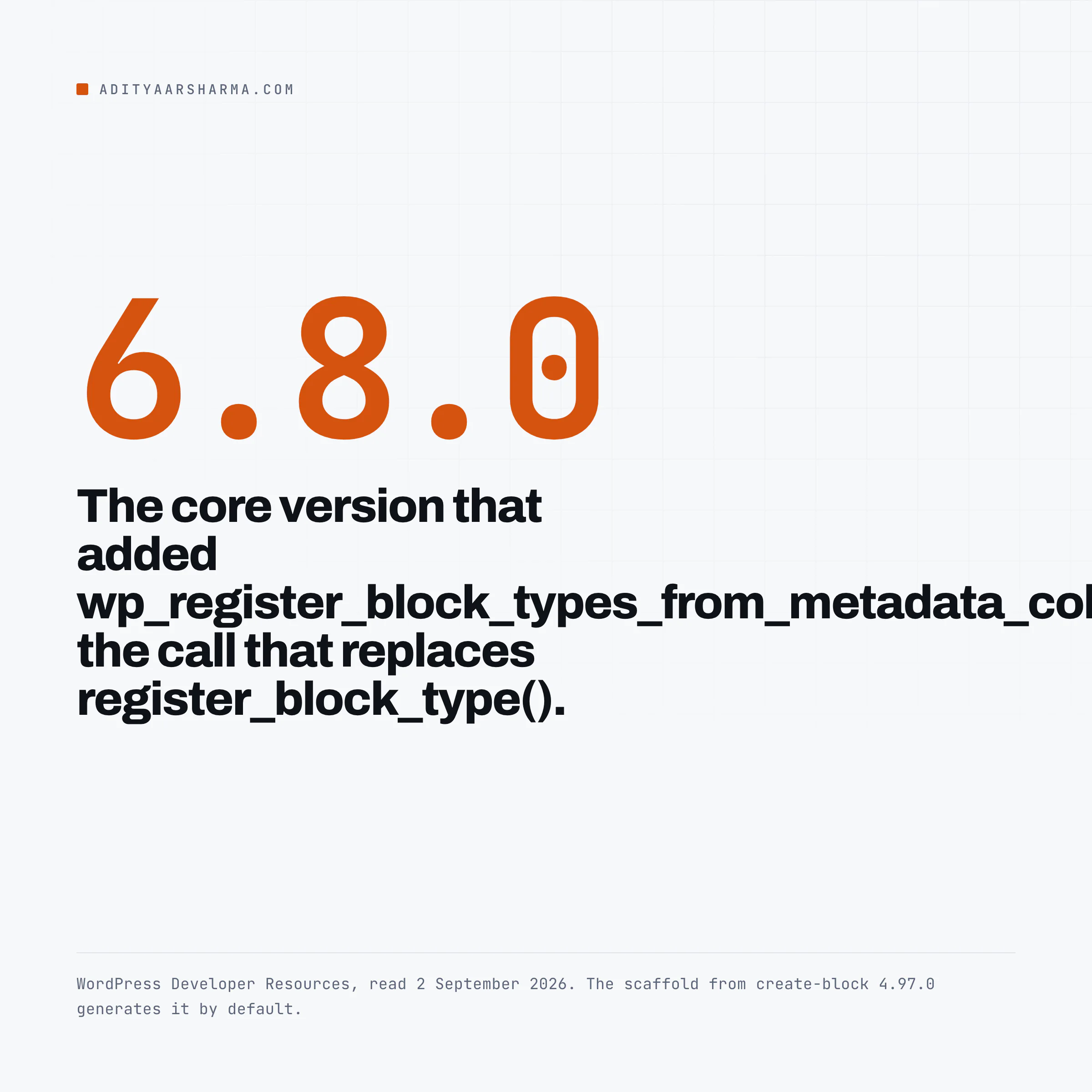
The mechanism is the point. register_block_type_from_metadata() in wp-includes/blocks.php does three filesystem calls per block when no collection is registered: file_exists() on the block.json path, wp_json_file_decode() to read and parse it, and realpath() to normalise the path it stores.
When a collection is registered it takes the metadata from WP_Block_Metadata_Registry instead and skips all three. For a one-block plugin the saving is noise.
For a plugin shipping forty blocks that is a hundred and twenty filesystem calls per request replaced by one require of a file the opcode cache already holds.
That is derived from reading the function rather than benchmarked, and it is why core did the same thing for its own blocks first, in wp-includes/blocks/blocks-json.php.
The manifest comes from the build
The manifest is generated by the build, not by you. It comes from two flags in package.json: wp-scripts build --webpack-copy-php --blocks-manifest, with the same pair on the start script.
--webpack-copy-php copies render.php and block.json into build/. --blocks-manifest writes blocks-manifest.php. Drop either flag and the plugin registers nothing, with no PHP error, because the manifest path simply does not exist and the function returns quietly.
That is the single most likely reason a freshly cloned block plugin shows no block in the inserter.
The build, as it actually ran
The build emitted code-copy/index.js at 1.2 KiB alongside index.asset.php, block.json, render.php, style-index.css and blocks-manifest.php, and finished without a warning.
The asset file people delete by mistake
@wordpress/scripts was 34.2.0 and webpack 5.110.3. The generated index.asset.php is the part people delete by accident: It is a single line: return array('dependencies' => array('react-jsx-runtime', 'wp-block-editor', 'wp-blocks', 'wp-i18n'), 'version' => ...).
That file is how WordPress knows your editor script needs wp-blocks before it runs, and the version hash is how cache busting works. It is derived from your imports by the build.
If you hand-write your enqueues instead, you are hand-maintaining that dependency list, and you will get it wrong the first time you add a package.
What the dynamic variant gives you
The generated render.php is four useful lines: a paragraph tag, <?php echo get_block_wrapper_attributes(); ?> inside it, and esc_html_e() around the placeholder string.
What the wrapper function emits
get_block_wrapper_attributes() is what emits the class names and inline styles that the block supports system generated from the user’s settings in the sidebar.
Skip it and every alignment, colour and spacing control in the editor will appear to work and then do nothing on the front end. Three variables are in scope in that file: $attributes, $content and $block.
Rendered on the front end, that becomes <p class="wp-block-aditya-code-copy">Code Copy - hello from a dynamic block!</p>.
The Docker part: what wp-env actually starts
@wordpress/env was 11.14.0. It is not a bundled runtime, it is a Docker Compose project it writes for you. The images, read out of lib/runtime/docker/build-docker-compose-config.js and docker-config.js:
| Service | Image | Note |
|---|---|---|
| mysql, tests-mysql | mariadb:lts | used as-is |
| wordpress, tests-wordpress | built FROM wordpress | plus :php8.3 when you set a PHP version |
| cli, tests-cli | built FROM wordpress:cli | plus -php8.3 when you set a PHP version |
| phpmyadmin | phpmyadmin | only when enabled |
Ports, and the commands worth memorising
Default ports are 8888 for development and 8889 for tests, from lib/config/parse-config.js. Commands that work:
npx wp-env startboots both environmentsnpx wp-env start --auto-portpicks free ports when 8888 is takennpx wp-env run cli wp ...runs WP-CLI inside the containernpx wp-env destroyremoves the project and its volumes
Four things that cost me time
Four things that cost me time, all real, all in one session:
- If another
wp-envproject is already on 8888,startdies withBind for 0.0.0.0:8889 failed: port is already allocatedafter building every image. Use--auto-port, or pinportandtestsPortin.wp-env.json.--auto-portpicks a different port on each start, so anything you have bookmarked will break. SCRIPT_DEBUGis true by default in the development environment and false in the tests environment. That means the development site serves unminified core CSS and JS, so any file size you measure there is not the size your users get.wp-env run cli wp core download --version=6.9.7silently drops the--versionflag, becausewp-envconsumes it as its own version flag. Go around it withdocker execstraight into the CLI container.- Starting both environments now prints a deprecation warning:
wp-env starts both development and tests environments by default. This behavior is deprecated and will be removed in a future version.Add"testsEnvironment": falseif you do not need the second one.
There is also an experimental --runtime playground flag that runs the site on WordPress Playground instead of Docker. It exists in 11.14.0. I have not put it through anything real, so treat that as untested rather than recommended.
What I would do differently from the scaffold
The generated plugin header says Requires at least: 6.8, which is honest, because wp_register_block_types_from_metadata_collection() did not exist before 6.8.0. If you need to support older core, you cannot use the generated bootstrap.
Either raise the floor or write the registration by hand against register_block_type( __DIR__ . '/build/code-copy' ) and accept the per-block filesystem reads.
Pin core, do not clone trunk
The generated .wp-env.json sets "core": "WordPress/WordPress", which clones the GitHub mirror and gives you trunk. Mine came up as 7.2-alpha-63436.
That is the right default for a plugin author who wants early warning, and the wrong default if you are trying to reproduce a customer bug on a specific release. Pin it when you need to.
Finally, delete view.js and the viewScript line if you are not using them. The scaffold ships a console.log and its own comment tells you to remove it.
It is a 58 byte file plus a request, and shipping it means every page containing your block loads a script that prints a greeting.
One thing to do in the next ten minutes
If you maintain a block plugin, open its block.json and check apiVersion. If it is 1 or 2, install WordPress 7.1, put the block in a post, and open the editor.
The post editor is now always iframed, so whatever the block was relying on from the parent document is gone. Better to find that on your own laptop than in a support ticket.
If your block outputs code samples, the copy code button for Gutenberg code blocks is the same enqueue problem in miniature, and worth reading first.
For context on why so much moved at once in this cycle, I wrote up the release in WordPress 7.0 is the biggest thing to happen since Gutenberg.
If you are building blocks for clients rather than for the directory, the go to settings link after install is the small courtesy that saves you the most support email.
Resources
- Metadata in block.json, the field-by-field reference, including the default of 1 for apiVersion.
- Block API Versions, the page that records the 6.3, 7.0 and 7.1 iframe changes.
- Migrating Blocks for iframe Editor Compatibility, the official migration guide.
- @wordpress/create-block on npm, 4.97.0 at the time of writing, with the per-release dist-tags.
- @wordpress/env on npm, 11.14.0 at the time of writing.
- More efficient block type registration in 6.8, the dev note the generated plugin header links to.
- WordPress Developer Hours: Styling Blocks on WordPress.tv, with Michael Burridge, Justin Tadlock and Ryan Welcher, 26 July 2023. It predates the manifest work, so treat the registration parts as history and the styling parts as current.