Main WP vs WP Umbrella: 40+ Feature Comparisons
On this page, 4 sections
Hey there, fellow WordPress enthusiasts! Today, I want to share my experience of comparing two powerful WordPress site management tools – MainWP and WP Umbrella. As a website owner or a developer, you know how important it is to have a reliable tool that can help you manage multiple WordPress sites efficiently.
That’s where MainWP and WP Umbrella come in. Both products offer a range of features that can make your life easier, but which one is the best fit for you? In this blog, I’ll be comparing 40 key features of both tools, so you can make an informed decision and choose the right one for your needs. So, let’s dive in!
What is Main WP ?
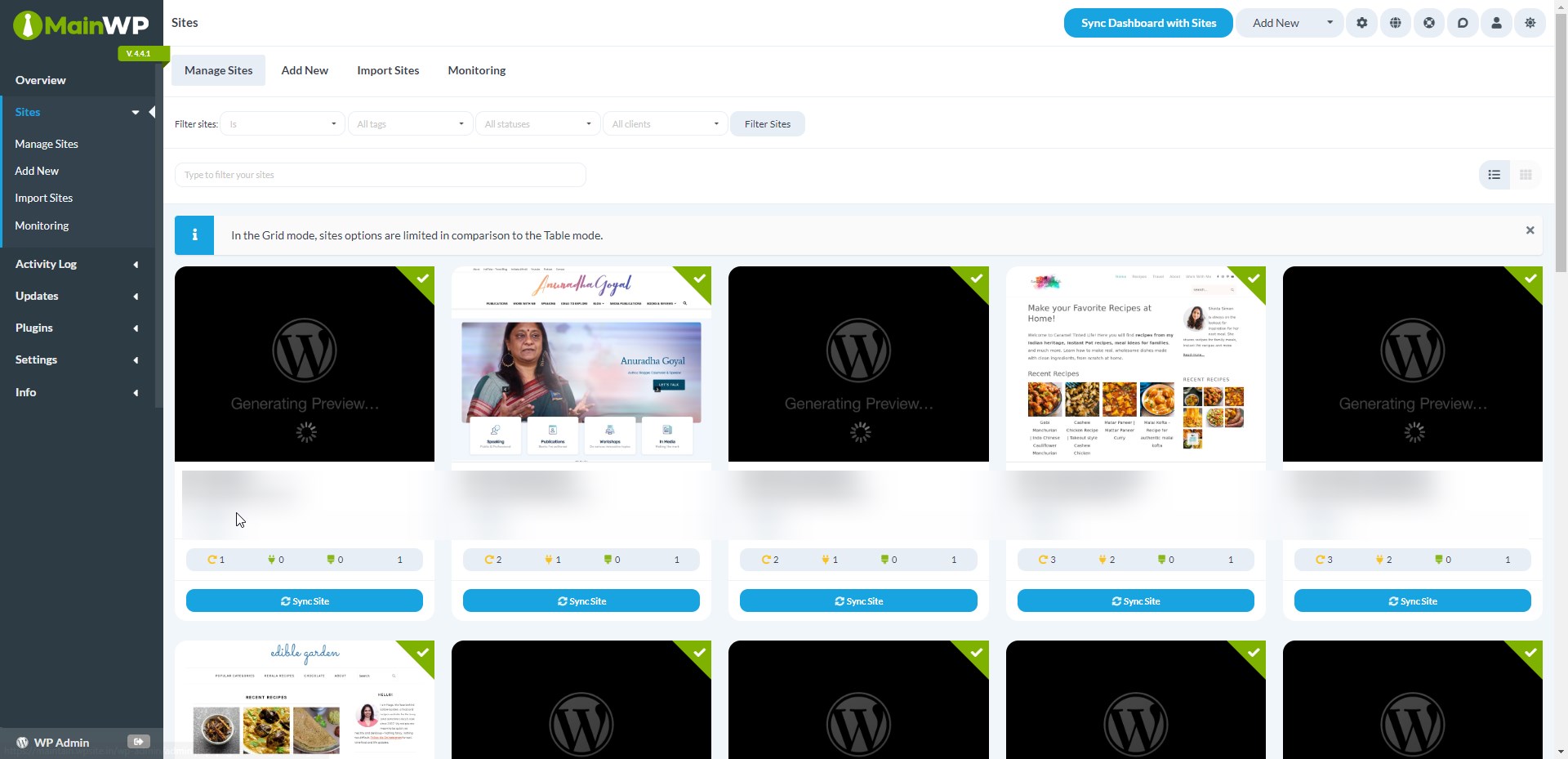
MainWP is a powerful WordPress management tool that helps website owners and developers manage multiple WordPress sites from a single dashboard. With MainWP, you can easily update themes, plugins, and WordPress core across all your sites with just a few clicks.
You can also manage user roles and permissions, schedule backups, and monitor site performance and security. MainWP makes it easy to keep your WordPress sites up-to-date and secure, saving you time and effort in the process. Whether you’re managing a handful of sites or dozens, MainWP is a must-have tool for any WordPress professional.
What is WP Umbrella ?
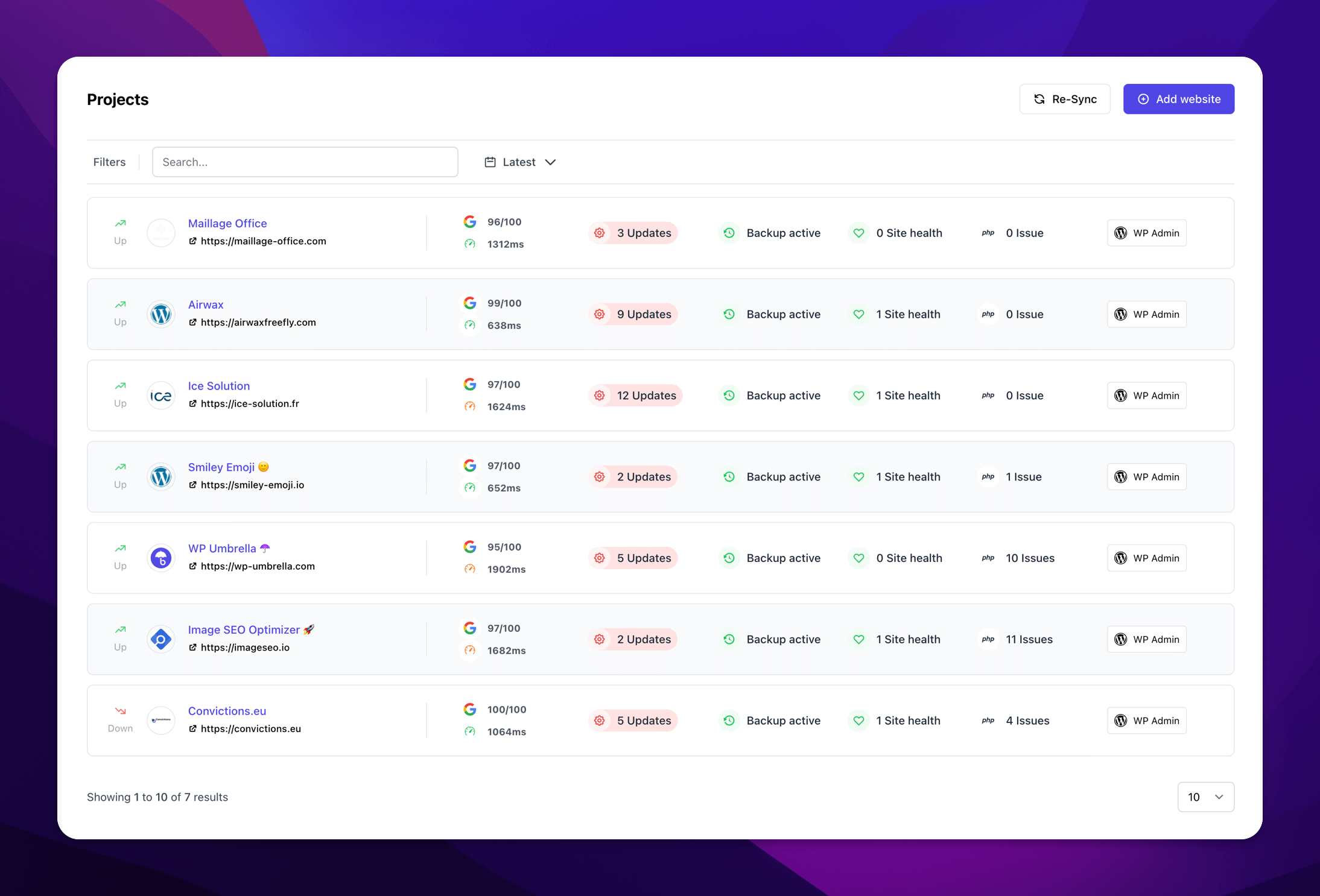
WP Umbrella is a powerful WordPress management tool that helps website owners and developers to monitor and manage their WordPress websites with ease. This tool provides a wide range of features that allow users to keep track of their website’s performance, security, and uptime. With WP Umbrella, users can monitor their website’s uptime and receive instant alerts in case of any downtime.
They can also track their website’s performance metrics, such as page load times and server response times, and optimize their website accordingly. Moreover, WP Umbrella also provides advanced security features that help users to protect their website from malware attacks, brute force attacks, and other security threats. Overall, WP Umbrella is an all-in-one WordPress management tool that simplifies website management and helps users to keep their website secure, fast, and reliable.
Comparison Table Between Main WP vs WP Umbrella: 40+ Feature Comparisons
| MainWP | WP Umbrella | |
|---|---|---|
| Website Management: | ||
| WordPress Updates | Yes | Yes |
| Bulk Plugin & Theme Updates | Yes | Yes |
| Manage Comments | Yes | Yes |
| Staging Website | Yes | - |
| Self-Hosted | Yes | - |
| Website Backups | Yes | Yes |
| Bulk Posting | Yes | - |
| Code Snippets | Yes | - |
| Bulk Edit Pages & Posts | Yes | - |
| Bulk Plugin & Theme Installation | Yes | - |
| Maintenance Mode | Yes | - |
| Client Reporting | Yes | Yes |
| Team Collaboration | Yes | - |
| Theme & Plugin Template | Yes | - |
| Integration with Popular WordPress Plugins | Yes | Yes |
| 1-Click Admin Login | Yes | Yes |
| Client Dashboard | - | - |
| Whitelabel | Yes | Yes |
| Safe Updates | - | - |
| Local Sync | - | - |
| Security: | ||
| Activity Logging | Yes | - |
| 2 Factor Authentication | - | Yes |
| Malware Scanning | ||
| Vulnerability Checker | Yes | - |
| Google Safe Browsing | - | - |
| PHP Error Monitoring | - | Yes |
| GDPR Compliance | Yes | Yes |
| SEO: | ||
| Google Analytics Integration | Yes | - |
| Google Search Console Integration | - | Yes |
| Link Monitoring | - | Yes |
| SEO Ranking | - | - |
| Performance: | ||
| Uptime Monitoring | Yes | Yes |
| Database Optimizations | - | - |
| Web Vitals Monitoring | Yes | Yes |
| USPs (Misc): | ||
| Domain Monitoring | Yes | - |
| Premium Support | Yes | Yes |
| Plugin Database Updater | Yes | - |
| Client billing management | - | - |
| Live Chat Support to Clients | - | - |
| Slack integration | - | Yes |
| Pricing: | ||
| Free Version | Yes/ Unlimited Sites | - |
| Lowest Plan | $29/mo Unlimited Sites | $1.99/mo 1 website |
| Highest Plan | $499/Lifetime Unlimited Sites | $1.99/mo 1 website |
| Get MainWP | Get WP Umbrella |
I have compared all the popular Best 8 WordPress Management Tools and created a comprehensive comparison table which includes – ManageWP vs MainWP vs WP Umbrella vs Infinite WP vs WPMU Dev HUB vs iThemes Sync vs Updraft Central vs WP Remote to help you make an informed decision.
Buyer’s Guide: Which WordPress Management Tool Should you Choose between Main WP and WP Umbrella?
When it comes to choosing between MainWP and WP Umbrella, it really depends on your specific needs and preferences. MainWP is a great option if you’re looking for a powerful and flexible WordPress management tool that allows you to manage multiple sites from a single dashboard. It offers a wide range of features, including automated backups, security scans, plugin and theme management, and more. MainWP is also highly customizable, so you can tailor it to your specific needs. On the other hand, WP Umbrella is a newer player in the WordPress management space, but it’s quickly gaining popularity thanks to its user-friendly interface and comprehensive set of features.
WP Umbrella offers real-time site monitoring, automated backups, security scans, and more. It also includes advanced features like uptime monitoring and performance analytics. Ultimately, the choice between MainWP and WP Umbrella comes down to your specific needs and preferences. If you’re looking for a more established and customizable solution, MainWP may be the way to go. If you’re looking for a more user-friendly and comprehensive option, WP Umbrella may be the better choice.