The WordPress 7.0 release date is April 9, 2026 — and this isn’t just another version bump.
Most people think it’s a routine update, new blocks, some UI polish, a few fixes.
That’s what they thought about the Gutenberg block editor too, right up until it shipped and rewired how 43% of the internet builds websites.
This is that moment again. Except bigger.
WordPress 7.0 is the first release that ships with a native WordPress MCP server — a foundation that lets AI agents for WordPress like Claude and ChatGPT actually work inside your WordPress site.
Not generate text you copy-paste in. Work inside it. Read your content, understand your structure, create drafts, manage pages, and wait for your confirmation before touching anything live.
If you use WordPress and you haven’t heard about this yet, that’s exactly why I’m writing this post.
What Is MCP and Why Does It Matter for WordPress
MCP stands for Model Context Protocol — the open standard that’s reshaping how AI connects to applications.
Before MCP, every WordPress AI integration was a custom mess. One plugin connected to OpenAI its own way. Another talked to Gemini differently.
No standard. No shared infrastructure. Everything broke when APIs updated.
MCP fixes the connection layer. It’s the same idea as USB-C — before it, every device had its own charger. USB-C standardized the port so any cable works with any device.
MCP standardizes how any AI agent connects to any application. One protocol. Discoverable, structured, secure.
The WordPress MCP server exposes your site to any MCP-compatible AI. The AI can discover what your site can do, understand how each capability works, and take action on your behalf — with your explicit sign-off before anything changes.
This is not a plugin. This is infrastructure. And it’s going into WordPress core.
What WordPress 7.0 Actually Ships — Key Features
Three major WordPress 7.0 features are landing in core on April 9:
- AI Connectors — live in Settings → Connectors. You enter your API key for Claude, ChatGPT, or Gemini once. Every plugin on your site can use those credentials through a shared, standardized layer. No more fifteen plugins each storing keys in their own way. Three providers supported at launch: Anthropic, OpenAI, Google. More coming in 7.1.
- The Abilities API — introduced in WordPress 6.9 and expanded in 7.0, lets plugins register discrete capabilities in a language AI understands. Fetch posts. Update a page. Generate a title. Run a site health check. Standard inputs, standard outputs. WordPress describing itself to an AI agent, not the other way around.
- The MCP Adapter — is the bridge. It takes every registered ability and exposes it through the Model Context Protocol. Point any MCP-compatible AI at your WordPress site and it can discover what your site does, understand each capability, and call them on your terms.
The result: your WordPress site stops being a dashboard you log into. It becomes something an AI can actually work inside — opening the door for AI agents for WordPress to handle content creation, site management, and optimization tasks autonomously.
The Community Is Already Building on Top of This, one product I love is
Novamira from @giovannicintolo.
Where the official MCP Adapter communicates with WordPress through registered abilities, Novamira gives an AI agent direct PHP execution inside your WordPress process.
Five primitives — execute PHP, Read & Write Files, Edit Files, Delete & Toggle, List Directory — and from those five tools, an AI can build essentially anything that PHP can build.
@WPTutz recently covered a project called Novamira that shows where this goes for developers:

WordPress.com Already Flipped the Switch
WordPress.com went live with write access via MCP on March 20, four days ago.
Video on official WordPress channel –

It allows you to
- Edit existing content
- Manage comments
- Create posts and pages
- Handle media uploads
- Restructure categories and tags
19 new write operations, across 6 content types. Every single one requires your explicit confirmation before it executes. New content defaults to draft. Deletions go to trash and stay recoverable for 30 days. The AI inherits your WordPress user role — an Editor cannot change site settings. Nothing goes live without you saying yes.
WordPress.com is also the first host to ship OAuth 2.1 for AI agents by default — meaning your credentials never touch your AI client. Only secure, expiring tokens. Clean and locked down.
If you’re on WordPress.com, you can enable this today at wordpress.com/me/mcp.
@pootlepress also published a post on “100 Things Your AI Can Do to Your WordPress Site Right Now.”
It’s worth reading in full. But here’s the shape of it, because it makes the MCP shift concrete in a way that specs and announcements don’t.
A Real Workflow, Not a Demo — Something I Actually Did
I connected Claude to my WordPress.com site and typed: “Check what I’ve published recently, find a topic I haven’t covered, draft a post, and save it as a draft.”
Claude read my last 10 posts. Checked my categories. Drafted a post in my style with appropriate heading structure. Saved it directly to WordPress — right category applied, tags filled in, draft status.
Then told me it was ready to review.
I opened WordPress, reviewed the post, made two edits, published it.
I didn’t open a WordPress tab until it was time to read and hit publish.
That’s the workflow. Not a gimmick. Not a future use case. It works today on WordPress.com, and it comes to self-hosted WordPress on April 9.
How the WordPress MCP Server Works on Self-Hosted Sites
For self-hosted WordPress, the MCP Adapter is the piece that turns your site into a WordPress MCP server.
It was released officially in February 2026 and is tracking toward inclusion in WordPress core. Here’s what it does in practice:
The Adapter exposes three core capabilities to any AI agent that connects:
- Discover abilities — the AI can see what your site is capable of
- Get ability info — the AI understands how each capability works and what inputs it needs
- Execute abilities — the AI can call them, with your permission
Out of the box, WordPress core registers a small set of abilities: get site info, get user info, and a few others. The power comes from the plugin ecosystem.
Any plugin that registers abilities via the Abilities API becomes AI-accessible. One line of configuration and your plugin’s functionality is discoverable by Claude, Cursor, or any other MCP client. This WordPress AI integration model means that tools like The Plus Addons for Elementor, Nexter Blocks, or any Gutenberg block plugin can expose their widget-building and design capabilities directly to AI agents.
For self-hosted users who want to try it before the WordPress 7.0 release date on April 9, the MCP Adapter is available on GitHub now. It requires developer-level setup today. The April 9 stable release is when it becomes accessible for everyone.
Why This Is Different From Every AI Feature That Came Before
Every AI feature that’s shipped in the WordPress ecosystem before this was additive. A writing assistant here. An image generator there. A plugin that calls GPT to generate a title.
Those are tools. Useful, sure. But they don’t change how WordPress fundamentally works.
MCP changes the architecture.
What’s shipping in WordPress 7.0 is not a feature — it’s a platform layer. It’s the infrastructure that the entire ecosystem builds AI capabilities on top of. Instead of every plugin reinventing WordPress AI integration separately, there is now one standard for credentials, one standard for capabilities, one standard for agent communication.
The analogy that keeps coming to mind is the REST API. When the REST API shipped in WordPress 4.7, most users didn’t care. Developers noticed. A few years later it was the foundation of headless WordPress, block-based themes, and the entire modern WordPress development model.
The WordPress MCP server and the Abilities API are the 2026 version of that moment. Developers are noticing now. In two years this will just be how WordPress works.
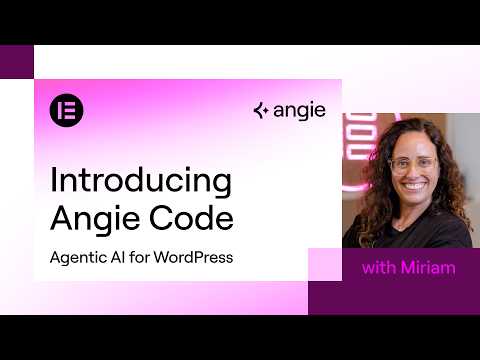
Even @elementor released their new product Angie – Agentic AI for WordPress recently.
Angie Code lets professional web creators and agencies create custom Elementor widgets, snippets for WordPress, and functionality instantly. If you’re building with Elementor, tools like The Plus Addons for Elementor already give you 120+ widgets — and with the Abilities API, those widgets can soon be generated and configured by AI agents too.
Video on this from @miriamschwab
What I Think WordPress Should Look Like in 5 Years
I’ve been thinking about this since I first saw James LePage’s demo at State of the Word 2025 where WordPress 6.9 was shipped live during the keynote for the first time in WordPress history.
Most WordPress users are not technical. They’re a restaurant owner, a blogger, a small agency client who needed a website three years ago. They log in once a week, struggle with something, and close the tab.
What WordPress has never fully solved is the gap between “I have a site” and “my site is actively working for me.”
The Gutenberg block editor closed the design gap. REST API closed the developer gap. MCP closes the operations gap.
But I think the real end state 5 years from now isn’t “AI that helps you inside the dashboard.” I think it’s a WordPress where the dashboard itself becomes optional for day-to-day operations.
Where you describe what you want to happen and it happens. Where managing a website feels like having a capable collaborator, not running software.
WordPress has 43% of the internet because it lowered the floor for who could publish. The MCP era is about lowering the floor for who can operate a site without needing to understand hosting, admin panels, plugin settings, or any of the invisible complexity that still sits between most site owners and their goals.
That’s what Matt has been circling since the beginning. April 9 is when the foundation starts becoming real.
What We’re Building at POSIMYTH
Being part of an amazing WordPress plugin ecosystem at POSIMYTH, we build products that serve half a million users across WordPress:
- Nexter — Theme, Blocks & Extensions — A complete WordPress theme and Gutenberg block plugin for building modern, performant websites without code.
- The Plus Addons for Elementor — 120+ premium Elementor widgets used by agencies to build hundreds of client sites faster.
- UiChemy — The fastest way to convert Figma designs to live WordPress pages, now with full Bricks Builder design system sync.
- WDesignKit — Design templates and widget library for both Elementor and Gutenberg workflows.
The Abilities API changes what’s possible for products like ours.
When Nexter registers its design capabilities as abilities, an AI agent can call them. Build a landing page using the agency’s standard block layout. Create a product section with a WDesignKit template.
Convert a Figma design to a live WordPress page via UiChemy.
Not through a custom one-off integration we build and maintain. Through the standard WordPress layer that every AI agent already speaks.
We’re building this into our products.
Excited to share some really interesting things we’re building ahead.
And there’s a bigger direction we’re heading — an agentic layer where your entire WordPress workflow becomes something you can operate through conversation.
Design, build, publish, manage, report. We’re not ready to announce it fully yet. But WordPress 7.0’s infrastructure is the exact foundation it runs on.
The Honest Take on Where Things Actually Stand
WordPress.com‘s implementation is live, polished, and working today. Thousands of users already connected. Real safeguards. Real workflows. This part is done.
Self-hosted WordPress MCP server support is directionally correct but still maturing. The WordPress AI contributor notes from March 11 are transparent: MCP progress has been slower than planned due to contributor availability. The milestones for MCP Adapter v0.5.0 are still being clarified. April 9 is the goal, not a guarantee of full completion.
The Abilities API itself is also paused on new core additions while the team focuses on getting the AI Connectors screen and AI client stable for 7.0. Deeper ecosystem adoption will come in the cycle after release.
None of this changes the direction. It just means the early experience on self-hosted WordPress will be more developer-facing than user-friendly on day one. That changes with time and ecosystem adoption, exactly like every other foundational WordPress feature before it.
WordPress spent 20 years making publishing accessible to anyone with an idea and internet access.
WordPress 7.0 starts making operating a website accessible to anyone — through conversation, through AI agents for WordPress that work inside your site with your permission, following your rules, waiting for your sign-off before anything goes live.
April 9. The foundation ships.
Frequently Asked Questions About WordPress 7.0
What is the WordPress 7.0 release date?
The official WordPress 7.0 release date is April 9, 2026. This is when the stable version ships with the MCP Adapter, AI Connectors, and the expanded Abilities API built into WordPress core.
What is the Model Context Protocol (MCP) in WordPress?
The Model Context Protocol is an open standard that lets AI agents connect to applications in a structured, secure way. In WordPress 7.0, the MCP Adapter turns your site into a WordPress MCP server that any compatible AI — Claude, ChatGPT, Gemini — can interact with to read content, create drafts, manage pages, and more.
How do AI Connectors work in WordPress 7.0?
AI Connectors live in Settings → Connectors inside your WordPress dashboard. You enter your API key once for Claude (Anthropic), ChatGPT (OpenAI), or Gemini (Google), and every plugin on your site can use those credentials through a single standardized layer. No more multiple plugins storing separate API keys.
What is the WordPress Abilities API?
The Abilities API lets WordPress plugins register specific capabilities — like fetching posts, updating pages, or generating titles — in a format that AI agents understand. When combined with the MCP Adapter, these abilities become discoverable and executable by any MCP-compatible AI client.
Is WordPress 7.0 safe to update to?
Yes. The AI features in WordPress 7.0 are opt-in. Nothing changes about your site unless you explicitly enable AI Connectors and grant permissions. All AI actions require your confirmation, new content defaults to draft, and deletions stay recoverable for 30 days. The AI inherits your WordPress user role — it can never do more than you’re allowed to do.
Can I use ChatGPT or Claude with WordPress 7.0?
Yes. WordPress 7.0 ships with native support for three AI providers at launch: Anthropic (Claude), OpenAI (ChatGPT), and Google (Gemini). You can connect any of these through the AI Connectors screen, and they’ll work with any plugin that registers abilities through the Abilities API.
How will WordPress 7.0 affect Elementor and Gutenberg users?
For Gutenberg block editor users, the Abilities API means blocks and block patterns can be created, modified, and managed by AI agents directly. For Elementor users, Elementor has already released Angie — their Agentic AI product. Plugin developers for both ecosystems can register their widget-building capabilities as abilities, making tools like The Plus Addons and Nexter Blocks AI-accessible through a single standard.
What is the difference between WordPress.com MCP and self-hosted WordPress MCP?
WordPress.com already has MCP with write access live since March 20, 2026, including OAuth 2.1 authentication. Self-hosted WordPress gets the MCP Adapter in WordPress 7.0 on April 9 — it uses application passwords for authentication today, with OAuth support coming later. The core functionality is the same: AI agents can discover, understand, and execute site capabilities with your permission.