Canonical Tags on WordPress: What Breaks Them, and How to Audit Yours
On this page, 7 sections
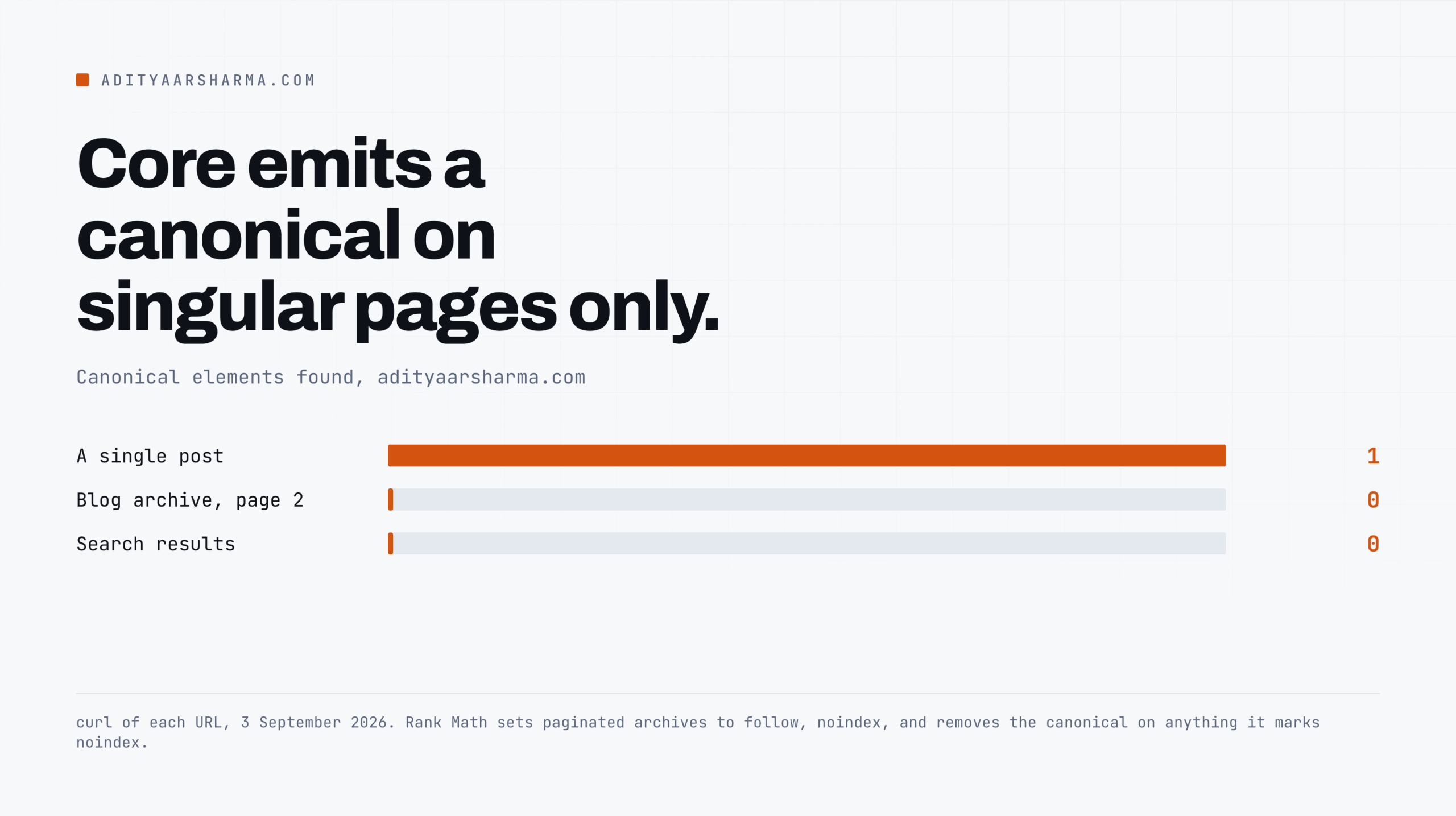
I ran this against my own site on 3 September 2026 and the second page of my blog archive has no canonical tag at all.
$ curl -s https://adityaarsharma.com/page/2/ | grep -o '<link rel="canonical"[^>]*>'
$ curl -s https://adityaarsharma.com/page/2/ | grep -o '<meta name="robots"[^>]*>'
Same on the search results page. Every single post URL has one, correctly self-referential, and correctly stripping a ?utm_source I appended by hand.
The archives have none. That is not a bug on my site, it is two design decisions stacking, and tracing them is the fastest way to understand how canonical tags actually get onto a WordPress page.
Where the tag comes from in core
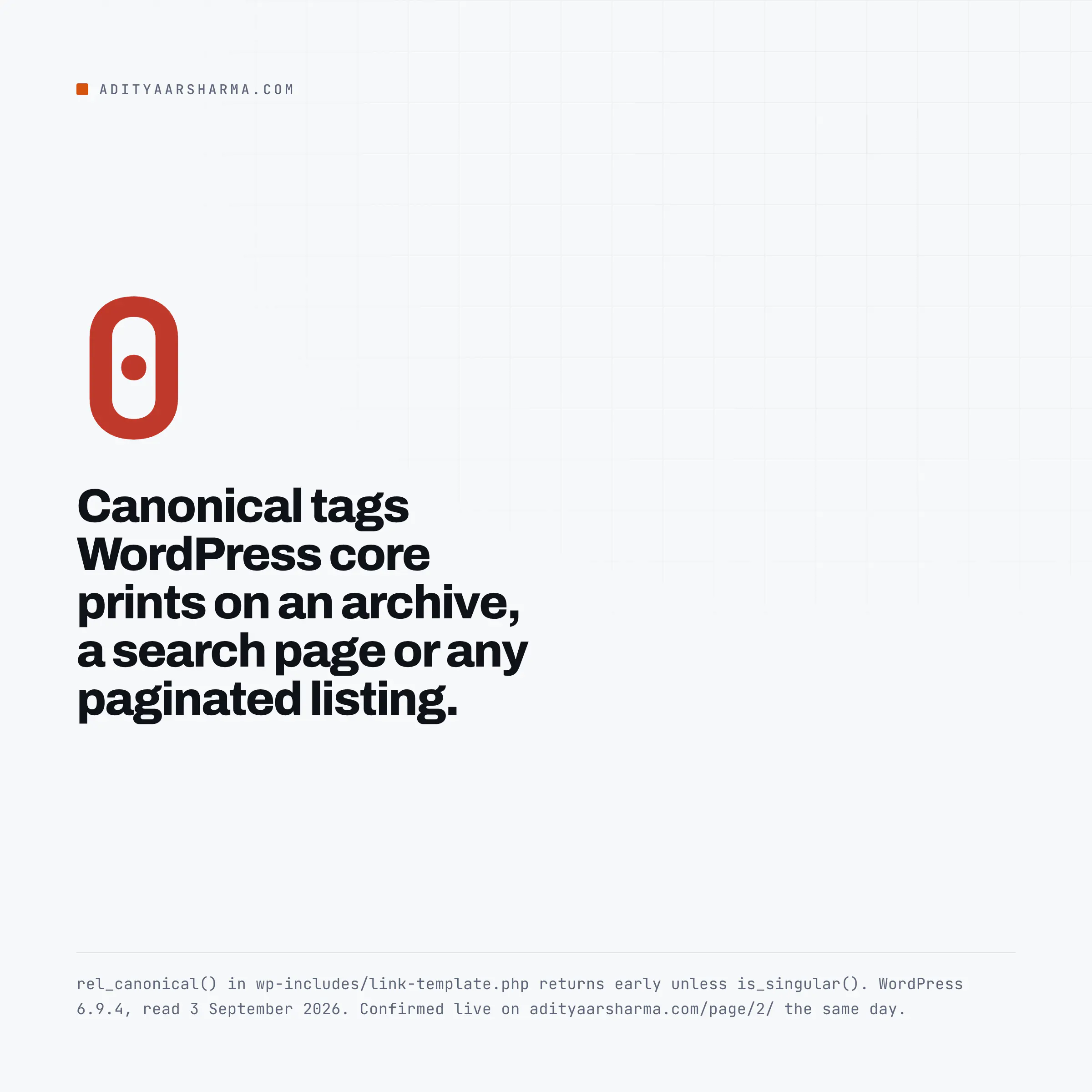
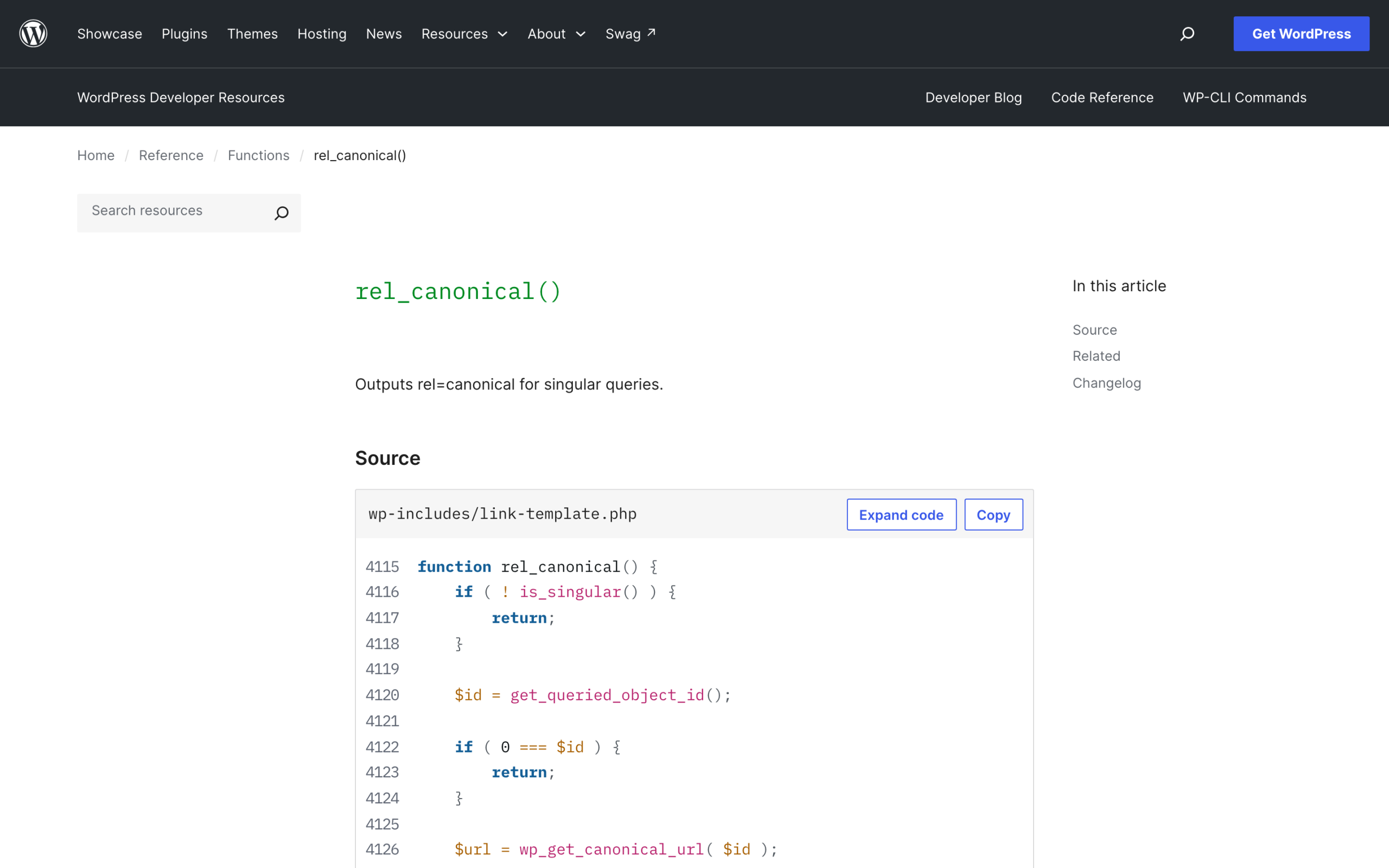
One line in wp-includes/default-filters.php does it: add_action( 'wp_head', 'rel_canonical' );.
The function itself lives in wp-includes/link-template.php.
function rel_canonical() {
    if ( ! is_singular() ) {
        return;
    }
    // ... then get_queried_object_id(), then wp_get_canonical_url( $id ),
    // then echo the link element.
}
Core emits on singular pages only
Read the first three lines again.
Core emits a canonical tag on singular pages only. Your home page, your category archives, your author archives, your date archives, your search results and every paginated version of all of them get nothing from core.
What wp_get_canonical_url actually returns
Ever. That is the whole story of the missing tag on /page/2/, and it has been true since 2.9.0.
wp_get_canonical_url() itself is short.
It refuses anything whose get_post_status() is not publish, builds the URL from get_permalink(), rewrites it for in-post pagination when get_query_var( 'page' ) is 2 or more, replaces it outright with get_comments_pagenum_link() when a comment page is requested, and returns it through the get_canonical_url filter.
Two of those behaviours surprise people.
- Anything not in
publishstatus returns false. A privately published page, a scheduled post being previewed, a custom status from an editorial workflow plugin: no canonical tag. If you use a plugin that adds post statuses, your canonical coverage has holes shaped exactly like that plugin. - Pagination inside a post is canonical to itself, and comment pagination overrides everything. Split a long post with the
<!--nextpage-->tag and page 2 of that post canonicalises to page 2 of that post, not to page 1. That is correct behaviour, and it is the opposite of what most “consolidate your paginated content” advice tells you to do. If a comment page is requested,get_comments_pagenum_link()wins outright.
The moment an SEO plugin takes the tag over
Both of the plugins that matter remove core’s function outright with remove_action( 'wp_head', 'rel_canonical' );. Yoast SEO 28.5 does it in src/integrations/front-end-integration.php and again in src/integrations/front-end/indexing-controls.php.
Rank Math 1.0.277.2, in includes/frontend/class-head.php, does the same thing and then makes a second decision that explains the archive on my own site.
Why my own archives have no canonical
Its robots() method prints the robots meta, and if that meta contains noindex it calls remove_action on its own rank_math/head hooks for canonical at priority 20 and adjacent_rel_links at 21.
My site runs Rank Math. Rank Math sets paginated archives to follow, noindex by default, and its own code then removes the canonical on any page it has marked noindex.
Both halves are defensible.
The comment above that block in Rank Math’s source cites a Search Engine Roundtable piece on the confusion caused by combining noindex with rel=canonical, and a page you have already excluded from the index does not need a canonical to consolidate anything.
What that means for every canonical question
So my archives are behaving as designed, and I would not change it.
The reason to know this is different: it means the canonical tag on a WordPress site is entirely a plugin output the moment an SEO plugin is active.
Core’s function is not running. So every question about canonical behaviour on your site is a question about that plugin’s settings, not about WordPress.
The four things that break canonicals in practice
1. Query strings, and what core does and does not strip
Core’s redirect_canonical() in wp-includes/canonical.php normalises host, scheme, trailing slashes and multiple slashes, and issues a 301 when the result differs from what was requested.
What it does not do is drop query arguments it does not recognise.
Why the parameter survives the redirect
It builds the redirect target from the parsed original and appends $redirect["query"] back on, then compares the original and redirect host, path, port and query arrays and bails if they are the same.
So /post/?utm_source=newsletter does not redirect anywhere. It serves a 200 with the full content.
What saves you is the canonical tag, which is built from get_permalink() and therefore carries no query string at all.
And why archives have no such protection
I fetched /how-to-fix-301-errors-in-wordpress/?utm_source=test on my own site and the canonical came back as the clean URL, with the parameter gone.
That works on singular pages. On archives, where there is no canonical tag from core, every campaign parameter, every faceted filter and every session ID is a separate crawlable URL with identical content.
The mistake Google names explicitly
This is the specific reason blocking WooCommerce add-to-cart URLs from crawling is worth doing on any store: the add-to-cart parameters generate exactly this pattern at volume.
2. Pagination, in three different flavours
WordPress has three separate pagination systems and they behave differently:
- Archive pagination (
/category/x/page/2/): no canonical from core, plugin-dependent, usually noindexed. - Post pagination (
<!--nextpage-->): self-referential canonical from core, handled by the$page >= 2branch above. - Comment pagination (
?cpage=2or/comment-page-2/): overrides the canonical entirely withget_comments_pagenum_link().
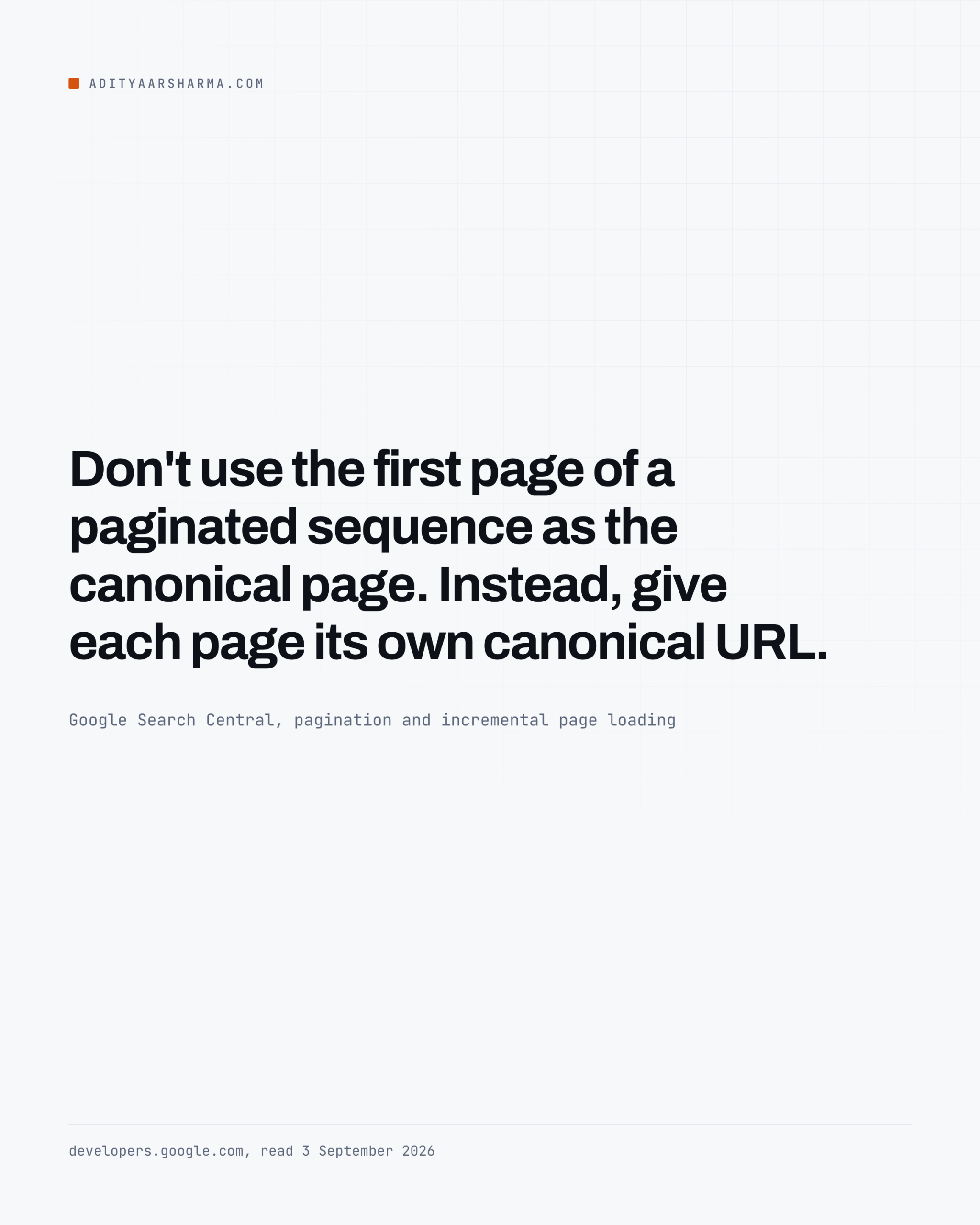
The common mistake is pointing every paginated archive page at page 1. Google’s own pagination guidance says the opposite in two sentences: “Don’t use the first page of a paginated sequence as the canonical page.
The leftovers outlive the plugin
Both fail the same way
Instead, give each page its own canonical URL.” If your SEO plugin is set to canonicalise archives to the first page, you are telling Google that pages 2 through 40 of your blog are duplicates of page 1, which they are not.
3. AMP leftovers
The official AMP plugin, version 2.5.5, is careful here. Its ensure_required_markup() checks empty( $links['canonical'] ) first and only appends a canonical node to the head when nothing else has written one.
And Rank Math, in the same head class, removes the AMP plugin’s own canonical action when AMP is active so the two do not both fire. So a current, correctly configured AMP install is not the problem.
The problem is the leftovers, and they outlive the plugin:
/amp/URLs that are still indexed after you deactivated the plugin, now returning a 404 or a soft 404 rather than redirecting.<link rel="amphtml">tags baked into a page cache, a CDN edge cache or a theme header that somebody edited by hand.- A second AMP plugin from a different vendor still installed and still writing its own canonical, so the page ships two canonical elements pointing at different URLs. Google’s documentation does not say what it does with two conflicting canonical elements on one page, and I have not seen it tested. Which is the point: you have made a statement you cannot predict the effect of, for no benefit.
Check for the double tag rather than assuming: curl -s URL | grep -c 'rel="canonical"' should return exactly 1.
4. Everything else that writes to wp_head
Because the canonical is printed by a hook, anything hooked into wp_head can add a second one, and any output buffering layer, page cache or optimisation plugin can rewrite the first one. Two patterns worth checking:
- A page cache serving a stale head. Change a canonical, purge nothing, and the old tag is served for as long as the cache lives.
- Optimisation plugins rewriting URLs. Anything that rewrites asset or page URLs, a CDN plugin included, can rewrite the
hrefof the canonical too if its replacement is not scoped.
Both fail the same way: the HTML in your theme is right and the HTML on the wire is wrong. Which is why every audit below fetches the page rather than reading the code.
Auditing every canonical on a site
Start from the sitemap, because it is the list of URLs you claim to care about.
The audit is five steps and you can run it as a shell loop or in a spreadsheet.
The three findings, ranked
If you would rather do this in a spreadsheet, pulling a sitemap into Google Sheets does the enumeration step with a formula and no terminal.
- Expand the sitemap index into individual sitemaps, then into URLs, with
grep -oP '(?<=<loc>)[^<]+'. - Fetch each URL with
curl -sL --max-time 20, one at a time, with asleep 1between requests. - Count the canonical elements:
grep -c 'rel="canonical"'. - Pull the first href:
grep -oP '(?<=rel="canonical" href=")[^"]+' | head -1. - Bucket the result. Zero tags is MISSING, one tag matching the URL is SELF, one tag pointing elsewhere is POINTS-TO, anything above one is DUPLICATE.
One second between requests, sequentially, against your own server. Do not parallelise this against a site you do not own.
Three findings to expect, in descending order of how much they matter:
- DUPLICATE. Two plugins both writing a canonical. Fix first, because it is the only one of the three findings whose outcome is genuinely unpredictable.
- POINTS-TO a URL that then redirects. A canonical pointing at a URL that 301s is a two-hop instruction and Google follows it, but you are burning crawl budget and the signal weakens. This is the overlap with fixing 301 errors in WordPress, and the audit above will surface it as a canonical whose target is not a 200.
- MISSING. Check whether the page is also noindexed. If it is, this is by design and you can leave it. If it is indexable and has no canonical, that is the real finding.
Add the target check with a second pass: curl -s -o /dev/null -w '%{http_code} %{url_effective}\n' -L "$CANONICAL_TARGET".
Anything that does not report 200 with the same URL you sent is a canonical pointing at a redirect.
What a canonical tag will not do
Google’s own documentation ranks the signals: redirects are “a strong signal”, rel=canonical is “a strong signal”, sitemap inclusion is “a weak signal”.
And then, plainly: “none of them are required; your site will likely do just fine without specifying a canonical preference”, because absent one, Google picks.
What it settles, and what it does not
A canonical is a preference, not an instruction, and Google will overrule it when the pages are not actually duplicates.
Which means a canonical tag cannot fix thin duplicate content, cannot consolidate pages that are genuinely different, and cannot be used as a substitute for deciding which page should exist.
It settles which of several near-identical URLs gets the credit. That is the whole job.
The sitemap side of the same signal set is worth reading together with this, because both are statements you make about which URLs are real: core versus plugin sitemaps.
Do this today
Run this one line against three URLs on your site: your home page, one post, and page 2 of your blog archive.
for u in https://example.com/ https://example.com/some-post/ https://example.com/page/2/; do
  echo -n "$u  "
  curl -s "$u" | grep -c 'rel="canonical"'
done
If the home page returns 0 you have found something worth fixing in the next ten minutes. If any of them returns 2, fix that first.
Resources
- wp_get_canonical_url(), WordPress Developer Resources
- rel_canonical(), WordPress Developer Resources
- redirect_canonical(), WordPress Developer Resources
- How to specify a canonical URL, Google Search Central
- Canonicalization overview, Google Search Central
- Pagination and incremental page loading, Google Search Central
- RFC 6596, The Canonical Link Relation