What a WordPress Backup Has to Contain Before a Restore Will Work
On this page, 7 sections
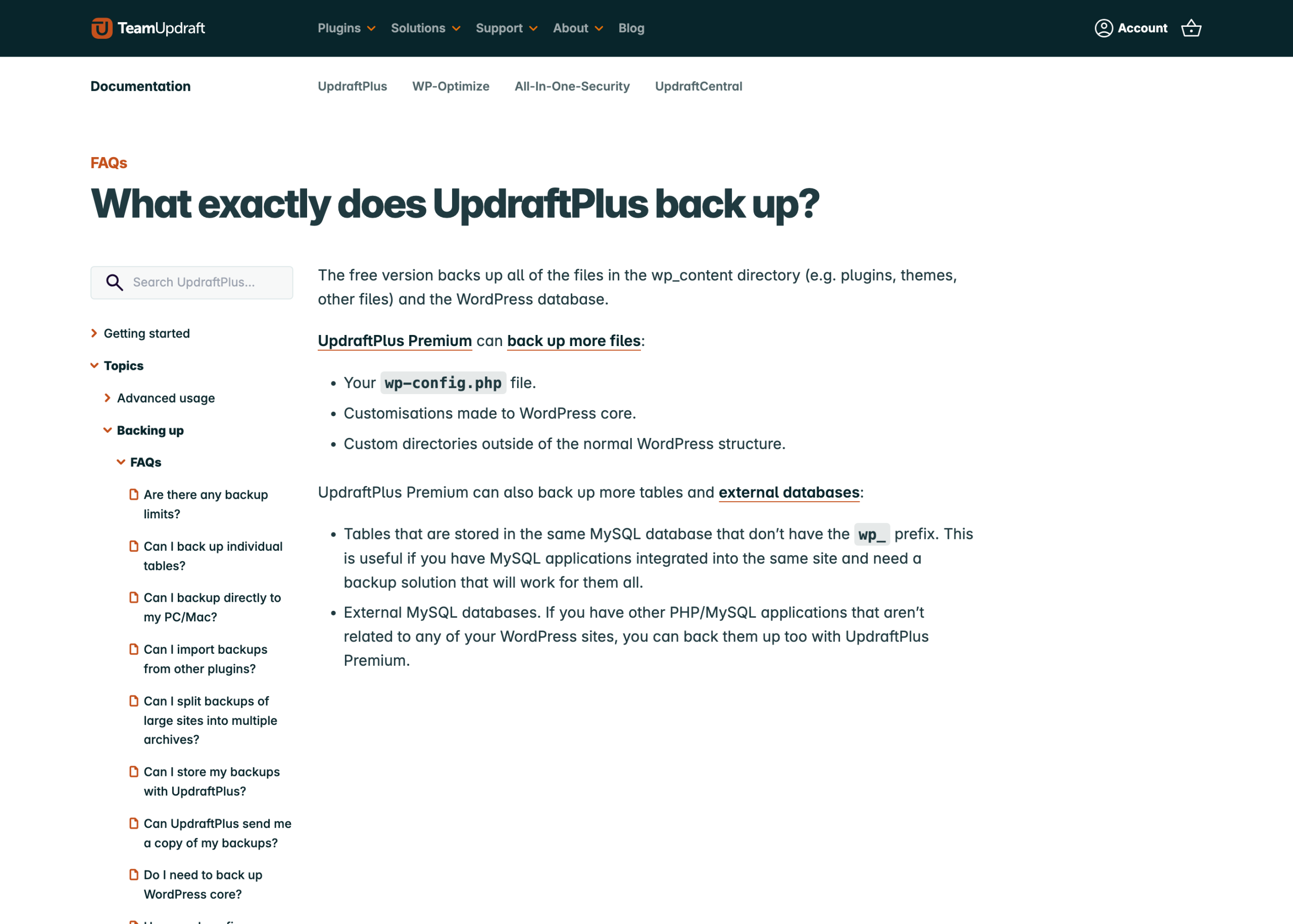
UpdraftPlus documents what its free version backs up in one sentence:
“The free version backs up all of the files in the wp_content directory (e.g. plugins, themes, other files) and the WordPress database.” Its next line lists what the paid version adds, and the first item is your wp-config.php file.
I read that page on 3 September 2026.
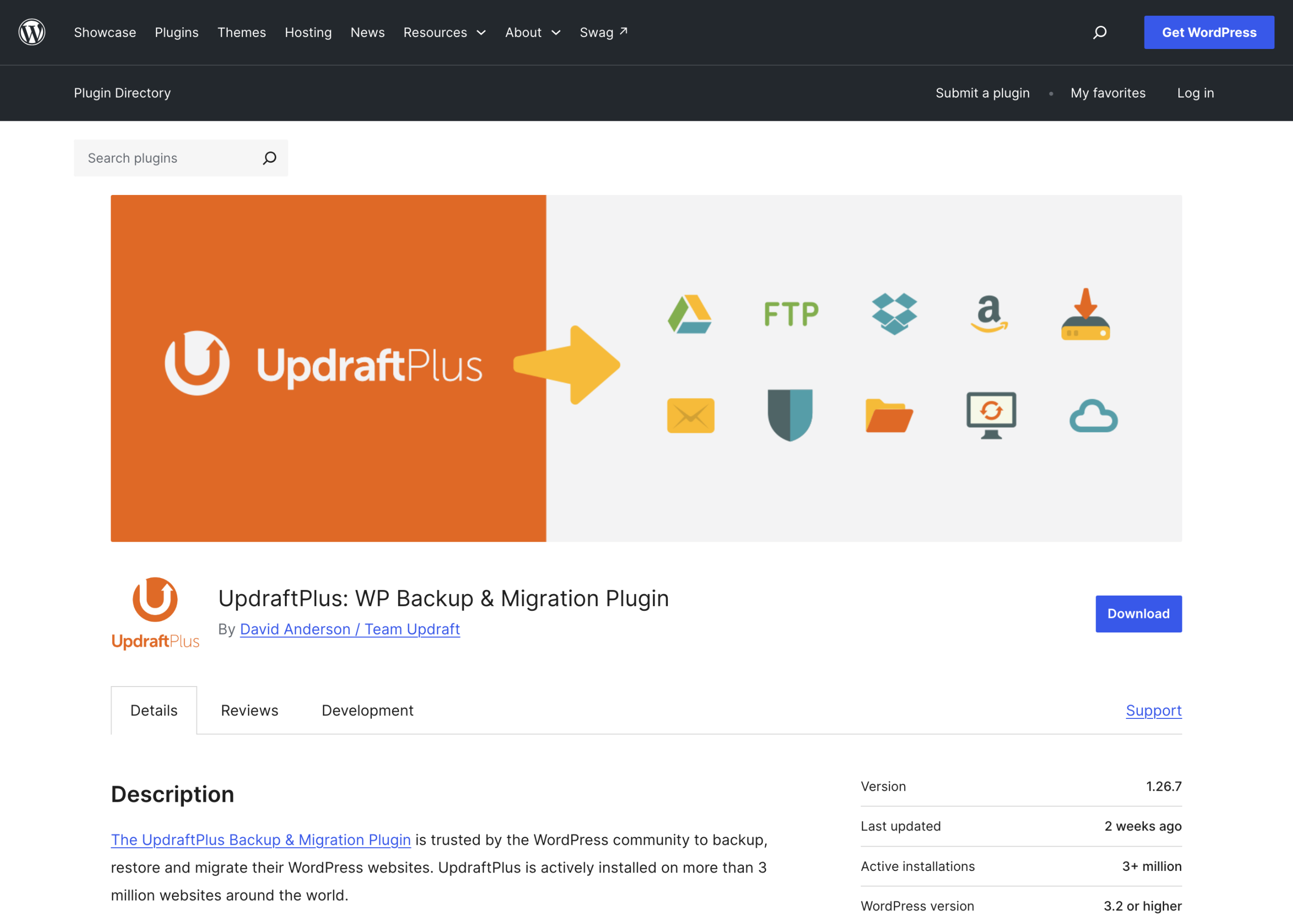
The WordPress.org plugin API reports 3,000,000 active installs for UpdraftPlus, checked on 3 September 2026, and the default archive does not contain the file that holds your database credentials, your table prefix, your salts and every constant your site depends on.
That is not a criticism of UpdraftPlus. It is a correct engineering decision, because wp-config.php contains secrets and shipping it to Dropbox by default would be worse.
But it means the thing most people call “my backup” cannot rebuild the site on its own, and almost nobody has checked.
The way to find that out is not to look at your backup. It is to restore it somewhere and see what breaks.
What a restore actually needs
Work backwards from a blank server. To get a working site you need, in this order:
- The database dump, with the same table prefix as the
$table_prefixin the wp-config you are going to use, and the same character set and collation as the tables were created with. - wp-content/uploads, in the directory layout the
upload_pathandupload_url_pathoptions expect. Those options live in the database, not in a file. - wp-content/plugins and wp-content/themes, including the parent of any child theme.
- wp-content/mu-plugins, which is a separate directory that some backup tools treat as a separate thing and some do not.
- The drop-ins:
wp-content/object-cache.php,advanced-cache.php,db.php,maintenance.php. These are loose PHP files sitting directly in wp-content, they are installed by caching and database plugins, and a site that loads a stale one throws a fatal error before it reaches your theme. - wp-config.php, or at minimum a written record of every constant in it.
- The server configuration that is not in the WordPress tree at all: your
.htaccessor nginx rules, your PHP version, your PHP extensions, your cron entries, your DNS. - WordPress core itself, which most backup plugins deliberately skip because it is a known download.
Items 5, 6 and 7 are where restores fail. Nobody forgets the database.
The constants people lose
Read past the database credentials
Open your wp-config.php right now and read past the database credentials. The lines that will hurt you if they go missing:
$table_prefix. If the dump was made from tables namedxyz_postsand the config sayswp_, WordPress will offer you the installation screen and you will think the dump is corrupt.- The eight authentication keys and salts. Losing them does not destroy anything, it logs every user out and invalidates every password-reset link in flight. Worth knowing before you tell a client the restore was clean.
WP_HOMEandWP_SITEURLif they are defined there, because they override the database values and will silently send a restored staging copy to the production domain.WP_CONTENT_DIRandWP_PLUGIN_DIRon any site where wp-content has been moved.DB_CHARSETandDB_COLLATE. A dump written fromutf8mb4_unicode_520_citables and loaded against a config expecting something else is how you get a site full of question marks in place of apostrophes.- Anything a plugin asked you to define: license keys, S3 credentials, SMTP passwords,
DISALLOW_FILE_MODS, Redis host and port.
The group that calls you three days later
That last group is the one that produces the “it restored but the emails stopped” call three days later.
What four popular tools actually put in the archive
I read the source of three of these on 3 September 2026, at the versions on WordPress.org that day, rather than trusting the feature pages.
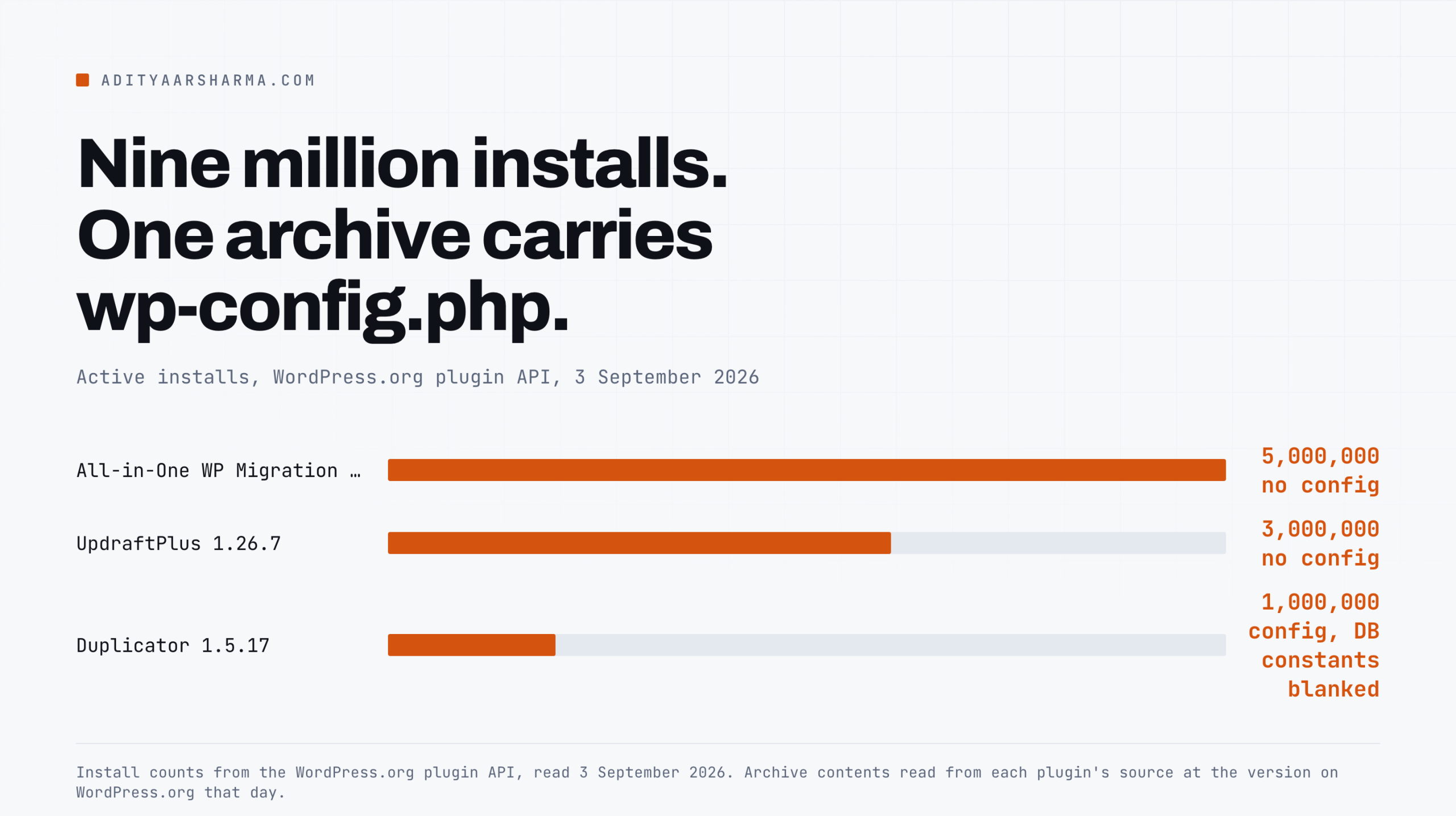
UpdraftPlus 1.26.7, 3,000,000 active installs
The backup entities are defined in get_backupable_file_entities() in class-updraftplus.php: plugins, themes, uploads, mu-plugins, and then others, which is the rest of WP_CONTENT_DIR. Must-use plugins are their own entity, which is better than most people assume.
The default exclusions are two define() calls at the top of updraftplus.php:
define('UPDRAFT_DEFAULT_OTHERS_EXCLUDE', 'upgrade,cache,updraft,backup*,*backups,mysql.sql,debug.log');
define('UPDRAFT_DEFAULT_UPLOADS_EXCLUDE', 'backup*,*backups,backwpup*,wp-clone,snapshots,wp-staging');
The uploads exclusion nobody reads
Read the uploads line carefully. Any media folder whose name starts with backup is excluded from your uploads backup by default.
If a client has a page of downloadable files in /uploads/backups-2024/, it is not in the archive, and the failure is silent.
And, from the vendor documentation quoted at the top: no wp-config.php and no core customisations in the free version.
All-in-One WP Migration 7.110, 5,000,000 active installs
The export enumerates media, plugins, themes and the remainder of wp-content, plus a database dump and a package.json that records SiteURL and HomeURL.
Grepping the whole lib/ directory for wp-config returns nothing at all, so the archive contains no copy of your config file and no core files.
Note also class-ai1wm-export-enumerate-content.php, which adds mu-plugins to the exclude filter list under a condition, so must-use plugins are an option here rather than a default entity.
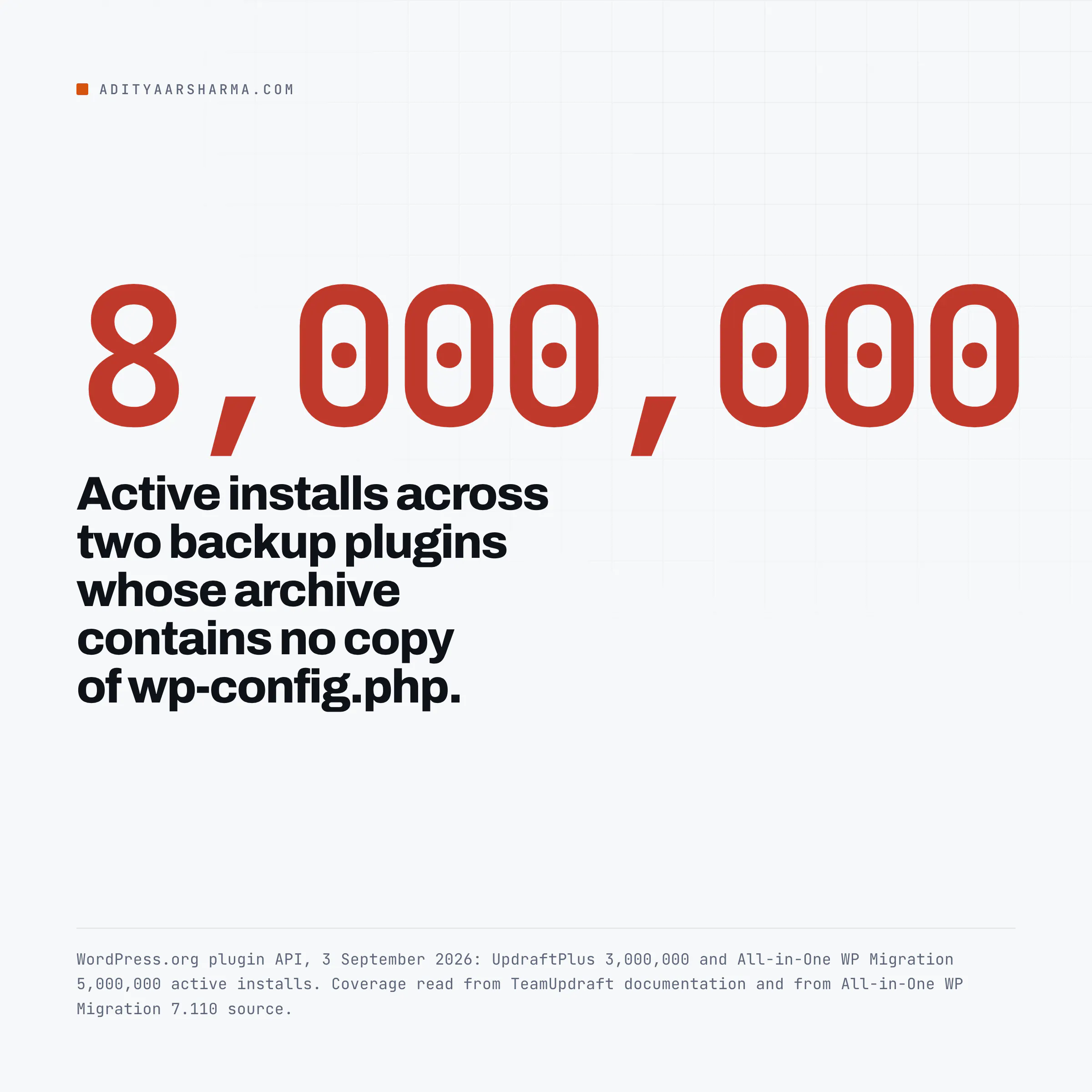
Two plugins, eight million active installs between them by the WordPress.org API count on 3 September 2026, and neither archive contains your config file.
The table prefix is handled by rewriting it to the placeholder SERVMASK_PREFIX_ on export and substituting the target prefix on import, which is why this tool moves cleanly between hosts and why the dump inside it is not a plain mysqldump you can pipe into MySQL.
Duplicator 1.5.17, 1,000,000 active installs
Duplicator is the odd one out, and the detail is worth knowing. In classes/package/class.pack.archive.php it explicitly adds three files to the exclusion list:
$this->FilterFilesAll[] = $abs_path . '/.htaccess';
$this->FilterFilesAll[] = $abs_path . '/web.config';
$this->FilterFilesAll[] = $abs_path . '/wp-config.php';
Then it stores copies of those same files separately in the package, and before doing so it runs cleanTempWPConfArkFilePath() in class.pack.installer.php, which blanks DB_NAME, DB_USER, DB_PASSWORD and DB_HOST in the stored copy.
So a Duplicator package does carry your wp-config, including your salts and your custom constants, with the four database constants emptied for the installer to fill in.
That is the most complete answer of the three, and it is also a reason to treat the package file as a secret: your salts are in there.
Your host panel backup
Usually a filesystem snapshot plus a database dump, taken independently, at whatever moment the job ran.
The risk is not coverage, it is consistency: files written after the database dump started are in the file half of a backup whose database half predates them.
For a busy WooCommerce store that window matters. Ask your host, in writing, whether the two halves are taken from the same point in time.
The restore rehearsal
The exercise, in six steps
Here is the exercise. It takes about forty minutes the first time and you should do it on a laptop, not on a server.
- Take a fresh backup with whatever tool you actually use.
- Bring up an empty WordPress on Docker or Local. Do not copy anything from the live server by hand at this point. The rule is: only what is in the archive.
- Load the database dump. Note the exact command you had to run and any prefix or collation errors.
- Copy in the files from the archive. Nothing else.
- Load the front page. Then the admin. Then a post with images. Then a form. Then the checkout, if there is one.
- Write down every single thing you had to fetch from somewhere other than the archive to make it work.
The list you end up with is the gap
That list is your real backup gap.
Based on what the three archives above actually contain, the predictable entries are the config constants, any drop-in installed by a caching or object-cache plugin, and whatever lives in the server configuration rather than in the WordPress tree.
The same test with WP-CLI
A minimal version of the same test with WP-CLI, which is what I reach for first:
# on the live site
wp db export live.sql --add-drop-table
wp core verify-checksums
wp plugin list --status=active --format=csv > active-plugins.csv
ls -la wp-content/*.php          # the drop-ins nobody backs up
grep -E "^(define|\\$table_prefix)" wp-config.php > constants.txt
# on the blank target
wp core download --version=$(wp core version)
wp config create --dbname=test --dbuser=root --dbpass=root --dbprefix=wp_
wp db create
wp db import live.sql
wp option get siteurl
wp search-replace 'https://live.example.com' 'http://localhost:8080' --dry-run
wp core verify-checksums is doing double duty there.
It tells you whether core is stock, which tells you whether skipping core in the backup is safe, and it is also the fastest check for modified core files if you suspect a compromise.
If it reports files that do not match, stop and read your access logs before you back anything up, because you may be about to make a clean copy of the wrong thing.
The parts that are not in any archive
Two things I have never seen a WordPress backup plugin capture, and both have ended restores:
- Scheduled events that live outside WordPress. A real system cron entry calling
wp cron event run, or a deploy hook, or a queue worker. WP-Cron entries are in the options table and come back with the database. The crontab does not. - The DNS and the mail path. A restored site with the right content and the wrong SPF record sends nothing. Nothing in the archive tells you that.
Keep a plain text file beside the archive
Keep a plain text file next to your backups listing PHP version, PHP extensions, cron entries, DNS records and the constants in wp-config. It is the least sophisticated part of a backup strategy and it saves the most time.
If you run sites for other people, this belongs in whatever you already use to track them; how I manage WordPress sites for clients and the management tool comparison both go into how I keep that record.
And the boring one that fixes a lot of this at the source: keep the site updatable so restores are rare. Automatic updates not working is the failure I see most on sites that later need a restore.
Do this today
Open your backup plugin and find the last archive it made. Download it, unzip it, and search for wp-config.php and for wp-content/object-cache.php.
If either is missing, you now know one thing your restore will need from somewhere else, and you have ten minutes to write it down while you still can.