Scheduling WordPress Content Properly: Why Posts Miss Their Schedule and How to Fix It for Good
On this page, 10 sections
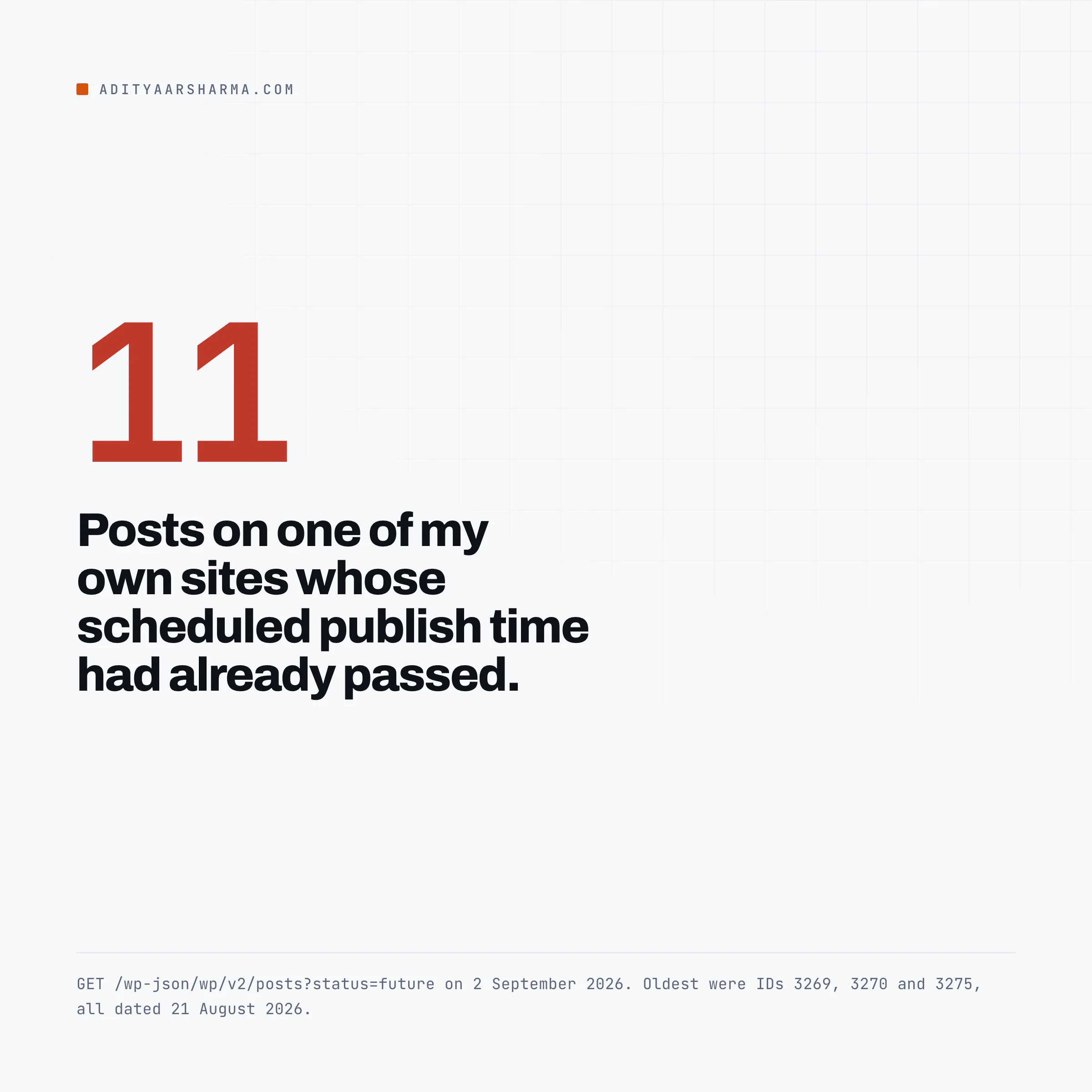
On 2 September 2026 I asked one of my own WordPress sites which posts were still sitting in the queue, waiting for their scheduled time:

The query was one call to the REST API: GET /wp-json/wp/v2/posts?status=future&orderby=date&order=asc with an application password, piped through jq for the ID, date and title.
Eleven of them had a scheduled time that had already passed. The three oldest were IDs 3269, 3270 and 3275, all dated 21 August 2026. Twelve days sitting in future.
No error in the log, no notice in the admin, no email. WordPress did not know anything was wrong, because from its point of view nothing was.
That is the part that gets covered badly everywhere else. A missed schedule is usually not a late job. It is an orphan. The post row still says future, and the queue entry that would have published it has already been deleted.
The line that causes it
Here is the loop in wp-cron.php, in WordPress trunk today. Read the order of the two statements:
$result = wp_unschedule_event( $timestamp, $hook, $v['args'], true );

do_action_ref_array( $hook, $v['args'] );

if ( _get_cron_lock() !== $doing_wp_cron ) {
    return;
}
Between the two statements core logs any unschedule error. The trailing check carries its own comment in the source: if the hook ran too long and another cron process stole the lock, quit.
The event is removed from the queue before the callback fires. That is deliberate: it stops one slow job from being started twice by two overlapping cron runs. The cost is that there is no retry.
If the callback fatals, if PHP hits its memory limit, if the process is killed halfway, the work never happened and the instruction to do it is already gone.
What happens when the callback dies
For a scheduled post, the callback is check_and_publish_future_post(). When that call does not complete, post 3269 keeps status future forever and there is no longer any event anywhere that mentions post 3269.
Nothing in WordPress scans wp_posts later to notice the mismatch. That is why these sit for weeks rather than minutes.
The whole chain, function by function
Worth reading once properly, because every real fix attaches to one of these steps.
Step 1: a future date sets the status
1. Saving with a future date sets the status. wp_insert_post() in wp-includes/post.php decides this itself, and it ignores what you asked for: The test is a string comparison in wp_insert_post().
It takes $now = gmdate( 'Y-m-d H:i:s' ) and, for a requested status of publish, switches it to future when post_date_gmt is more than MINUTE_IN_SECONDS ahead of it.
Sixty seconds is the whole rule. Ask for publish with a date a minute or more out and you get future.
Ask for future with a date less than a minute out and it goes live immediately.
This catches a lot of scripts, and I wrote up the rest of that behaviour in publishing to WordPress from a script.
Step 2: the transition registers the event
2. The status transition registers the event. WP_Post_Type::add_hooks() runs add_action( 'future_' . $this->name, '_future_post_hook', 5, 2 ) for every post type.
So a transition into future for a post fires future_post, and that lands here: _future_post_hook() calls wp_clear_scheduled_hook( 'publish_future_post', array( $post->ID ) ) and then wp_schedule_single_event() for the post’s own timestamp.
One single event per post, keyed on the post ID, timestamped in UTC. It goes into the cron row of the options table. That is the entire scheduling system: one serialised array in one option.
Step 3: nothing runs until a visitor arrives
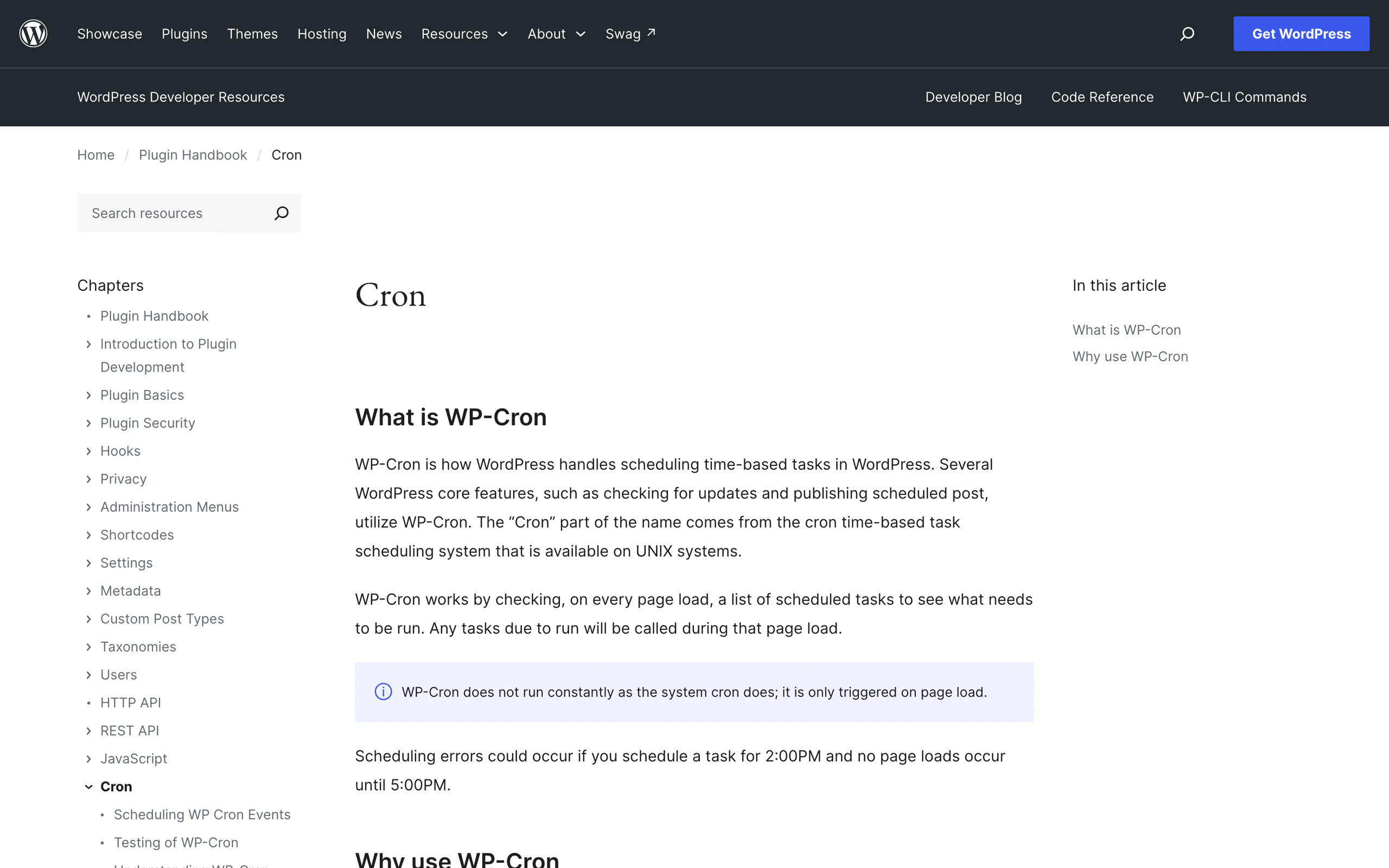
3. Nothing runs it until a visitor arrives. wp-includes/default-filters.php has add_action( 'init', 'wp_cron' ), guarded by if ( ! defined( 'DOING_CRON' ) ).
wp_cron() then defers the real work to the shutdown hook via _wp_cron(), so the visitor is not made to wait for it.
Step 4: _wp_cron() only asks the site to run it
4. _wp_cron() does not run your job.
It asks the site to run it. It finds the due events, then calls spawn_cron(), which makes an HTTP request back to the site: The comment above it says it plainly: do not run if another process is currently running it, or more than once every 60 seconds.
The lock is a timestamp compared against WP_CRON_LOCK_TIMEOUT.
WP_CRON_LOCK_TIMEOUT defaults to MINUTE_IN_SECONDS, set in wp-includes/default-constants.php. So at most one spawn attempt per minute, however busy the site is.
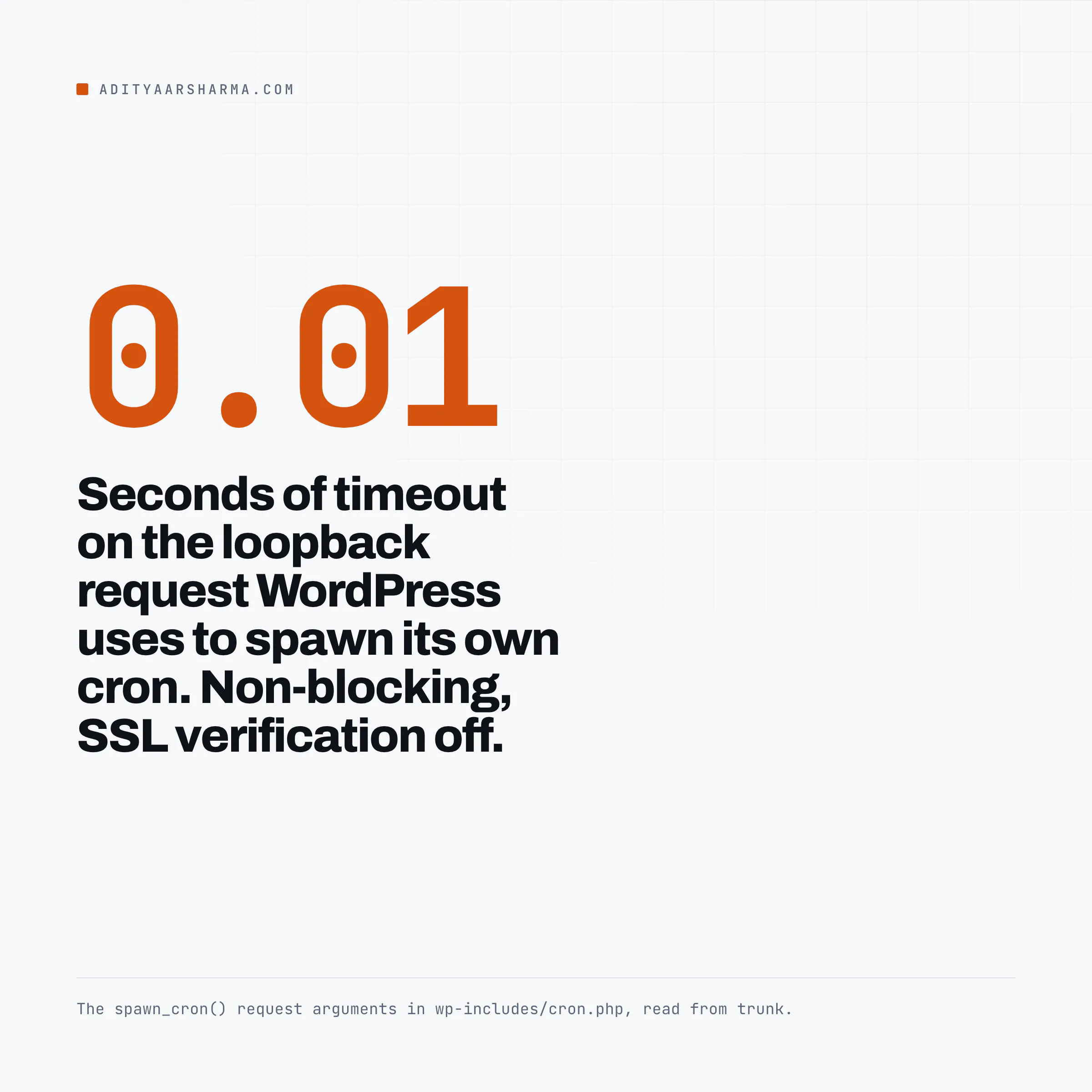
Now look at those request arguments. Timeout one hundredth of a second, blocking false, SSL verification off. WordPress fires the request and walks away.
It never reads the response, so it never learns that the request returned 403, or timed out at the firewall, or resolved to an IP the server cannot reach.
The lock transient is already set, which means the site behaves exactly the same whether the loopback worked or not.
Step 5: the lock, and the guard that trips hand-rolled crons
5.
wp-cron.php checks the lock, then runs the callbacks. It also has a guard that trips a lot of hand-rolled cron jobs: The guard is one line: if ( ! empty( $_POST ) || defined( 'DOING_AJAX' ) || defined( 'DOING_CRON' ) ) { die(); }.
Any request with a POST body is discarded silently, with a 200 response. If your crontab line uses wget --post-data or curl -X POST -d '', your monitoring will show the endpoint responding perfectly and nothing will ever run.
Step 6: the callback verifies before it publishes
6. The callback verifies before it publishes. check_and_publish_future_post() reloads the post with get_post(), returns early if the post is missing or its status is no longer future, and reschedules itself if the timestamp is still ahead. Only after both guards does it call wp_publish_post().
This function is safe to call yourself, which matters later. It refuses to publish anything that is not in future status, and it reschedules rather than publishing early.
So where does it actually break
Five causes, in the order I would check them.
- The loopback request never lands. Server-level firewalls, a proxy that only accepts external traffic, HTTP basic auth on a staging site, a security plugin that blocks requests with no user agent, a CDN that will not resolve back to origin, or a
site_url()that no longer matches how the site is reachable from inside. Because the spawn is non-blocking, every one of these is invisible. - Something fatals inside a callback. The event was already unscheduled. A plugin hooked on
publish_future_post, or on any hook that a callback later in the same run touches, takes the process down and the rest of that run is abandoned. Look for the exit right afterdo_action_ref_array(): if the lock changed,wp-cron.phpreturns and everything still queued behind it waits for the next spawn. - The site gets no traffic at the right moment. The honest version of the cliche. It is not that low traffic delays the job forever, it is that low traffic plus any of the causes above means nothing retries.
- The
cronoption was overwritten. Restoring a database dump taken before the post was scheduled, or a migration that copieswp_postsbut notwp_options, gives you rows infuturewith no matching event. Same outcome, different cause. Anything that editspost_statuswith direct SQL instead of going throughwp_insert_post()does this too. - The lock is held by something that died.
spawn_cron()refuses while$lock + 60 > $gmt_time. A crashed run leaves the transient behind and it clears itself sixty seconds later, so this on its own is minor. It matters when a persistent object cache is shared between environments and the two sites keep stealing each other’sdoing_cronkey.
Find what is already stuck
Ask the database first
Straight at the database first, because this answers the question with no WordPress code in the way.
Change the table prefix to yours: The query is a SELECT ID, post_status, post_date, post_date_gmt, post_title FROM wp_posts filtered on post_status = 'future' and post_date_gmt < UTC_TIMESTAMP(), ordered by post_date_gmt.
Every row it returns is a post whose publish time has already passed.
Note post_date_gmt, not post_date. The cron event was timestamped in UTC and UTC_TIMESTAMP() compares like for like, so this gives the same answer whatever the site timezone is.
Run it through WP-CLI if you want it without a database client: The WP-CLI version of the same query is wp db query wrapped around it, which saves opening a database client.
The same list through WP_Query, with post types you can widen, is wp post list --post_status=future --post_type=post --fields=ID,post_title,post_date,post_date_gmt.
Then ask whether the event still exists
Then ask the other half of the question. Do these posts still have an event?
Then ask the other half of the question. Do these posts still have an event? wp cron event list --hook=publish_future_post --fields=hook,args,next_run_gmt,next_run_relative --format=table answers it.
If a post ID shows in the SQL result and not in the args column here, it is orphaned and no amount of traffic will publish it.
If it shows in both with a next_run_relative in the past, the queue is fine and the spawn is what is failing.
That single comparison tells you which of the two problems you have, and it is the step almost every tutorial skips.
Then test the spawn directly with wp cron test.
Per the WP-CLI handbook, this checks whether DISABLE_WP_CRON is set and errors if it is, warns if ALTERNATE_WP_CRON is set, and attempts a real spawn over HTTP, warning on any non-200.
It is the only cheap way to see the response that spawn_cron() throws away.
The fix that holds
Stop asking visitors to trigger the queue, and stop routing the trigger through HTTP at all. In wp-config.php, set DISABLE_WP_CRON to true, then put a real system cron entry in the crontab that runs WP-CLI in its own PHP process.
# wp-config.php
define( 'DISABLE_WP_CRON', true );

# crontab
*/5 * * * * cd /var/www/example.com && \
  /usr/local/bin/wp cron event run --due-now --quiet >> /var/log/wp-cron.log 2>&1
That makes _wp_cron() return 0 immediately on every page load. Then a real system cron entry, running WP-CLI in the same PHP process:
Why system cron beats curling wp-cron.php
Two reasons to prefer this over curling wp-cron.php. First, it does not use the loopback, so the firewall or proxy that broke the spawn cannot break this.
Second, a fatal produces a non-zero exit code and a stack trace in that log, instead of vanishing into a non-blocking request nobody reads. --due-now respects the doing_cron transient, so overlapping runs do not double-fire.
On multisite, add --network to run hooks across every site. If you have to use curl because WP-CLI is not available, the shape is: If WP-CLI is not available, the curl fallback is a crontab line hitting https://example.com/wp-cron.php?doing_wp_cron with curl -fsS -o /dev/null.
GET, not POST, for the reason above. The empty doing_wp_cron value sends wp-cron.php down its external-caller branch, where it sets its own lock.
Five minutes is a sensible interval for content: it means a post scheduled for 09:00 publishes by 09:05, and it keeps the same queue that runs WordPress automatic update checks ticking over, since wp_version_check and wp_update_plugins are ordinary cron events on the same list.
Republish what is already stuck
Do not reach for a plugin. Call the function core would have called:
wp eval 'check_and_publish_future_post( 3269 );'Because of the two guards inside it, this cannot publish a draft by mistake and cannot publish something whose time has not come. Loop it over the whole backlog:
Sweeping the whole backlog
To sweep the whole backlog, list the stuck IDs with wp post list --post_status=future --post_type=post --format=ids, pipe them through tr ' ' '\n', and call wp eval 'check_and_publish_future_post( $id );' on each one.
Posts whose real schedule is still in the future get quietly rescheduled by the same call, so this is safe to run over the entire list rather than a hand-picked subset.
The blunter option changes the row directly: wp post update 3269 --post_status=publish forces the status without waiting for cron.
That works, with one side effect worth knowing: wp_insert_post() sets post_modified and post_modified_gmt to the current time on every update, so the post’s modified date becomes today while its published date stays in August.
If you feed modified dates to a sitemap, that is a difference you will see.
Things that do not fix it
- Missed schedule plugins. They add their own hook that scans for overdue
futureposts and publishes them. That works, and it also means you now have a second scheduler whose reliability depends on the first one you already know is broken. If the loopback is dead, the plugin’s own cron event does not run either. ALTERNATE_WP_CRON. It replaces the loopback with a redirect: the visitor gets bounced to the same URL with?doing_wp_cronappended and their request runs the queue. It only fires on GET requests, it puts your cron work in a real visitor’s page load, and it appends a query string to URLs that people will copy and share. It is a workaround for hosts that block loopback, not a scheduler.- An uptime monitor hitting the homepage every minute. This raises the chance that
spawn_cron()is called. It does nothing about whether the spawned request arrives. If your diagnosis was cause 1, more traffic changes nothing at all. - Setting the schedule interval to every minute.
WP_CRON_LOCK_TIMEOUTcaps spawn attempts at one per sixty seconds anyway.
Do this today
Run the two queries above on every site you own and compare the answers. Overdue posts with no matching event mean orphans, and you fix those by calling check_and_publish_future_post().
Overdue posts that still have an event mean the spawn is broken, and you fix that with DISABLE_WP_CRON plus a system cron entry.
If you run sites for other people, this check belongs in whatever routine you already have for managing client WordPress sites, because nobody reports a post that silently did not appear.
I run it over SSH with the WP-CLI setup described here, and across several sites at once with one of the WordPress management tools that can run a WP-CLI command on a group.
More on wordpress automation
- Bulk Editing WordPress Content Over the REST API Without Breaking Anything
- n8n and WordPress: What Is Actually Worth Wiring Together
- Publishing to WordPress From a Script: The Complete, Correct Way
Resources
- WP-Cron in the WordPress Plugin Handbook, the official description of the visit-triggered model
- wp cron in the WP-CLI handbook, including
wp cron testandwp cron event run --due-now - wp-cli/cron-command on GitHub, where the same documentation is generated from the source
- check_and_publish_future_post() in the code reference
- spawn_cron() in the code reference, where the 0.01 second non-blocking request is documented