WooCommerce Performance: The Queries That Actually Cost You
On this page, 8 sections
This is the query WooCommerce runs when you type a word into the product search box in wp-admin. It is in includes/data-stores/class-wc-product-data-store-cpt.php on trunk, read 2 September 2026.
SELECT DISTINCT posts.ID, posts.post_parent
FROM wp_posts posts
LEFT JOIN wp_wc_product_meta_lookup wc_product_meta_lookup ...
WHERE posts.post_type IN ('product','product_variation')
AND ( posts.post_title LIKE '%blue%'
   OR posts.post_excerpt LIKE '%blue%'
   OR posts.post_content LIKE '%blue%'
   OR wc_product_meta_lookup.sku LIKE '%blue%'
   OR wc_product_meta_lookup.global_unique_id LIKE '%blue%' )
The elided part is two LEFT JOINs onto wp_wc_product_meta_lookup, the second one so a product_variation can be matched against its parent’s row.
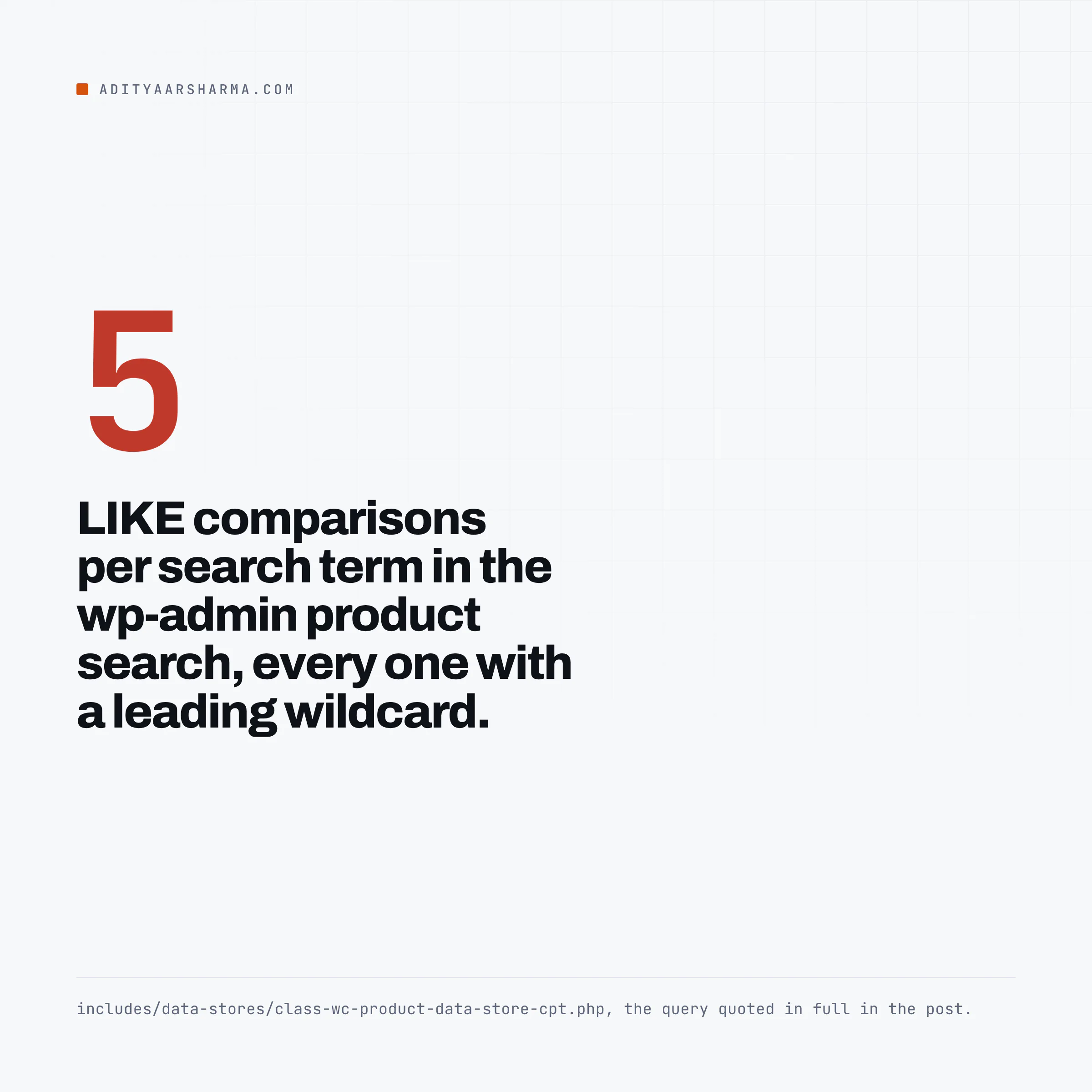
Five LIKE comparisons per search term, every one of them with a leading wildcard. A leading wildcard makes an index unusable, so MySQL reads every product and every variation row.
Then DISTINCT forces a temporary table, and ORDER BY on two unindexed expressions forces a filesort on top of it. There is no LIMIT, because the admin list table calls this with the limit argument unset.
It returns every matching id, then feeds the whole list back into a second WP_Query.
That is the answer to the question people actually have, which is why a WooCommerce admin gets slow on a big catalogue long before the shop does.
The shop front runs indexed lookups and sits behind a page cache. The admin runs this, logged in, uncacheable, on every keystroke of a search.
Below are the four mechanisms that account for almost all of it, each with the source it comes from and the command to measure it on your own store.
No load times, because I did not run a lab and a load time without the host, the theme and the catalogue behind it is decoration.
Why admin goes first
Three facts that compound
Three structural facts, none of them WooCommerce’s fault, all of them compounding.
- The shop front is cacheable and the admin is not. Every page cache in the world skips logged-in requests. The one page that is guaranteed to hit PHP and MySQL on every load is the one you use all day.
- The front end reads denormalised columns. WooCommerce maintains
wp_wc_product_meta_lookupprecisely so that catalogue filtering by price, stock and rating does not touchwp_postmeta. Admin search does not use it the same way, as the query above shows. - Orders got a full text index. Products did not. WooCommerce ships a system status tool called
recreate_order_address_fts_index, and a database update namedwc_update_940_add_phone_to_order_address_fts_index. So the team knows leading-wildcardLIKEis the problem, and has fixed it for order addresses under High Performance Order Storage. There is no equivalent tool for products in the list I read.
If you want a single sentence to hand a client: your customers are reading a cached copy, and you are the only person running the queries.
Cost one: the autoload set, and the rule that does not apply
WordPress loads every option marked autoload on every single request, front end and admin, into one cache entry called alloptions. From wp-includes/option.php on trunk: The loader is one SELECT option_name, option_value FROM $wpdb->options WHERE autoload IN (...), with no LIMIT of any kind.
One query, unbounded by size, unserialised into PHP memory, before your theme has done anything. WordPress 6.6 added a guard: The check is apply_filters( 'wp_max_autoloaded_option_size', 150000, $option ) compared against strlen( $serialized_value ). Anything larger returns false and is not autoloaded.
Here is the part that matters and almost nobody says out loud.
That check lives in wp_determine_option_autoload_value(), and read the top of that function: if $autoload is a boolean it returns immediately, and if it is the string 'on' or 'yes' it returns immediately.
The 150,000 byte limit only applies when the caller left autoload unspecified.
Any plugin that calls add_option( $key, $value, '', 'yes' ) gets its two megabyte blob autoloaded on every request, on WordPress 6.6 and on 7.1, and the guard never sees it.
Measure it, do not guess
Measure it, do not guess:
wp option list --autoload=on --format=total_bytesfor the totalwp option list --autoload=on --fields=option_name,size_bytes --format=csv, then sort that CSV yourself
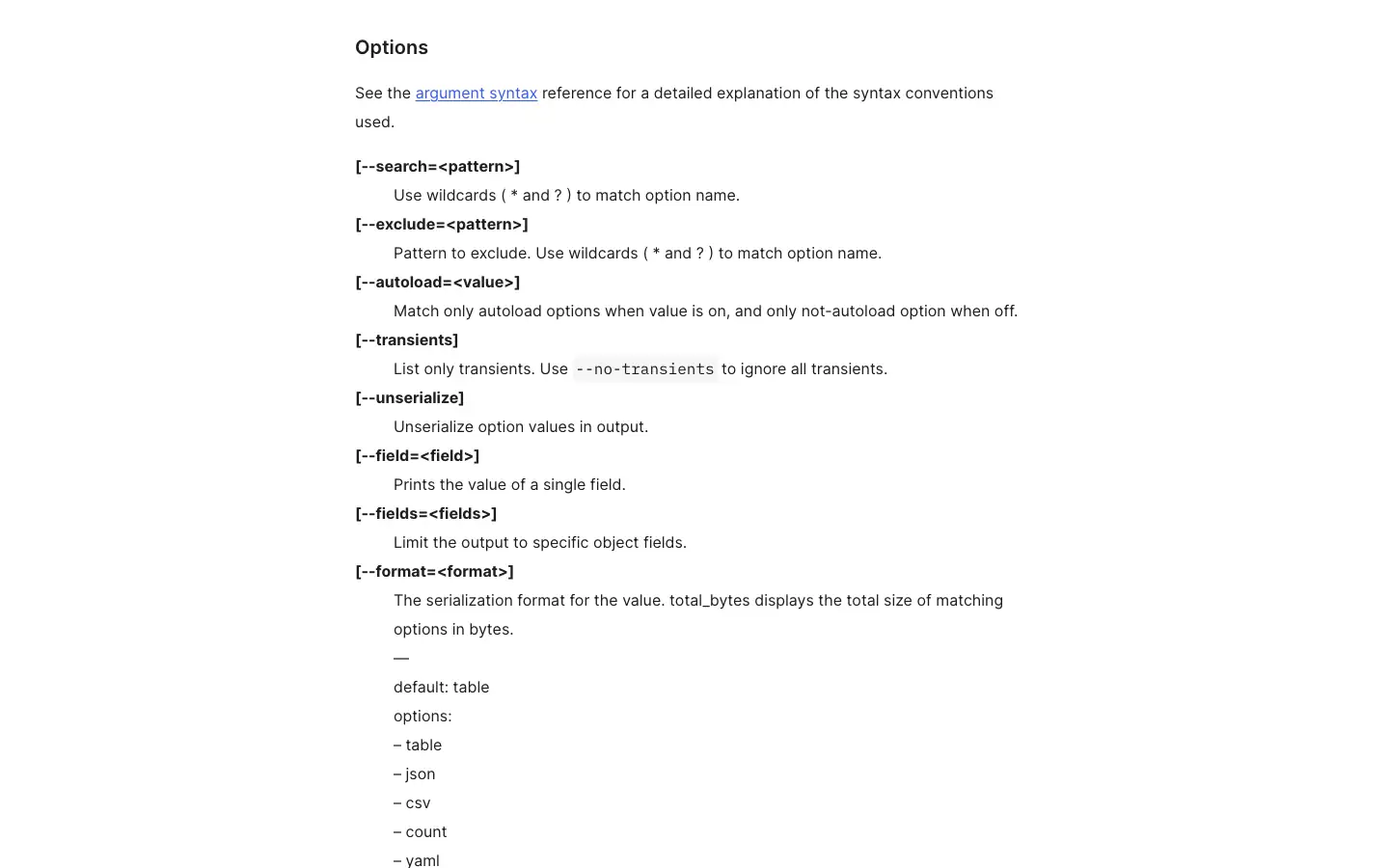
The --orderby flag does not accept size_bytes, which is why every version of this command you find that sorts with --orderby=size_bytes is wrong. Pipe it to sort.
How big is too big
There is no official threshold. Practically, if total_bytes comes back over a megabyte you are unserialising a megabyte on every request including every admin-ajax call, and the fix is to find the top three entries and ask what wrote them.
Cost two: transients, and the myth about them
The common claim is that transients bloat wp_options and slow every page load because they are autoloaded. Half right. From set_transient() in core:
if ( false === get_option( $transient_option ) ) {
  $autoload = true;
  if ( $expiration ) {
    $autoload = false;
  }
  add_option( $transient_option, $value, '', $autoload );
The elided line inside the if writes the matching _transient_timeout_ row, itself never autoloaded.
Which transients are actually autoloaded
A transient with an expiry is not autoloaded. A transient with no expiry is. So the ones that hurt your request time are the ones somebody wrote with set_transient( $key, $value ) and no third argument.
Everything else is a row count problem, which is a different and much milder problem.
WooCommerce’s own transients do carry an expiry. Reading class-wc-product-variable-data-store-cpt.php on trunk, a variable product writes two:
wc_product_children_{id}, set withDAY_IN_SECONDS * 30wc_var_prices_{id}, also 30 days, holding a JSON map keyed by a price hash
Two transients plus two timeout rows is four wp_options rows per variable product, none autoloaded, all sitting in the table for a month.
On a catalogue of a few thousand variable products that is tens of thousands of rows, which is fine for MySQL and annoying for anything that dumps the table.
The price hash, and the 8 kilobyte cap
The interesting failure is the price hash.
WooCommerce builds a cache key from the callbacks registered on its price filters, so a plugin that changes prices per user role, per customer, or in real time produces a new hash per visitor.
The transient grows one entry at a time until it does not fit anywhere useful.
WooCommerce added a cap, and the comment on it is the most concretely useful line I read all day: The comment above it is unusually honest.
It says the cap is size based rather than count based because the number of variations per hash varies widely, and that hash churn from real-time or role-based pricing can bloat the value over the 30-day TTL.
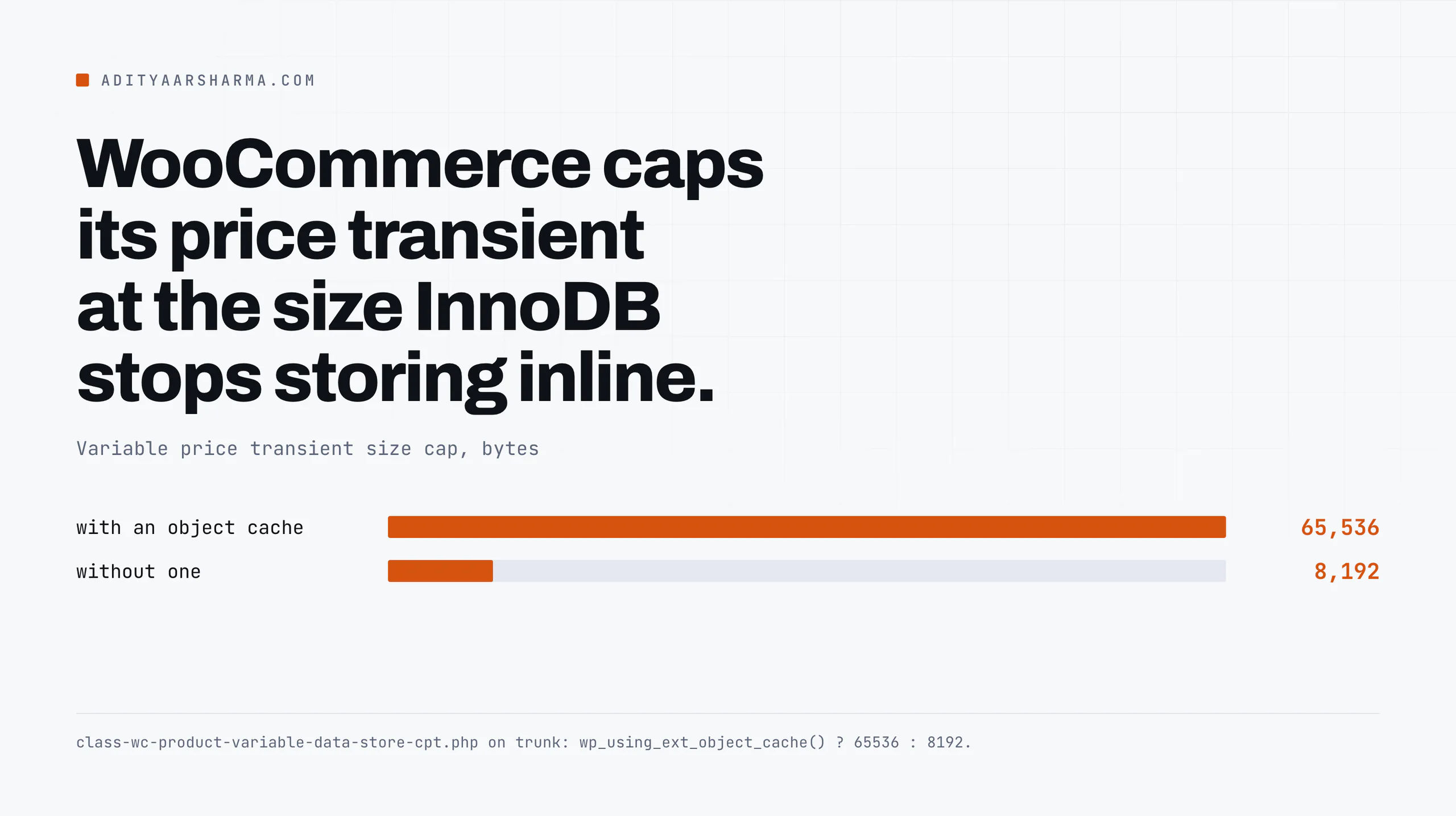
The value: wp_using_ext_object_cache() ? 65536 : 8192.
8 kilobytes without an object cache, because past that InnoDB stores the value off-page and reading one row becomes two reads. 64 kilobytes with one, because that is a Memcached slab.
If you run a dynamic pricing plugin on variable products, that cap is now doing constant work for you, and before it existed those rows grew without limit.
Clearing is a tool call, not a DELETE
Clearing is a tool call, not a DELETE. Both of these are in class-wc-rest-system-status-tools-v2-controller.php:
wp wc tool run clear_expired_transients --user=1deletes ALL expired transients site-widewp wc tool run clear_transients --user=1clears the WooCommerce product and shipping transients
Cost three: the lookup tables, and how to tell yours is stale
WooCommerce keeps a denormalised copy of the product fields it filters on.
The real table definition is in includes/class-wc-install.php on trunk. It stores product_id, sku, virtual, downloadable, min_price, max_price, onsale, stock_quantity, stock_status, rating_count, average_rating, total_sales and tax_status, with indexes on the columns your shop filters on.
Every filter widget on your shop page maps to one of those indexed columns. Filter by price and you get a range scan on min_max_price instead of a join through wp_postmeta for _price.
That is the whole point of the table, and it is why a shop archive stays quick when a catalogue grows.
How the lookup table drifts
It also means the table can drift.
Anything that writes product meta directly with update_post_meta() instead of through WC_Product, which includes most old import scripts and a fair number of plugins, updates wp_postmeta and never touches the lookup row.
The symptom is specific and recognisable: the product page shows the right price, and the shop filter does not find it.
Finding the drift
Find the drift with one query. It joins wp_postmeta on _price against wp_wc_product_meta_lookup.min_price for published products, and returns any row where the lookup is missing or the two values disagree once the meta value is cast to DECIMAL(19,4).
Rows in that result are products your filters cannot see correctly. The fix is one tool, and it is a long-running one on a large catalogue: wp wc tool run regenerate_product_lookup_tables --user=1.
Same call over REST if you prefer: PUT /wp-json/wc/v3/system_status/tools/regenerate_product_lookup_tables. The safety rules for that kind of write are in what is safe to script against the WooCommerce REST API.
Cost four: write amplification, which nobody budgets for
Reads get all the attention. On a busy store the writes are what fall over, and the reason is index maintenance. Every secondary index on a table is another structure the engine updates on every insert.
I counted the indexes in the shipped table definitions:
| Table | Secondary indexes | Written on |
|---|---|---|
wp_actionscheduler_actions | 9 | Every scheduled job, and WooCommerce schedules a lot of them |
wp_wc_orders | 9 | Every order create and update under HPOS |
wp_wc_product_meta_lookup | 7 | Every product save and every stock change |
wp_wc_orders_meta | 2 | Every order meta write |
Action Scheduler grows without anybody deciding
Action Scheduler is the one to look at first, because it is the table that grows without anybody deciding it should.
From its schema class, the actions table carries nine keys including one on args and a four column composite on claim_id, status, priority, scheduled_date_gmt. And from ActionScheduler_QueueCleaner.php:
- Default retention is
2678400seconds, which is 31 days, filterable withaction_scheduler_retention_period. - Failed actions are kept three times as long, three months, since Action Scheduler 4.0.0.
- The cleaner’s default batch size is 20. Twenty rows per run.
Twenty per run against a table that a busy store adds thousands of rows a day to is a losing race. That is the mechanism behind every “my wp_actionscheduler_actions table is nine gigabytes” thread.
Check yours: Two queries answer it. wp db query "SELECT status, COUNT(*) FROM wp_actionscheduler_actions GROUP BY status;" gives you the backlog by status.
Then read information_schema.TABLES for data_length and index_length, converted to megabytes and ordered descending, to see which tables are actually large.
Reading index size against data size
Read the index_mb column next to mb. When index size approaches or exceeds data size, you are paying more to maintain the lookups than to store the rows, and every insert is carrying that cost.
The HPOS setting that doubles your order writes
High Performance Order Storage moves orders out of wp_posts into four purpose-built tables: wp_wc_orders, wp_wc_order_addresses, wp_wc_order_operational_data and wp_wc_orders_meta. Order status becomes a varchar(20) column with its own index rather than a post_status shared with every post type on the site.
Compatibility mode, and when to turn it off
The setting to check is compatibility mode. WooCommerce’s own CLI documentation describes it as the mode that “keeps the HPOS and posts datastores in sync”.
In sync means every order write happens twice, once into the new tables and once into wp_posts and wp_postmeta.
It exists so an incompatible plugin keeps working, and it is frequently left on years after the plugin that needed it was removed.
wp wc hpos statuswp wc hpos compatibility-info, which active plugins are actually incompatiblewp wc hpos count_unmigrated, orders still pending sync
If compatibility-info lists no incompatible active plugins and count_unmigrated is zero, compatibility mode is buying you nothing and costing you every order write. Turn it off in a staging copy first, because that is a one-way door for anything still reading the old tables.
Do this in the next ten minutes
Four commands, in this order, on the store that feels slow.
wp option list --autoload=on --format=total_bytes
wp db query "SELECT status, COUNT(*) FROM wp_actionscheduler_actions GROUP BY status;"
wp wc hpos status
wp db query "SELECT table_name, ROUND(((data_length+index_length)/1024/1024),1) mb FROM information_schema.TABLES WHERE table_schema=DATABASE() ORDER BY (data_length+index_length) DESC LIMIT 10;"
Four numbers. They will tell you which of the four mechanisms above you actually have,
which is a better use of ten minutes than installing another caching plugin.
If you are running these across a fleet rather than one store, how I manage WordPress sites for clients and the site management tools comparison cover doing it at scale, and the Claude Code against WordPress setup is how I run this sequence without typing it.
What I am not claiming
Two things I have deliberately not claimed.
I have not given you a millisecond figure for any of this, because it depends on your host, your row counts and your object cache, and a number without those is worse than no number.
And I have not told you these are your top four costs, only that they are four real mechanisms with a documented source and a command to measure each one. Measure before you fix.
A store whose problem is unoptimised images is not helped by any of this, and bulk-compressing WordPress images would do more in an afternoon.
The forty minute version
For the long version of the order storage half, this conference talk is the best thing I found.

Luc Princen: Scaling up WooCommerce, on the WordCamp Nederland channel. Forty minutes on high performance order storage: why the posts table stopped working for orders, and what the new schema does about it. Verified via the YouTube oEmbed endpoint on 2 September 2026.
One last thing that belongs here and usually gets filed under SEO. Faceted URLs and add-to-cart links generate uncached, uncacheable requests at crawler volume, and every one of them runs the product query stack.
Stopping those from being crawled is a performance fix as much as an indexing fix, and the how is in preventing WooCommerce add-to-cart URLs from being crawled.
Where core is heading on all of this is in what WordPress 7.0 actually changes.
Resources
- class-wc-product-data-store-cpt.php, the admin product search query
- class-wc-install.php, every WooCommerce table definition
- class-wc-product-variable-data-store-cpt.php, the variation price transient and its size cap
- WordPress option.php,
set_transient()andwp_determine_option_autoload_value() - Action Scheduler store schema and its queue cleaner
- OrdersTableDataStore.php, the HPOS table definitions
- wp option list, the
--autoloadflag andsize_bytesfield - wp wc hpos command reference