The WordPress Autoload Set: What Loads on Every Request, and the Guard That Usually Does Not Apply
On this page, 10 sections
This is the function that decides whether an option in your database is loaded on every single request. It is wp_determine_option_autoload_value(), in wp-includes/option.php, lines 1306 to 1339.
I read it in WordPress 7.1, downloaded from wordpress.org on 3 September 2026 and confirmed against api.wordpress.org/core/version-check/1.7/, which reports 7.1 as current.
if ( is_bool( $autoload ) ) {
	return $autoload ? 'on' : 'off';
}
switch ( $autoload ) {
	case 'on':  case 'yes': return 'on';
	case 'off': case 'no':  return 'off';
}
// only now:
$autoload = apply_filters( 'wp_default_autoload_value', null, ... );
Look at where the filter is. It is at the bottom. Every branch above it returns before the filter ever runs.
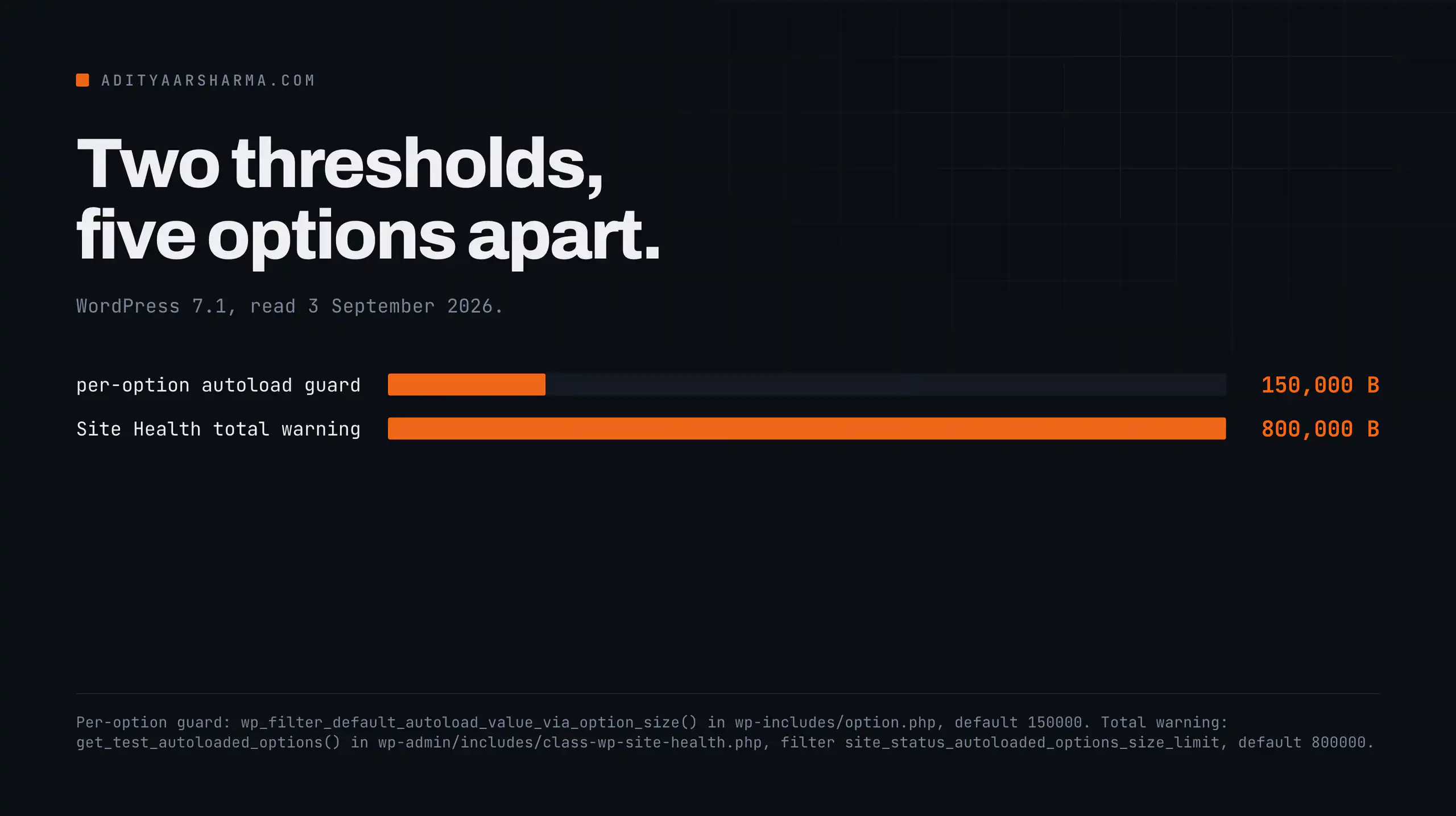
That matters because the 150,000 byte guard everyone credits WordPress 6.6 with is a callback on that filter: wp_filter_default_autoload_value_via_option_size(), added at priority 5 in wp-includes/default-filters.php line 299.
The guard applies to exactly one case
So the guard applies to exactly one case: a caller who passes something that is neither a boolean nor one of the four recognised strings. In practice that means a caller who passes null, or omits the argument entirely.
Four ways to write a multi-megabyte option that autoloads anyway
All four of these skip the size check completely. The option can be five megabytes and it will still be marked as autoloaded.
add_option( 'my_huge_thing', $five_megabytes, '', true );    // is_bool  -> 'on'
add_option( 'my_huge_thing', $five_megabytes, '', 'yes' );   // switch   -> 'on'
add_option( 'my_huge_thing', $five_megabytes, '', 'on' );    // switch   -> 'on'
update_option( 'my_huge_thing', $five_megabytes, true );     // is_bool  -> 'on'
What the dev note says, and what it leaves out
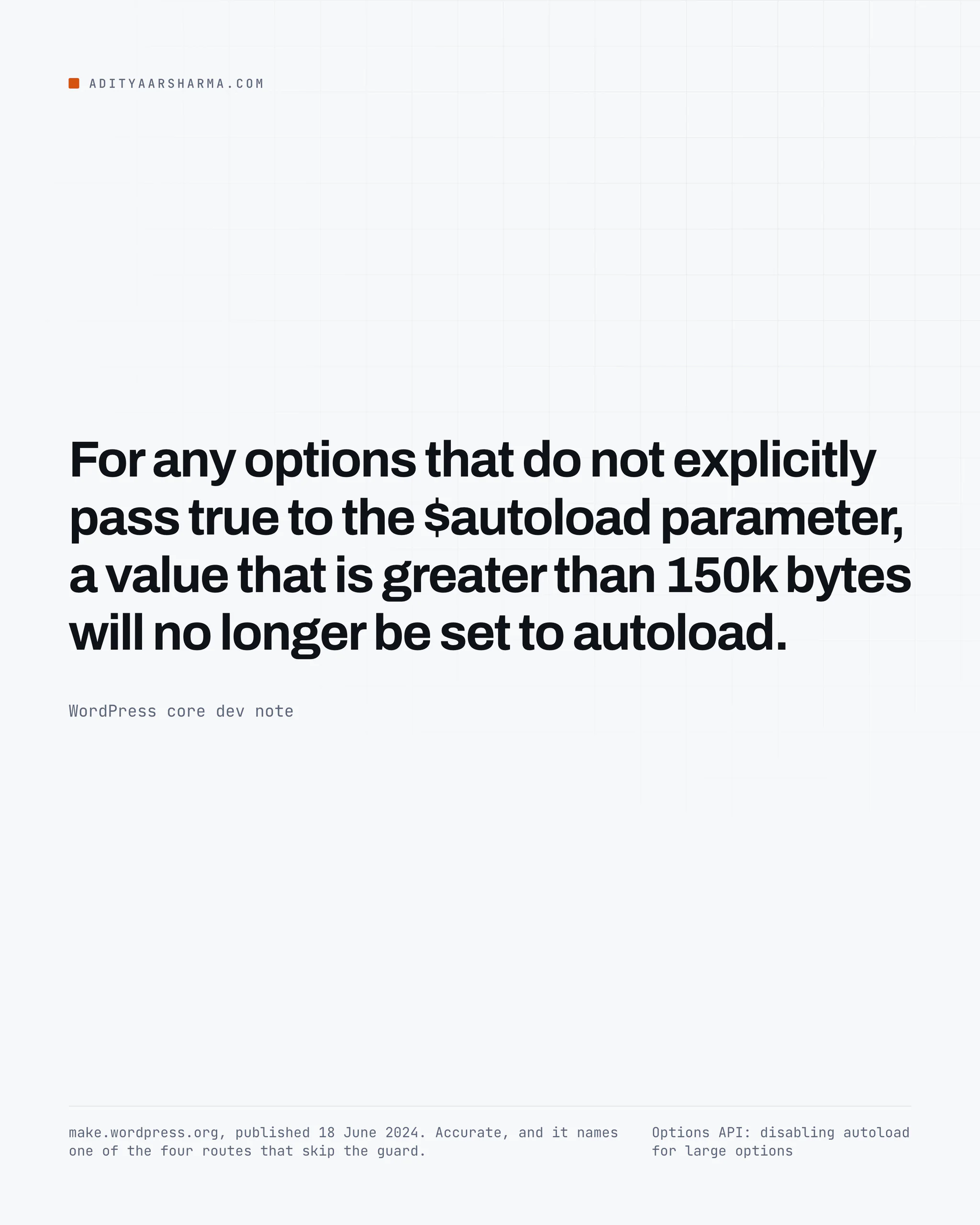
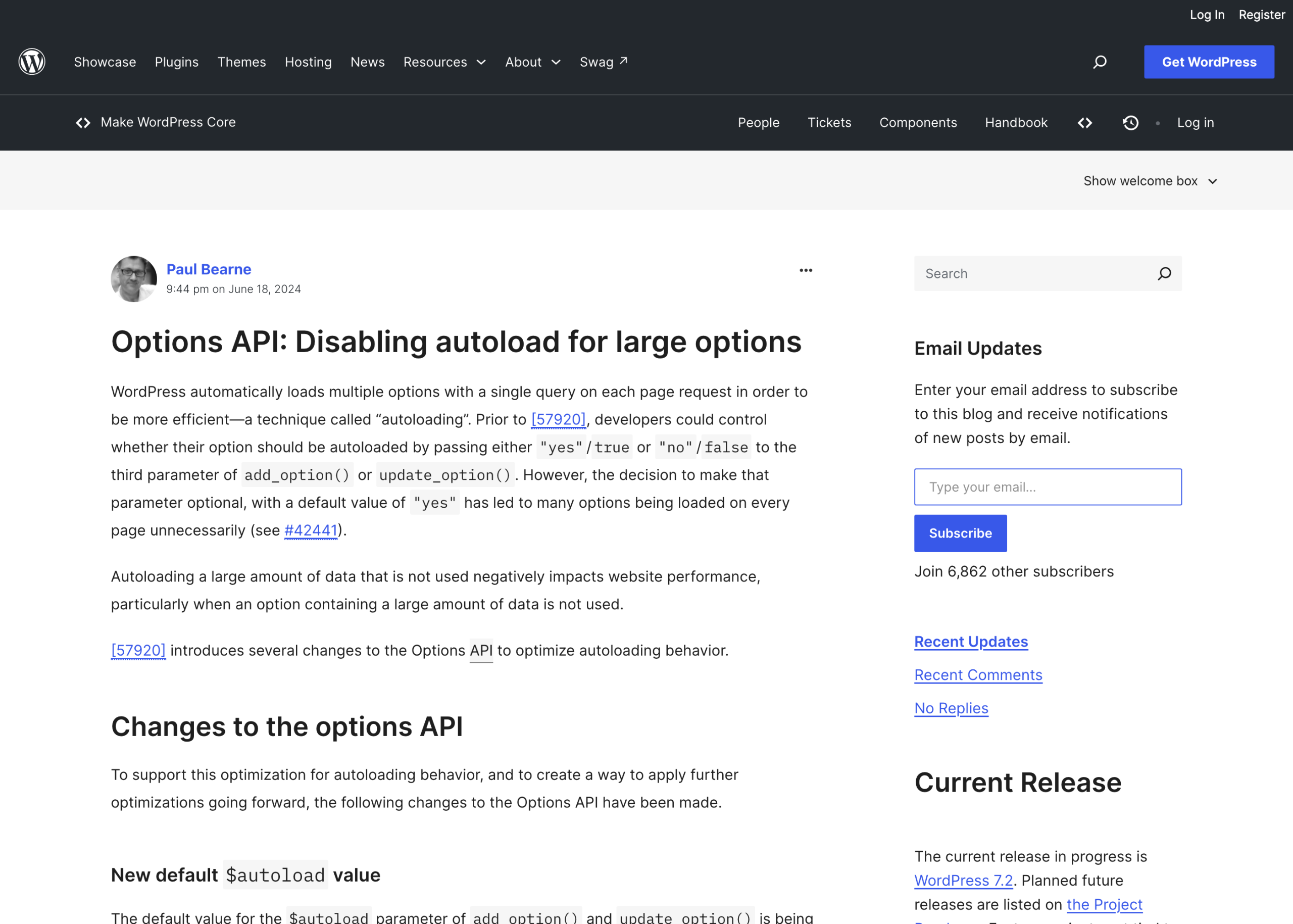
The 6.6 dev note on make.wordpress.org, published 18 June 2024, says it this way:
“For any options that do not explicitly pass true to the $autoload parameter, a value that is greater than 150k bytes will no longer be set to autoload.” That sentence is accurate but it names only one of the four routes.
The string 'yes' is the one that catches people, because it is what every plugin written before 6.6 passes, and it is still the documented legacy value.
The bigger hole: existing rows are never re-evaluated
This is the part I did not expect. In update_option(), lines 949 to 961, when no autoload argument is passed, WordPress reads the current autoload column and only re-evaluates it if the value is in $allow_values.
yes is not in the allow list
$allow_values contains auto-on, auto-off and auto. It does not contain yes. It does not contain on.
So if a row in your options table has autoload = 'yes', which is what every row written before WordPress 6.6 has, and a plugin calls update_option( $name, $huge_value ) without an autoload argument, WordPress reads the current value, sees 'yes', decides it is not eligible for re-evaluation, and writes the new value while leaving autoload = 'yes' in place.
The size guard never runs. It will never run on that row, on any future update, for the life of the site.
The reasoning, and the consequence
The reasoning is defensible: 'yes' means a human or a plugin author made a deliberate choice, and core should not silently overrule it.
The consequence is that on a site upgraded from 6.5 or earlier, the 6.6 improvement only ever applies to options created after the upgrade. The old ones are frozen exactly as they were.
What “the autoload set” actually means at query time
The read side is wp_load_alloptions(), same file, line 600. It runs one SELECT option_name, option_value filtered by autoload IN (...) before almost anything else on every request. If that query returns nothing, the next line selects the entire options table.
Two things there are worth stopping on.
Four column values count as autoloaded
First, wp_autoload_values_to_autoload() at line 3264 returns array( 'yes', 'on', 'auto-on', 'auto' ). Four distinct column values count as autoloaded.
Note that auto is in that list: an option where nothing made a decision, and the size guard did not fire, gets auto and is loaded.
The fallback loads everything
Second, the fallback on the next line. If the autoload query returns an empty result, WordPress selects the entire options table. That is a safety net for a broken or half-migrated schema, and on a normal site it never fires.
But it means the failure mode of a corrupted autoload column is not “no options load”, it is “every option loads on every request”, which is the exact opposite of what you would want and much harder to notice.
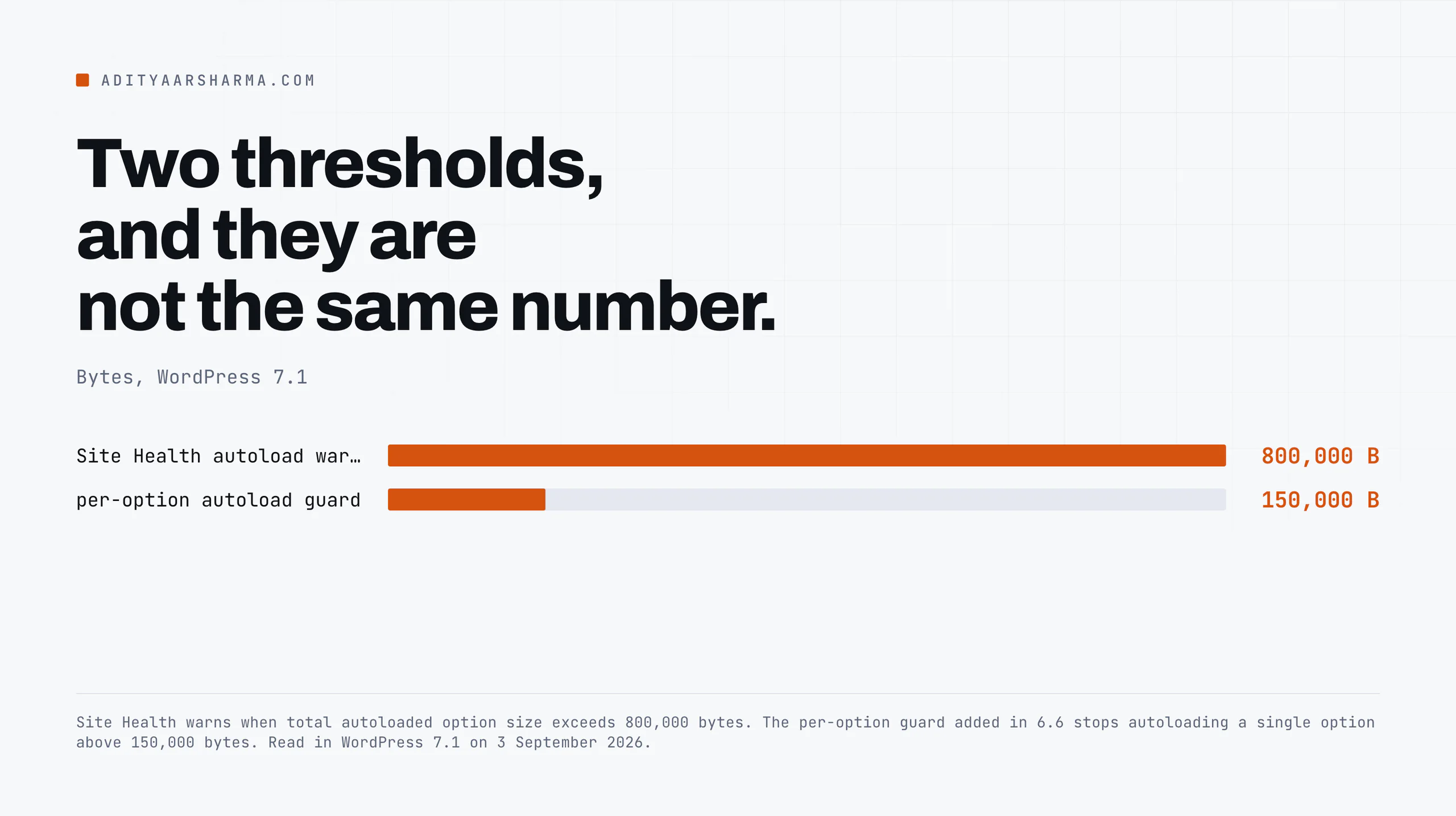
The two thresholds are not the same number, and neither is a limit
The per-option guard is 150,000 bytes, filterable through wp_max_autoloaded_option_size, defined in wp_filter_default_autoload_value_via_option_size() at line 1362.
The Site Health warning is a different number in a different file. WP_Site_Health::get_test_autoloaded_options() in wp-admin/includes/class-wp-site-health.php line 2709 uses 800,000 bytes, filterable through site_status_autoloaded_options_size_limit, and it measures the total by summing strlen() across everything wp_load_alloptions() returned.
So five options sitting just under the per-option guard total 750,000 bytes and Site Health still reports the site as acceptable. Neither number is enforced.
The 150,000 one changes a default; the 800,000 one changes a message in an admin screen. Nothing in WordPress refuses to autoload anything.
Measuring it, and why the obvious command undercounts
The command everyone reaches for is wp option list --autoload=on --format=total_bytes. It is in the WP-CLI docs and it is on every performance blog.
It undercounts, twice, and neither undercount is documented in the command help.
The filter it builds, in src/Option_Command.php from wp-cli/entity-command v3.0.2, released 14 August 2026, matches only autoload='on' or autoload='yes'.
Two values, not four
Every option written since 6.6 without an explicit autoload argument carries auto or auto-on, and WordPress loads all of them, and this command counts none of them.
The second undercount is a few lines further down in the same method: the query appends option_name NOT LIKE '_transient_%' and the site-transient equivalent.
wp option list excludes transients unless you pass --transients.
A transient set with no expiry is autoloaded, permanently, and this command hides it by default. That is a large enough hole on its own that I gave it a separate post.
Commands that give you the real number
Query the column values core actually loads, rather than the two WP-CLI matches. All three of these run through wp db query against your options table:
- The real total.
SUM(LENGTH(option_value))andCOUNT(*)whereautoload IN ('yes','on','auto-on','auto'). That is exactly whatwp_load_alloptions()returns. - The top offenders, transients included. Same filter, selecting
option_name,autoloadandLENGTH(option_value), ordered by bytes descending, limit 25. - The distribution. The same table grouped by
autoload, which tells you how much of it predates 6.6.
Run all three. The third one is the one that answers the question.
wp db query "SELECT autoload, COUNT(*) AS n, SUM(LENGTH(option_value)) AS bytes
  FROM $(wp db prefix --allow-root)options
  GROUP BY autoload ORDER BY bytes DESC;"
Reading the distribution
If almost every row says yes, the site was installed before 6.6 and none of the 6.6 machinery has touched it.
If you see a healthy mix of auto and auto-off, the guard has been doing its job on new writes.
Turning one off is a single command, and it takes effect on the next request because the alloptions cache key is rebuilt: wp option set my_huge_thing "$(wp option get my_huge_thing)" --autoload=off.
That round-trips the value through the shell, which will mangle a serialized array. For anything non-scalar, run an UPDATE ... SET autoload='off' against the row directly and then wp cache flush.
What does not work
Deleting rows you did not write. An option marked autoload is not the same as an option that is unused.
Felix Arntz, who did much of the 6.6 autoload work, makes this point directly in his write-up on autoloading options: there is no guarantee an autoloaded option is ever read, and equally no way to prove from the row alone that it is not.
Setting autoload='off' is reversible. Deleting is not.
Raising wp_max_autoloaded_option_size. The dev note says increasing it is not recommended, and the reason is structural rather than advisory.
The cost of an autoloaded option is not the disk read, it is that the whole set is serialized into one object cache entry and unserialized on every request.
Raising the threshold makes that entry bigger for every request on the site, including the ones that never touch the option.
Assuming an object cache fixes it. It moves the work rather than removing it. With Redis or Memcached in front, the SELECT disappears but the payload still crosses the socket and still gets unserialized in PHP on every request.
If you are not sure which layer your problem is in, I worked through how to tell them apart in the piece on WordPress caching layers.
Treating this as the whole performance story. Autoloaded options are a fixed per-request tax. They are rarely the biggest number on a slow site.
On a site I profiled end to end the query count and the plugin hook weight both mattered more.
The reason to fix autoload anyway is that it is cheap and it is measurable, which is not true of most of the rest.
If you run WooCommerce
A store has a different shape of the same problem, and the expensive parts are queries rather than options.
I covered the specific ones, including the five leading-wildcard LIKE comparisons the admin product search runs with no LIMIT, in the WooCommerce performance breakdown.
Do not run both audits at once and try to attribute the result; measure the options table first because it is the one you can change without touching a query.
One option worth checking on any store, or any site with a lot of scheduled work: cron. It is written by _set_cron_array() in wp-includes/cron.php as update_option( 'cron', $cron, true ). Boolean true.
It is one of the four bypass routes above, by design, and on a site with tens of thousands of queued events it can be the largest autoloaded row in the table.
If yours is large, the comparison of WP-Cron against Action Scheduler covers why, and what moving the work to a table changes.
The one thing to do
Run the distribution query above on your largest site.
If more than about half the bytes sit in rows where autoload = 'yes', the 6.6 guard has never applied to your site and never will, and every one of those rows is a decision somebody made years ago that nothing has revisited since.
Resources
- Options API: disabling autoload for large options, the WordPress 6.6 dev note, 18 June 2024
- wp_determine_option_autoload_value() in the code reference, marked private
- wp_load_alloptions() in the code reference
- wp option list, the WP-CLI command documentation
- wp-includes/option.php on wordpress-develop
- Autoloading WordPress options efficiently and responsibly, Felix Arntz