What WordPress Core Actually Does When It Lazy Loads Your Images
On this page, 10 sections
I counted the loading attributes on one of my own posts and got zero loading="lazy" and six fetchpriority="high". Core has been adding the lazy attribute automatically since WordPress 5.5, and it marks exactly one image as the high-priority one.
So neither number came from core. I turned off the plugin settings responsible and counted again on 3 September 2026:
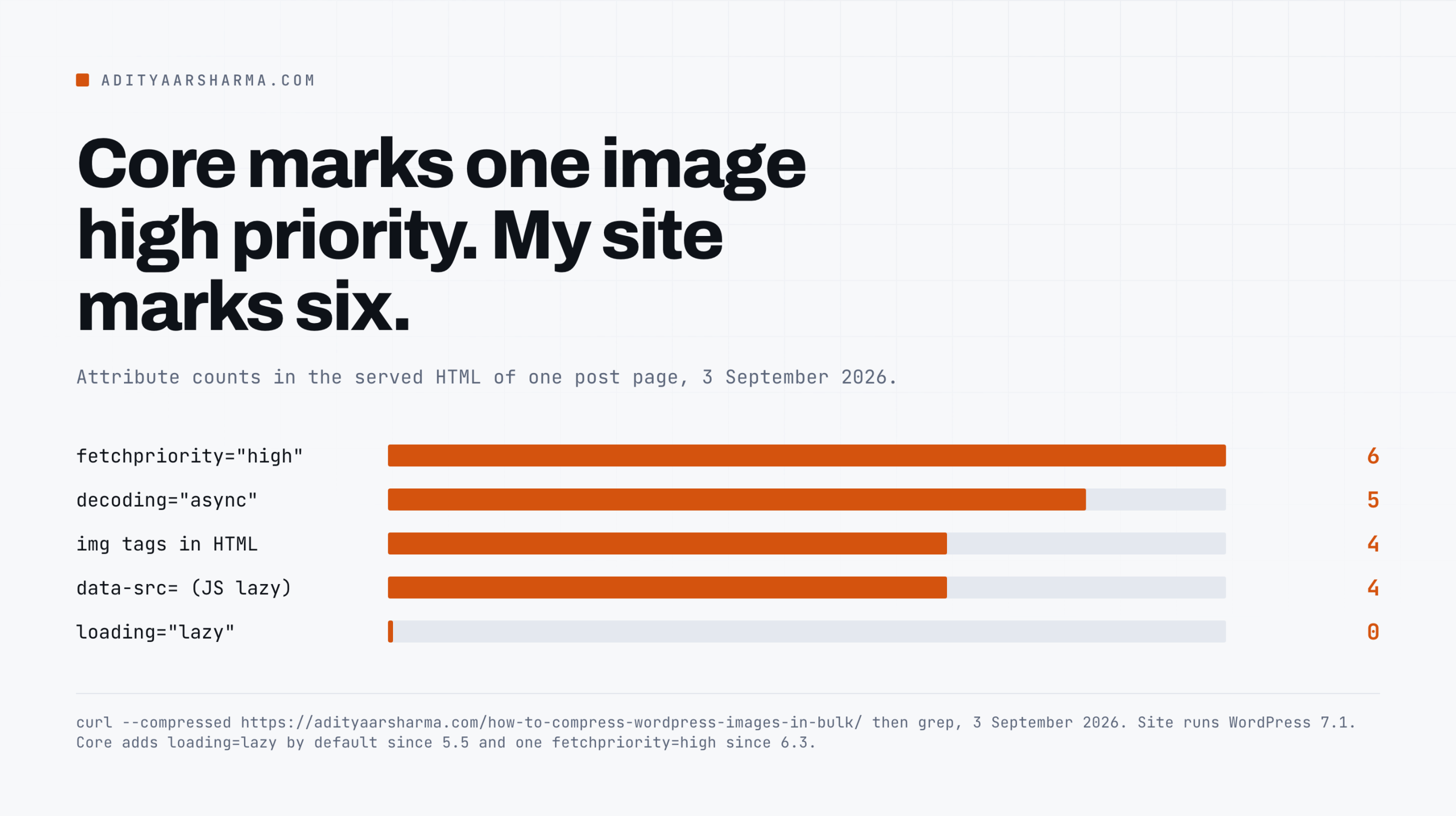
curl -s --compressed https://adityaarsharma.com/how-to-compress-wordpress-images-in-bulk/ -o post.html

grep -o '<img' post.html | wc -l                    # 5
grep -o 'loading="lazy"' post.html | wc -l          # 2
grep -o 'fetchpriority="high"' post.html | wc -l    # 2
grep -o 'data-src=' post.html | wc -l               # 5
Two images marked as the highest priority resource on the page.
Core will only ever mark one, so one of those two still comes from somewhere else and I have not found it yet.
The five data-src attributes are not what I first assumed. Every one of them sits beside a real, working src. Those images load with JavaScript disabled. They come from WP Compress adaptive images.
I am saying that plainly because I nearly published the opposite. A data-src count on its own tells you nothing about whether an image is gated on JavaScript. You have to check whether a real src is there too.
That is worth knowing before you read the rest, because the function I am about to walk through is the one most WordPress sites never actually run.
It is good, it is careful, it handles cases nobody thinks about, and a single optimisation plugin can throw all of it away without saying so.
The function that makes the decision
Everything lives in wp_get_loading_optimization_attributes(), in wp-includes/media.php. I downloaded WordPress 7.1 from wordpress.org this morning, 3 September 2026, and read it there.
The version string in wp-includes/version.php confirmed 7.1, and every line quoted below is from wp-includes/media.php in that tarball rather than from a blog post about it.
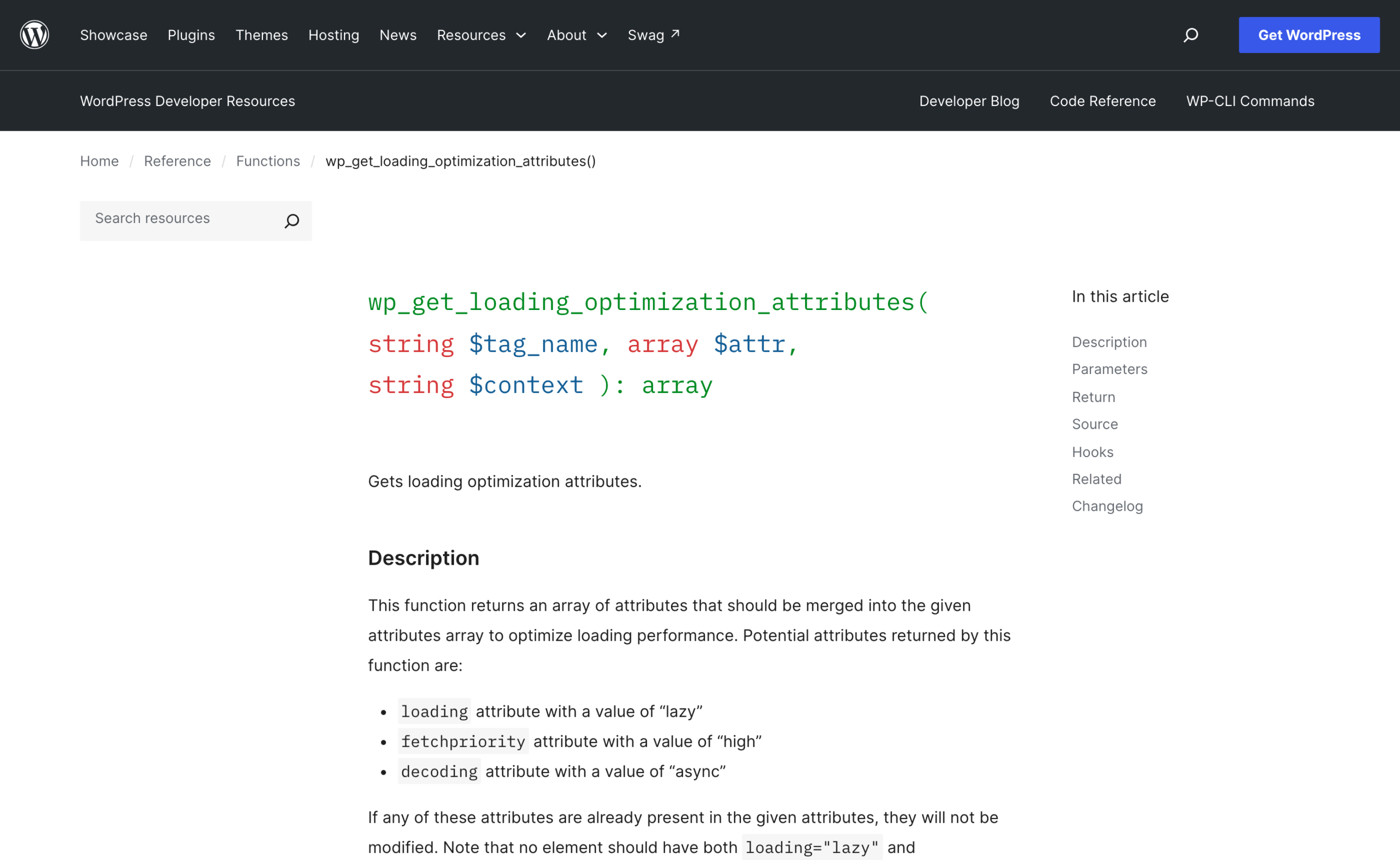
It takes three arguments: the tag name, the attribute array, and a context string. It returns an array of attributes to merge into the tag, which in practice is some combination of decoding, loading and fetchpriority.
It decides both halves of the problem in one place, which matters, because lazy loading and priority hinting are the same decision seen from two ends.
The rules, in the order core applies them
1. Only img and iframe. The comment in core says that for now the function only supports images and iframes. Every other tag returns straight away.
Block templates are skipped
2. Block templates are skipped. Context 'template' returns an empty array before anything else runs, with the comment that it is handled more granularly elsewhere, and the skip applies to fetchpriority too.
Images inside a content blob wait for the outer pass
3. Images inside a content blob are deferred to the outer pass. This one is subtle and it is the reason a lot of homegrown code produces wrong results.
If the function is called while the_content, widget_text_content or widget_block_content is running, but with a different context, it returns nothing.
The guard is three doing_filter() checks. If the_content, widget_text_content or widget_block_content is running and the context passed in is not that same filter, core hands the decision back to the outer pass.
The comment in core explains why: an image generated programmatically inside post content would otherwise be counted in its own context, which skews the media count, and that can result in the first content image being lazy-loaded or an image further down the page being marked high priority.
Both of those are the failure this whole system exists to prevent.
decoding async goes on everything
4. decoding=”async” goes on every image, unconditionally. The line is $loading_attrs['decoding'] = $attr['decoding'] ?? 'async';, and it runs before any of the viewport logic.
No width and height means no decision at all
5. No width and height means no decision at all. This is the rule I would put on a wall:
// For any resources, width and height must be provided, to avoid layout shifts.
if ( ! isset( $attr['width'], $attr['height'] ) ) {
    return apply_filters( ... );
}
An image with no intrinsic dimensions gets decoding="async" and nothing else. No loading, no fetchpriority.
If your theme prints a hero image with a hand-written <img> tag and no width or height, core silently declines to prioritise it, and you get neither of the two things you wanted.
It also gives you a layout shift, which is the other half of the problem I went through in the Core Web Vitals thresholds piece.
The skip-first-N heuristic, and why the number is three
Core keeps a counter of media elements it has already seen in the main loop. The threshold below which it omits the loading attribute is set by wp_omit_loading_attr_threshold(), and the docblock records its history.
The docblock is explicit. $omit_threshold is the number of media elements where the loading attribute will not be added, it has existed since 5.9.0, and the default changed from 1 to 3 in 6.3.0. The line is apply_filters( 'wp_omit_loading_attr_threshold', 3 ).
The counter itself is a static variable in a function, and reading it means calling that function with a zero increment, which core does explicitly.
Core calls wp_increase_content_media_count( 0 ) to read the counter without moving it, then sets $maybe_in_viewport to true while that count is below wp_omit_loading_attr_threshold() and false once it is not.
So the first three media elements in the main loop are treated as in-viewport and never get loading="lazy". Everything after is lazy.
That is the whole heuristic, and it is a heuristic rather than a measurement: core has no idea where your viewport ends, so it guesses that the first three things are probably visible.
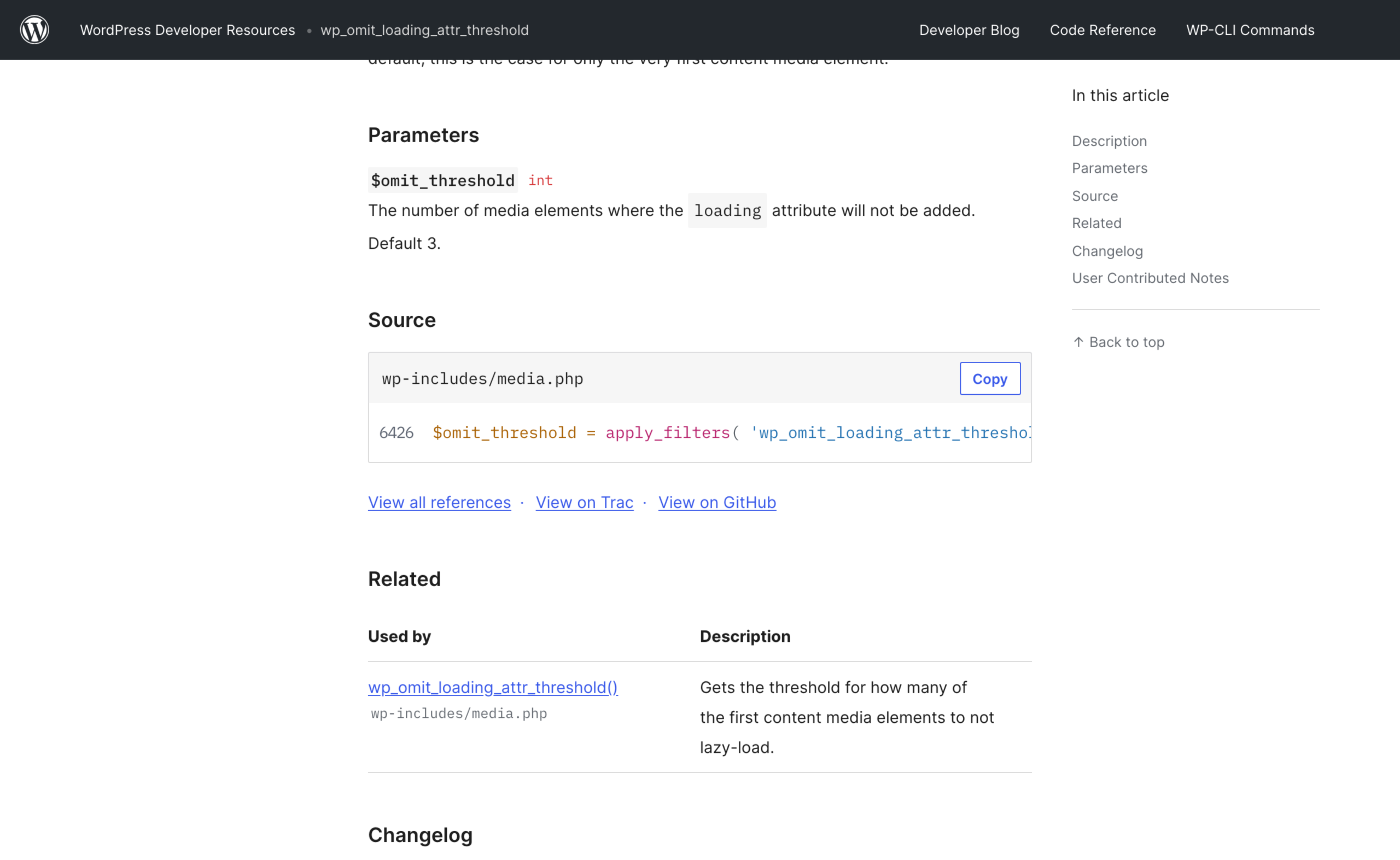
wp_omit_loading_attr_threshold reference, read 3 September 2026. Default 3, and the source line is in wp-includes/media.php.Why the default went from 1 to 3
The reason the default went from 1 to 3 in WordPress 6.3 is the mismatch between document order and visual order. A layout with a small logo, an author avatar and then the hero image puts the actual LCP element third.
With a threshold of 1, the hero got loading="lazy", which is precisely the own goal. Three is a compromise that covers most themes and over-eagerly loads two extra images on the rest.
The other half: fetchpriority, and the 50,000 pixel gate
Exactly one image per page gets fetchpriority="high", and it has to be big enough to plausibly be the LCP element. The logic is in wp_maybe_add_fetchpriority_high_attr().
Three checks run in order. Lazy and high priority are mutually exclusive, so an image already marked loading="lazy" returns immediately. Then wp_high_priority_element_flag() has to still be true.
Then apply_filters( 'wp_min_priority_img_pixels', 50000 ) is compared against width times height, and only then is fetchpriority set to high and the flag burned.
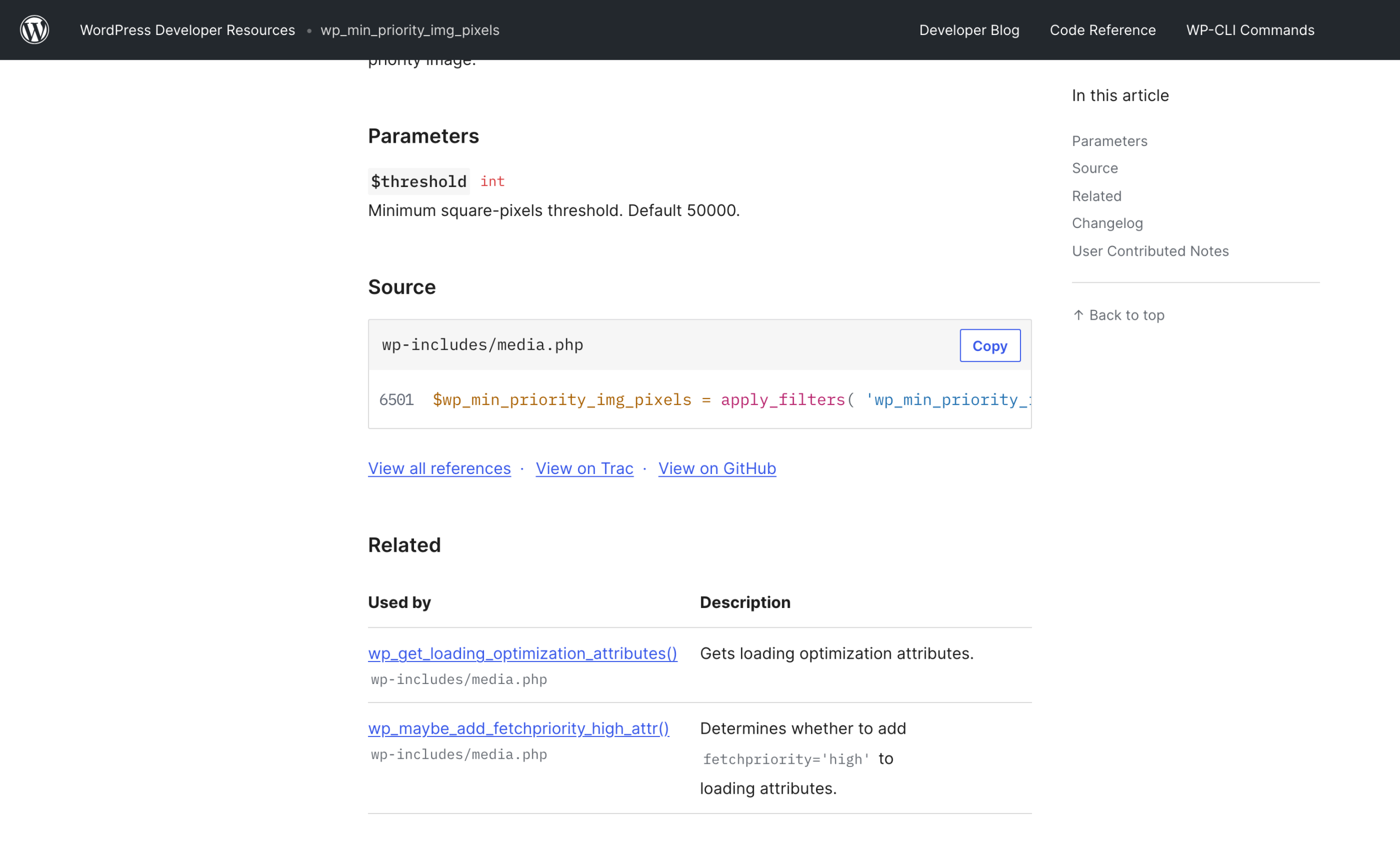
wp_min_priority_img_pixels reference, read 3 September 2026. Minimum square-pixels threshold, default 50000.Three checks, in that order
Three things are happening. wp_high_priority_element_flag() is a one-shot latch: once an image claims high priority, the flag is set false and no other image on the page can get it.
The 50,000 square pixel floor is an area test, so a 260 by 200 image passes at 52,000 and a 200 by 200 avatar fails at 40,000.
And the mutual exclusion with lazy is enforced in code rather than left to a developer’s discipline.
Core will shout at you if you do both
Core will even shout at you if you try to do both. If an image arrives already carrying fetchpriority="high" and core has determined it is not in the viewport, it calls _doing_it_wrong() with the message that an image should not be lazy-loaded and marked as high priority at the same time.
It still honours your attribute afterwards, with a comment saying it should not override what a developer decided even though it seems incorrect. That is a good instinct in a framework and a bad outcome on a page.
The three fetchpriority values you did not know core reads
Newer core does not only write fetchpriority, it reads it as a signal from blocks. All three values change the decision:
highalready present means the developer picked the LCP element. Core honours it and burns the latch.lowmeans the image is present but not initially displayed. Core’s comment names the cases: hidden in the Navigation Overlay, occluded in a non-initial carousel slide, a collapsed Details block. Such images are marked not-in-viewport but are deliberately not lazy-loaded, because the browser has no heuristic for when to start loading something it cannot see.automeans block visibility support decided the block is conditionally displayed by viewport size. Core preserves it, refuses to give it high priority, and skips the media count increment entirely so that a run of viewport-conditional images does not push the real hero past the threshold.
That low case is the one worth internalising. There is a difference between an image that is below the fold and an image that is hidden.
Lazy loading is correct for the first and actively wrong for the second, because a lazy image inside a closed accordion will not begin downloading until the user opens it, and then they wait.
Where the classic own goal actually comes from
The advice everyone gives is do not lazy load your LCP image. Nobody explains how it happens, so here are the four routes I can name from the source above.
Four routes to a lazy-loaded LCP image
The image is not in the main loop. The counting path only runs when ! is_admin() && in_the_loop() && is_main_query().
There is a second path for images before the loop, guarded by $wp_query->before_loop, did_action( 'get_header' ) and ! did_action( 'get_footer' ), plus a filterable list of header contexts.
A page builder that renders the hero outside all of those falls into the final branch where $maybe_in_viewport is still null, and null is treated as not-in-viewport, which means lazy.
The hero is fourth. Three decorative images ahead of it in document order and the threshold is spent.
No width and height. Covered above. Core declines to decide and you get nothing.
A plugin added the attribute globally. An optimisation plugin that regex-replaces every <img with a lazy version does not consult any of this logic.
That is what happened on my own site. It produced six high-priority images on one post, which means none of them were prioritised in any useful sense, because the browser had six equally urgent things to fetch.
Two plugins were each preloading the same image. Turning off Perfmatters lazy loading, turning off WP Compress fetchpriority-high and optimize-lcp, and clearing the Perfmatters critical image preload brought it down to two.
The four filters, and which one to actually use
In increasing order of bluntness:
add_filter( 'wp_omit_loading_attr_threshold', fn() => 1 );raises or lowers how many leading images stay eager. Cheap and safe.add_filter( 'wp_min_priority_img_pixels', fn() => 20000 );changes the area floor for the high-priority image.wp_lazy_loading_enabledreceives$default,$tag_nameand$context, so you can returnfalsefor one tag in one context, for examplewp_get_attachment_image.pre_wp_get_loading_optimization_attributesshort-circuits the whole function. Return an array such asarray( 'decoding' => 'async', 'fetchpriority' => 'high' )and core does nothing else for that element.
Which filter to reach for
Filter 1 is the one to reach for. If your theme’s LCP element is genuinely the first image in the loop, dropping the threshold back to 1 loads two fewer images eagerly and costs you nothing.
If your theme puts three small things ahead of the hero, fix the theme rather than the threshold.
Filter 4 exists for the case where you know the answer and core cannot. It is a short circuit, so whatever array you return is final for that element. Use it in a template with an explicit context string, never globally.
How to check your own site in one command
Fetch a real page and count. Not a plugin dashboard, the actual HTML that reaches a browser:
curl -s --compressed https://YOURSITE.com/some-post/ -o p.html

grep -o '<img' p.html | wc -l
grep -o 'loading="lazy"' p.html | wc -l
grep -o 'fetchpriority="high"' p.html | wc -l
grep -o 'data-src=' p.html | wc -l
Then count the images with no width attribute, with grep -o '<img[^>]*>' p.html | grep -vc 'width='.
What you want to see: exactly one fetchpriority="high", zero images missing a width attribute, and loading="lazy" on everything except the first few.
More than one high-priority image means something is overriding core’s latch. That is the number to chase first.
A non-zero data-src count is a prompt to look closer rather than a verdict. If the same tag also carries a real src, the image loads without JavaScript and the data-src is an adaptive-image hook.
If there is no src at all, then the image really does wait for your JavaScript bundle to parse and execute before it starts downloading.
That last one is the real cost and it does not show in a byte count.
I went through the same class of problem measuring my whole homepage in the post about what actually makes a WordPress site slow, and the pattern repeats: the plugin is not adding weight, it is adding a dependency between two things that had no reason to depend on each other.
The block asset pipeline has its own version of this, which I covered in the block.json asset loading post.
One thing to do next
Run the count above on your busiest post. If fetchpriority="high" comes back as anything other than 1, find the plugin doing it and turn off its image handling, then run it again.
Mine came back as 2 after I did exactly that, so I am not finished either. Core’s version of this is better than almost every plugin’s, and you already have it.
If you are also compressing on the way in, the bulk image compression walkthrough covers the upload side, and the Elementor performance measurements cover what a builder adds on top.
Resources
- wp_get_loading_optimization_attributes() on developer.wordpress.org, the function this post reads.
- wp_omit_loading_attr_threshold, the filter for how many leading images stay eager. Default 3 since 6.3.0.
- wp_min_priority_img_pixels, the 50,000 square pixel floor for the high-priority image.
- wordpress.org/latest.tar.gz. Read the source rather than a summary of it; the file is wp-includes/media.php.
- WHATWG HTML: the img loading attribute, linked from core’s own comment in wp_lazy_loading_enabled().